Key takeaways
- MCP (Model Context Protocol) turns Claude Code and Cursor from chat assistants into agents that can actually run SEO research, score content, and publish, not just describe what you should do.
- Setup takes minutes: Claude Code uses
claude mcp add, Cursor uses amcp.jsonfile or the Settings UI, and most SEO vendors now ship a remote MCP endpoint you just paste in. - Cursor caps usable MCP tools around 80 across all connected servers, so stacking five research tools at once can silently drop functionality. Enable only what a task needs.
- MCP security is not theoretical: a Cursor RCE bug (CVE-2025-54135) and documented "tool poisoning" attacks mean you should treat every MCP server, and every tool description inside it, as untrusted code until reviewed.
- Pricing for MCP access varies wildly by vendor, from free (Firecrawl's 1,000 monthly credits) to $549/month before you've bought a single API unit (Semrush).
A year ago, asking an AI coding assistant to "do my keyword research" meant copy-pasting a CSV into a chat window and hoping the model didn't hallucinate the search volumes. That's mostly over. Claude Code and Cursor can now reach out, live, into Semrush, Frase, Firecrawl, and a growing list of SEO and GEO platforms through MCP, run the research themselves, and act on what they find.
This guide walks through what that actually looks like in practice: how the plumbing works, which MCP servers are worth your time, what it costs, and the security stuff nobody wants to think about until it's too late.
What MCP actually changes for SEO work
MCP, the Model Context Protocol, is an open standard that lets an AI assistant call out to external tools through one shared interface instead of every vendor building a custom plugin for every model. A tool ships one MCP server; any MCP-aware client, Claude Code, Cursor, ChatGPT, ships one connector, and now they can talk.
The distinction that matters for SEO is read versus read-write. Plenty of "AI SEO" features are read-only: the assistant pulls a keyword list or a ranking snapshot, then stops, and you're back to doing the work by hand. A read-write MCP server lets the assistant run the research, score a draft, rewrite it, re-score it, and in some cases publish it, closing the loop without you tabbing between five browser windows.
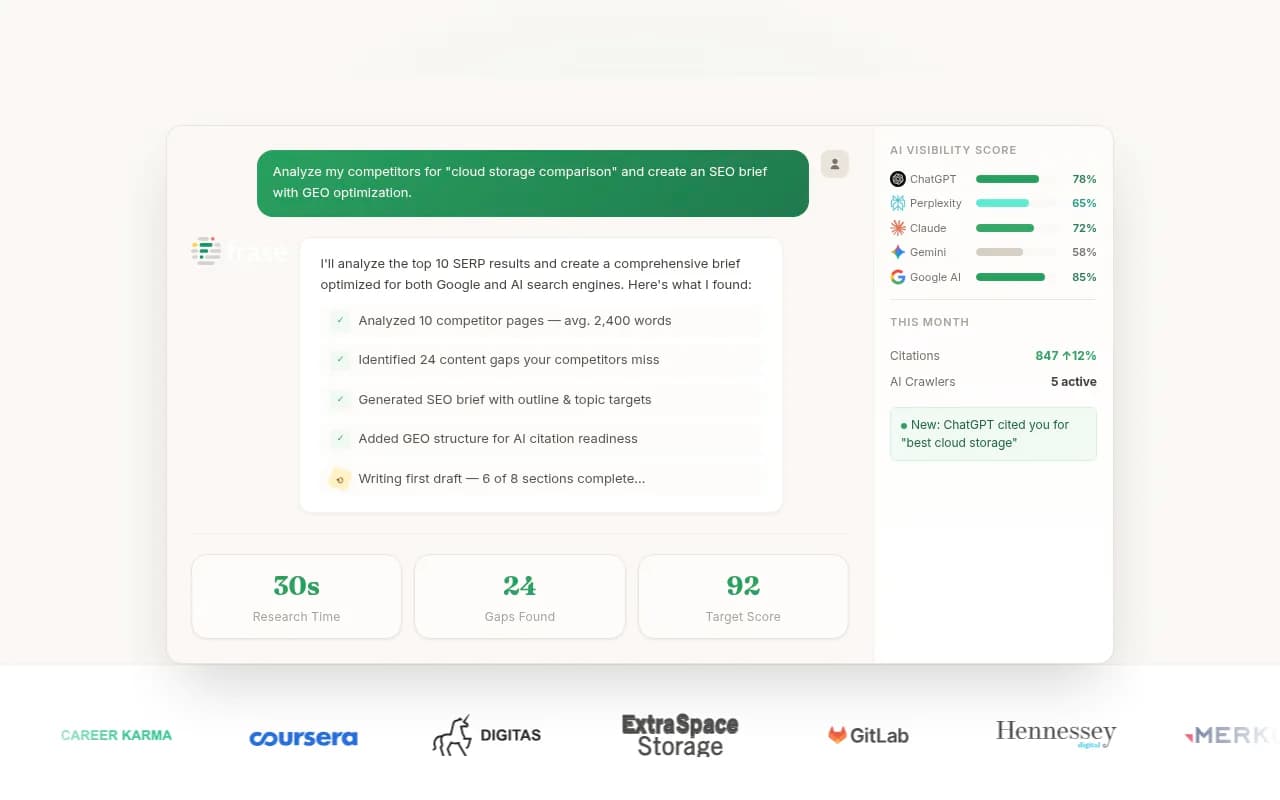
Frase's MCP server is a good example of what read-write looks like in the wild: connect it to Claude Code or Cursor and the assistant can research a topic, generate a brief, score your draft against competitors, and optimize the copy, inside the same session where you're writing code or managing content.
Setting up MCP in Claude Code
Claude Code's CLI makes adding a server a one-liner:
claude mcp add <server-name> [options] -- <command> [args...]
There are three scopes, controlled with --scope:
local(default): tied to the specific project directory where you ran the command.user: available globally, across every project on the machine.project: written to a shareable.mcp.jsonfile you can commit so your whole team gets the same servers.
A remote HTTP server, like Semrush's, adds like this:
claude mcp add --scope user --transport http semrush https://mcp.semrush.com/v2/mcp
Run claude mcp list any time to see what's actually connected. If a server "disappears" between sessions, it's almost always because it was added at local scope inside a different project folder; either re-add it from where you're working or switch to user scope.
Setting up MCP in Cursor
Cursor stores its config in mcp.json, either project-scoped at .cursor/mcp.json or global at ~/.cursor/mcp.json. You can also add servers through Settings > Tools & MCP > New MCP Server, or via one-click installs some vendors offer.
A local server config looks like this:
{
  "mcpServers": {
    "server-name": {
      "command": "npx",
      "args": ["-y", "mcp-server"],
      "env": { "API_KEY": "value" }
    }
  }
}
Remote (Streamable HTTP) servers are even simpler, no command or args, just a URL:
{
  "mcpServers": {
    "semrush": { "url": "https://mcp.semrush.com/v2/mcp" }
  }
}
One practical limit worth knowing: Cursor caps the number of usable MCP tools it can load at once, historically 40, later doubled to 80 across all connected servers. Tools beyond that cap just become invisible to the agent, with no warning. If you've got Semrush, Frase, Firecrawl, and a GEO tracker all connected simultaneously, you can quietly lose functionality. The fix is boring but effective: only enable the servers a given task actually needs.
The research workflow, in practice
Here's roughly how a session goes once the plumbing is in place. Say you're planning a new comparison page.
- Ask the assistant to pull competitor rankings and traffic estimates via Semrush MCP, or scrape the top 10 ranking pages directly with a tool like Firecrawl MCP.
- Have it generate a content brief through Frase MCP, based on what's actually ranking, not a generic outline.
- Draft the page inside Claude Code or Cursor, using the brief as grounding.
- Score the draft against the same MCP server, then let the assistant apply the suggested edits itself and re-score.
- If you're tracking AI search visibility rather than just Google rankings, this is where a tool like Promptwatch fits in, checking whether the page you just wrote stands a chance of getting cited by ChatGPT or AI Overviews before you publish it.

One genuinely useful pattern people are running now: pairing Firecrawl MCP for web research with Claude Code for implementation, letting the agent research a topic, scrape competitor pages, and generate dozens or hundreds of pages in a single automated pass. It's a real productivity shift, though it's also the fastest way to publish a pile of thin, near-duplicate pages if nobody's checking the output. Speed isn't the bottleneck anymore; judgment is.
Which MCP servers are actually worth connecting
Not every SEO vendor's MCP server does the same job. Some are pure research (pull data, nothing else); some are read-write agents that can rewrite and publish content.
| Tool | MCP access type | Entry price with MCP | Best for |
|---|---|---|---|
| Semrush | Remote, hosted | $549/mo (Advanced tier) plus metered API units | Teams already paying for Semrush's full research suite |
| Frase | Local npm server, self-run | $39/mo (Starter, annual) — MCP included on every plan | Budget-conscious content teams wanting read-write brief and scoring actions |
| Finseo | Remote, hosted | €210/mo (Business tier) — no MCP on the entry plan | AI visibility and GEO tracking across ChatGPT, Claude, Perplexity, Gemini |
| Firecrawl | Remote or local, credit-metered | Free (1,000 credits/mo) or $16/mo Hobby | General web scraping and research fuel for any agent workflow |

A note on Semrush's pricing, because it's genuinely confusing: the current pricing page lists API access only on the $549/month Advanced tier, a separate legacy knowledge-base page still references a $499.95/month "Business" plan with API access, and the MCP documentation itself mentions two plan names that don't appear anywhere else. Whatever you're quoted, budget for the fact that you start with zero API units even after paying, and units are sold separately in blocks. Ahrefs' API, by comparison, starts at $129/month on its Lite plan for lighter usage, and DataForSEO offers pay-as-you-go access from around $50/month if you just need raw SERP data without a full suite subscription.
If you're building agent workflows around AI visibility specifically, rather than traditional rankings, it's worth browsing the wider GEO software directory at bestgeosoftware.com to see what else has MCP or API support beyond the handful listed here.
Why the AI-citation angle matters for this workflow
If part of the reason you're doing this research is to get your pages cited by AI answer engines rather than just ranked in Google, it helps to know how those engines actually search. Promptwatch's data on ChatGPT's query behavior shows the assistant doesn't run one search per prompt, it fans out into multiple separate queries per response, and the average query length has shrunk from roughly 117 characters in December 2025 to about 53 characters by April 2026, meaning ChatGPT increasingly searches like someone typing keywords, not full sentences (https://promptwatch.com/data/chatgpt-query-fanouts). That's a good argument for structuring your Claude Code or Cursor research prompts and your resulting headings the same way: front-load the entity and category terms instead of writing conversational questions.
It's also worth knowing that when someone uses Claude Code itself, Anthropic's Claude Citation crawler can visit the pages the model cites, and that crawler's traffic grew over 100x in four months, from roughly 30 visits a day in mid-December 2025 to several thousand a day by mid-April 2026 (https://promptwatch.com/data/claude-citation-crawler-visits-over-time). If you're running research agents inside Claude Code against your own site, it's a decent moment to double-check your robots.txt isn't accidentally blocking Anthropic's crawlers.
The security problem nobody mentions in setup tutorials
Every MCP setup guide walks you through the happy path. Almost none of them mention that connecting an untrusted MCP server is functionally the same as installing untrusted code with your full developer permissions.
A few things worth knowing before you connect a third server you found on GitHub:
- Tool poisoning attacks. A malicious or compromised MCP server can hide instructions inside its tool descriptions, metadata the model reads but you never see. Once poisoned, every session using that tool is compromised. Invariant Labs first documented this pattern, and an academic benchmark called MCPTox tested 20 LLM agents against 45 real-world MCP servers and found an average attack success rate of 36.5%, peaking at 72.8% against one model. Claude 3.7 Sonnet had the lowest success rate in that test, but it wasn't zero.
- "Rug pulls." A server you trusted on day one can later change its tool description to include malicious instructions, and your earlier approval carries over. Trust granted once persists even after behavior changes.
- Tool shadowing. If you've got several SEO MCP servers connected at once (a very normal setup after reading this guide), a poisoned server can exploit the trust extended to your other, legitimate servers to exfiltrate data it shouldn't have access to.
- CVE-2025-54135, "CurXecute." This was an 8.6-severity remote code execution bug in Cursor: the editor auto-executed any new entry added to its global
mcp.json, with no confirmation, even for a suggested edit that hadn't been approved yet. The attack chain went: attacker posts a crafted message in a Slack channel a connected agent reads, the message convinces the agent to "improve" its own MCP config, and arbitrary code runs with the developer's OS privileges. Cursor fixed it in version 1.3. - Separate research found that Claude Code, Cursor CLI, Gemini CLI, and GitHub Copilot CLI all default their folder-trust prompts to "yes" and auto-execute project-defined MCP servers on acceptance, without a separate code-execution warning. One Enter keypress on a trust dialog can spawn an attacker-controlled process.
OWASP now ranks tool poisoning as the #3 risk in its MCP Top 10, and Microsoft's Azure security team formally classifies MCP tool descriptions as supply-chain assets requiring the same review as production code. The practical mitigation is not complicated: keep your clients patched, start with one or two servers instead of five, prefer official vendor-hosted endpoints over random community servers, use environment variables for credentials rather than hard-coding keys, and if you're deploying this across a team, put an MCP gateway in front of everything so credentials are scoped and audit-logged rather than sprayed across every laptop.
Where this fits with AI visibility tracking
Using Claude Code and Cursor as research assistants solves the "how do I gather and act on data faster" problem. It doesn't solve a separate, related problem: knowing whether your content is actually showing up when people ask ChatGPT, Gemini, or Perplexity about your category. That's a monitoring and optimization problem, and it's a different tool.
Most prompt trackers on the market answer "was I mentioned," full stop. Promptwatch goes further: it shows crawler logs of when AI systems actually visit your pages, tracks citations across Reddit and YouTube (channels most trackers ignore entirely), measures real traffic from AI platforms to your site, and runs Content Agents that plan, write, and publish GEO-optimized pages to your CMS on a schedule. If the workflow in this guide is about generating and researching content faster, Promptwatch is the layer that tells you whether any of it is actually landing in AI answers, and gives you an automated to-do list when it isn't.
For a broader look at where agent-driven SEO tooling is headed beyond the handful of MCP servers covered here, the directory at agenticseotools.com is a reasonable place to keep browsing.
A realistic starting setup
If you're setting this up for the first time, don't connect everything at once. A sensible starting stack:
- One research/scraping MCP server (Firecrawl is free to start and covers general web research).
- One content optimization MCP server tied to whatever you already pay for (Frase if you want read-write scoring without a big new subscription).
- One AI visibility layer, separate from the agent workflow, to check whether the output is actually getting cited.
Add more only when you hit a specific gap, not because a new server showed up on Product Hunt. The 80-tool ceiling in Cursor and the security surface of every additional server both push in the same direction: fewer, better-chosen connections beat a sprawling stack you can't audit.