Key takeaways
- AI crawler logs are the only first-party evidence of whether GPTBot, ClaudeBot, PerplexityBot and others can actually read your site. Citation trackers cannot show you that.
- Verified data matters. Count only requests whose source IP matches the operator's published ranges, otherwise spoofed user agents inflate your numbers.
- Promptwatch Data shows OpenAI at 79.8% of verified AI crawler requests in the week of Aug 31 to Sep 6, 2026, down from 94.8% in early June. Meta-WebIndexer went from about 2% to 37.8% of tracked requests in a few weeks.
- Most enterprise stacks already generate the logs you need. The work is choosing the right source (CDN, WAF or origin), filtering at the edge, and splitting traffic by crawler and by purpose.
- Compare your own logs with the overall mix. A provider that is large in the mix but near zero in your logs usually means you are blocked.
Why crawler logs matter more than they did a year ago
A year ago, most SEO teams treated AI bots as a footnote in log file analysis. In 2026 that has flipped. Crawl-budget guides now describe a three-way split between indexation, training and answer-time retrieval, and each of those has different business consequences. Blocking a training crawler is a policy decision. Blocking a search or user-triggered fetcher means you may never be cited.
You cannot see any of this from rankings or from prompt tracking. A prompt tracker tells you whether your brand was mentioned. Your logs tell you why it was not: the bot never arrived, it hit a 403 at the WAF, it timed out, or it read the page and skipped it. For enterprise sites with millions of URLs, multiple CDNs and several teams touching robots.txt, that evidence is the difference between guessing and fixing.
What the volume data says
Before sizing your pipeline, it helps to know what the traffic mix looks like.
Provider mix is shifting
Promptwatch Data's AI crawler traffic report covers weekly IP-verified requests from June 8 to September 6, 2026. OpenAI made up 79.8% of verified requests in the week of Aug 31 to Sep 6, down from 94.8% in the week of June 8 to 14. That is the biggest shift in the period. The report compares OpenAI, Anthropic, Google, Perplexity and Mistral.
One caveat from the method: each weekly bar is a 100% share of the mix. A growing share does not necessarily mean more requests in absolute terms. Treat it as a benchmark for composition, not a volume forecast.
Meta showed up fast
The Meta-WebIndexer data is the best example of why monitoring has to be continuous. Its share of tracked AI crawler requests sat near 2% until July 17, spiked to about 23% between July 20 and 22, then surged again from August 5 to reach 37.8% on August 9. That is roughly 17x in under a month, and at that point it was the heaviest AI crawler in Promptwatch's logs. One site owner publicly reported load-average alerts on his VPS from Meta scraping on August 6. Reports link the surge to Meta building its own search index, though Meta has not confirmed that.
If your infrastructure bills per request, budget for sustained Meta crawl load rather than treating it as a spike.
Do not confuse this with enterprise log volume
You will see a lot of enterprise log statistics in 2026. Dynatrace's State of Log Management 2026 study of 450 senior technology leaders found a 93% rise in log volume over twelve months from AI workloads, and that organizations exclude an average of 86% of log data to control cost. Those numbers describe telemetry from running AI systems, not crawler traffic hitting your website. They are still useful context for one reason: it explains why your platform team may resist ingesting another large log source.
The practical lesson is to filter at the edge. You do not need every request. You need AI bot requests, with enough fields to verify and classify them.
Where to collect crawler logs
There are four realistic sources. Most enterprises end up combining two.
| Source | Strength | Weakness | Typical use |
|---|---|---|---|
| CDN logs (Cloudflare, Fastly, Akamai, CloudFront, Google Cloud CDN) | Sees every request, including ones blocked before origin | Needs log streaming setup and cost control | Primary source for most enterprises |
| Hosting platform logs (Vercel, Netlify) | Simple setup, close to the app | Retention limits on some plans | Modern JAMstack and frontend-heavy sites |
| WAF or bot-management logs | Shows exactly which rule blocked which bot | Often siloed in the security team | Diagnosing 403s and challenges |
| Origin server logs | Full detail, no vendor dependency | Misses anything the CDN cached or blocked | Legacy stacks, or as a cross-check |
CDN logs win for most cases because AI crawlers frequently get served from cache or blocked at the edge. Origin logs alone will under-count them and hide the blocks entirely.
CDN integrations in practice
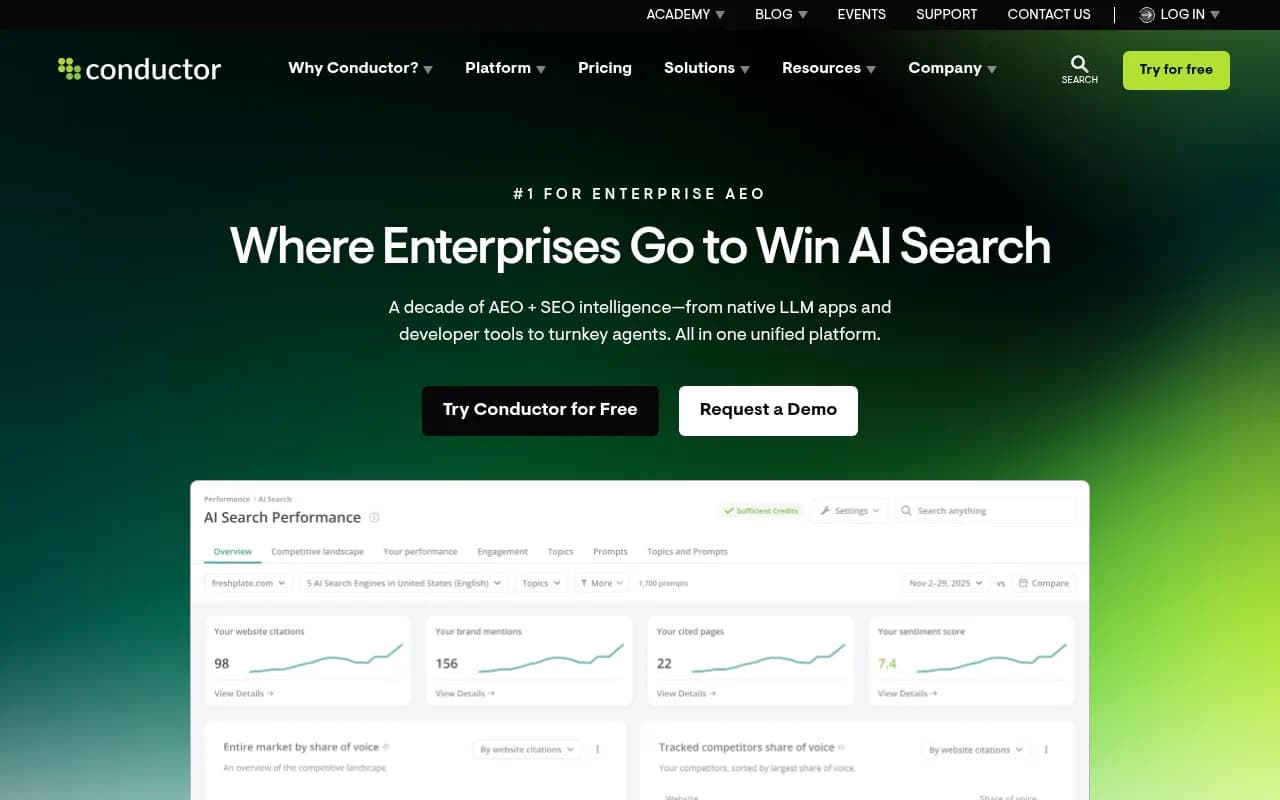
Vendors in this space converge on the same list. Profound, for example, lists CDN-level integrations across Akamai, AWS, Cloudflare, Fastly, Google Cloud Platform, Netlify, Vercel and WordPress. Conductor takes a different approach, adding AI bot crawling reports inside its broader technical monitoring. Promptwatch's crawler analytics works with Cloudflare, Vercel, Fastly and raw server logs, and its integrations page also covers AWS CloudFront, Netlify, Akamai, Google Cloud CDN, a custom HTTP endpoint and an official WordPress plugin.
I did not test each vendor's setup flow for this guide, so check current documentation before committing. A few design questions are worth asking regardless of vendor:
- Is the log push native (Logpush, real-time log streaming, DataStream) or does it need a custom function you must maintain?
- Can you filter to AI user agents before ingestion so you do not ship terabytes of human traffic?
- Who owns the credentials, and does the security team need to review a new data processor?
- How long are raw logs retained, and can you export them?
That last point matters for audit. Openlayer's enterprise AI oversight guide makes a related argument about AI systems: a control without evidence is a documentation gap. The same applies to crawler policy. If you block GPTBot on purpose, you want a log trail that proves it.
Which crawlers to watch
A useful checklist comes from the user agents Promptwatch tracks. Group them by operator so you can set policy per provider, then split by purpose within each.
| Operator | User agents |
|---|---|
| OpenAI | GPTBot, OAI-SearchBot, ChatGPT-User, OAI-AdsBot |
| Anthropic | ClaudeBot, Claude-User, Claude-SearchBot, claude-web |
| Google-Extended, Google-Agent | |
| Perplexity | PerplexityBot, Perplexity-User |
| xAI | GrokBot, xAI-Grok, Grok-DeepSearch |
| Mistral | MistralAI-User, MistralAI-Index |
| Meta | meta-webindexer, meta-externalagent, meta-externalfetcher, FacebookBot |
| Cohere | cohere-ai |
| DeepSeek | DeepSeekBot |
Promptwatch's tracking excludes Googlebot, Bingbot, link-preview fetchers such as FacebookExternalHit, and human visitors. That is a sensible scope. Classic search crawlers belong in your normal SEO log analysis, and mixing them in muddies the AI picture. For a broader reference, the AI bots and crawlers directory lists 400+ agents with robots.txt guidance.
Training, search and user-triggered fetches
The provider total hides the story. OpenAI's GPTBot, OAI-SearchBot and ChatGPT-User behave differently and carry different consequences. Promptwatch's own advice is to split by crawler as well as provider, since a provider's share can be training traffic, answer-time fetches, or both. In practice:
- Training bots decide whether your content feeds future models. Blocking is a legitimate policy choice.
- Search bots build the index that answer engines draw from. Blocking these tends to cost you citations.
- User-triggered fetchers fire when a person asks about your page. They are a direct signal of real demand.
What to watch: a monitoring checklist
1. Verified versus claimed traffic
User agent strings are trivially spoofed. Only count requests whose source IP matches the operator's published ranges. If your tool or in-house pipeline does not do this, your volumes and your block decisions rest on unreliable data.
2. Presence of each major provider
Compare your logs with the overall mix. If a provider is large in the mix but near zero in your logs, you are probably blocked or unreachable for it. Check robots.txt, CDN rules and WAF rules for every major provider, not just the one you were worried about last year. The robots.txt generator for AI and the AI crawler URL inspector are free ways to sanity-check this.
3. Error rates by bot
A healthy 200 rate for Googlebot with a 403 or 429 rate of 40% for an AI bot is an access problem, not a content problem. Break status codes out per user agent, and look at timeouts separately. Bot challenges and rate limits are the usual culprits.
4. Which pages get read
AI bots do not crawl the way Googlebot does. They fetch specific pages, often in bursts tied to prompts. Track which URL groups get hit, and which commercially important pages never do. Orphan pages and pages missing from the sitemap are common victims.
5. Sudden share shifts
The Meta surge went from background noise to the largest crawler in weeks. Set alerts on week-over-week share changes per operator, and on absolute request spikes per user agent, so cost and capacity teams hear about it before the bill does.
6. Crawl-to-citation path
This is where logs stop being a technical exercise. A page that is crawled but never cited is a content problem. A page that is never crawled is an access problem. Joining crawl data to citation data tells you which one you have. It also tells you whether answer-time fetches are turning into mentions.
Build, buy or combine
You can build this yourself with a log pipeline, a warehouse and a dashboard. Many enterprises do, particularly where the security team will not share raw logs. The cost is maintenance: IP range lists change, new user agents appear monthly, and nobody wants to own the classification table.
The tools side splits into a few types:
| Approach | Examples | Best for |
|---|---|---|
| Enterprise SEO suites with bot reporting | Conductor, BrightEdge, Botify, seoClarity | Teams already standardized on one suite |
| AI visibility platforms with CDN integrations | Profound, Promptwatch | Linking crawler data to citations and traffic |
| In-house pipeline | Your CDN, warehouse and BI stack | Strict data residency or custom analytics |
SeoClarity's own enterprise comparison notes that its Log File Analysis sits within its technical SEO tooling, which is useful if you want classic crawl analysis and AI bot data side by side.
On the AI visibility side, Promptwatch is the one I would look at first if the goal is closing the loop between crawling and outcomes. Its AI crawler logs are IP-verified against each operator's published ranges, show plain-language crawl failure explanations, and connect each page to a citation rate, so you can separate an access problem from a content problem. Visitor analytics then show whether cited pages send traffic and conversions. It is ISO/IEC 27001 certified and GDPR compliant, which tends to matter when a security team reviews a new log processor. Plans with crawler logs start at Professional ($245/mo, 25M crawler logs) and Business ($579/mo, 100M crawler logs), and agency plans include them too. Confirm current numbers on the pricing page.
If you are comparing the wider field, the GEO software directory lists dozens of options, though far fewer have real crawler-log support than citation tracking.
A 30-day rollout plan
Week 1: inventory and access
List every CDN, WAF and origin in front of your domains, including regional and subdomain setups. Identify who owns each. Pull the current robots.txt files and any bot-management rules. Most of the surprises show up here: a bot challenge enabled for "all unknown bots" two years ago, a staging robots.txt that leaked into production.
Week 2: connect one log source
Start with the CDN that serves the most traffic. Filter to AI user agents at the edge, verify by IP range, and confirm that you see at least OpenAI and one other provider. If one major provider is missing entirely, investigate before moving on.
Week 3: baseline
Capture two weeks of data per user agent: request counts, status code mix, top URL groups. Compare against the AI crawler traffic benchmark to see whether your provider mix looks normal.
Week 4: policy and alerts
Decide your policy per crawler type. Allow search and user fetchers, make a deliberate call on training bots, and document it. Set alerts for share shifts, error-rate spikes, and any new user agent. Then add the second and third log sources.
Common mistakes
- Counting spoofed traffic. Unverified user agents inflate volumes and trigger pointless blocks.
- Only watching origin logs. Cached and edge-blocked requests vanish.
- Treating a provider as one bot. GPTBot and ChatGPT-User are different decisions.
- Ignoring cost. Per-request billing plus a sustained crawler like Meta-WebIndexer can move a budget line.
- Stopping at logs. Crawl data without citation and traffic data leaves you with a technical report nobody acts on.
Where this is heading
The mix will keep moving. OpenAI's share dropped about 15 points in three months while Meta appeared from nowhere, and new user agents arrive every few weeks. Build your monitoring so that adding a crawler is a config change, not a project. For teams that want to go from monitoring to a prioritized fix list, the Promptwatch free AI visibility report includes a crawler access check and is a low-effort first look. If you also need outside help setting AI crawler policy across a large site, agencies such as 1001 SEO Media handle technical SEO and AI search work, including this kind of audit.