Key takeaways
- A Monday AI visibility briefing works best when it lands in the channel your team already reads, not in a dashboard only one person opens.
- Keep it to a handful of metrics with week-over-week deltas, a short written read on what changed, and two or three actions with owners.
- Several tools can push a weekly digest to Slack. Promptwatch supports scheduled chats delivered in-app or in Slack, plus a Monday Action Board digest email. AI-Advisors posts a weekly update to a chosen Slack channel.
- ChatGPT scheduled tasks are useful for research prompts, but the OpenAI help page does not describe a native scheduled post to Slack, so don't build your reporting on that assumption.
- Alert thresholds matter more than extra charts. A 5 point visibility drop is worth a ping. A 1 point wobble is noise.
Why the Monday update is worth automating
Most GEO reporting dies the same way. Someone builds a dashboard, shows it in a kickoff call, and three weeks later nobody has opened it. The numbers are fine. The delivery is the problem.
A dashboard only helps the person who opens it. A message in Slack helps everyone who scrolls past it, and that is a very different audience. If the head of content sees that a competitor picked up three new citations over the weekend, they can act on Monday morning instead of discovering it at the next quarterly review.
There is also a practical reason. AI answers move quickly. Promptwatch Data's ChatGPT content half-life report tracked every page ChatGPT cited on July 6, 2026 for 90 days (through Oct 4, 2026). After 60 days, ChatGPT still cited 69% of landing pages and 67% of docs, but only 41% of news pages, and half of news pages were gone after 36 days. Pages drift out of citations on a schedule you can see coming, if somebody is looking every week.
That is the case for a weekly cadence: frequent enough to catch drift, infrequent enough that people still read it.
What a good weekly GEO briefing contains
I have seen briefings that are 40 metrics long. Nobody reads past the third one. Here is a structure that holds up.
The written read
Open with two or three sentences saying what changed and why. "Visibility is flat overall, but Perplexity started citing our pricing page for CRM queries, and a competitor gained three citations." This is the part people actually read. If your tool can generate it from real data, good. If not, a human can write it in five minutes.
Seven-day KPIs with deltas
Pick five to seven numbers and always show the change against the prior week. A number without a delta is trivia. Reasonable choices:
- Visibility score or share of voice
- Citation share (how often your domain is a cited source)
- Sentiment
- AI crawler visits to your site
- AI-referred visits and conversions
- Number of responses analyzed, so readers know the sample size
If you want the definitions straight, the Promptwatch Academy covers the Visibility Score and Share of Voice in plain language. Read together, they locate the problem: low share of voice is a coverage problem, a late position is a prominence problem, and mentions without self-citations point to a content or crawlability problem.
Alerts, not just averages
A weekly average hides a Wednesday collapse. Add threshold alerts for the things that deserve interrupting someone. AI-Advisors, for example, flags a platform when visibility drops more than 5 percentage points or when a competitor's mentions climb more than 20 percent. Those are sensible starting numbers. Tune them after a month once you know your own baseline.
Two or three actions
End with what to do. Not ten items. Two or three, each with an owner and a link to where the work happens. A briefing that diagnoses without prescribing trains people to ignore it.
Your options for automating it
There are really four routes. They differ in how much you build yourself.
| Approach | Delivery | Setup effort | Best for |
|---|---|---|---|
| Promptwatch scheduled chats and weekly digest | In-app or Slack, plus Monday digest email | Low | Teams that want analysis and next steps, not only numbers |
| AI-Advisors Slack integration | Weekly post to one public Slack channel | Low | Teams that want a formatted KPI post with an AI-written read |
| ChatGPT scheduled tasks | Push or email notification from ChatGPT | Medium | Individual research, competitor watching, drafting |
| DIY with API or MCP plus Slack workflow | Whatever you build | High | Teams with an engineer and very specific formatting needs |
I left out pricing for most of these on purpose. It changes, and I have not verified current numbers for every tool here. Check each vendor's pricing page before you commit.
Route 1: scheduled chats in your GEO platform
This is the route I would start with if your platform supports it, because the report is built from the same data you already track.
Promptwatch has an Agent Chat that works as an AI search analyst over your live data: prompts, citations, competitors, crawler logs, traffic and search data. You can schedule chats so a prompt like "give me a 7-day GEO briefing" runs automatically and is delivered in-app or in Slack. Ready-made Agent Skills include a 7-day GEO briefing, competitor gap analysis, citation research, content sprints and newsjacking. Brand plans include 10 scheduled chats and 10 scheduled PDF reports each, and Agent Credits (500 to 6,500 per month depending on plan) cover the usage.

Two details are worth knowing. First, Agent Chat asks a short multiple-choice question when a request is unclear and asks for every value before it changes anything, so a scheduled chat is not going to quietly rewrite your monitors. Second, there is a separate Action Board with a weekly digest email every Monday and a Discovery agent that investigates your data weekly and suggests up to five evidence-backed actions per run. So the "what do we do about it" part of the briefing is already assembled.
Check promptwatch.com/pricing for current plans, and there is a 7-day free trial on monthly billing if you want to test the Slack delivery before rolling it out.
Route 2: a dedicated Slack integration
Some tools do one thing well: post a formatted weekly update into Slack. AI-Advisors is a clear example. Its Slack integration posts your Weekly Update into one channel you pick, on the day you choose, in your organization's timezone. The default is Monday, and you can pick any day through the week. It includes a built-in guard against duplicate sends.
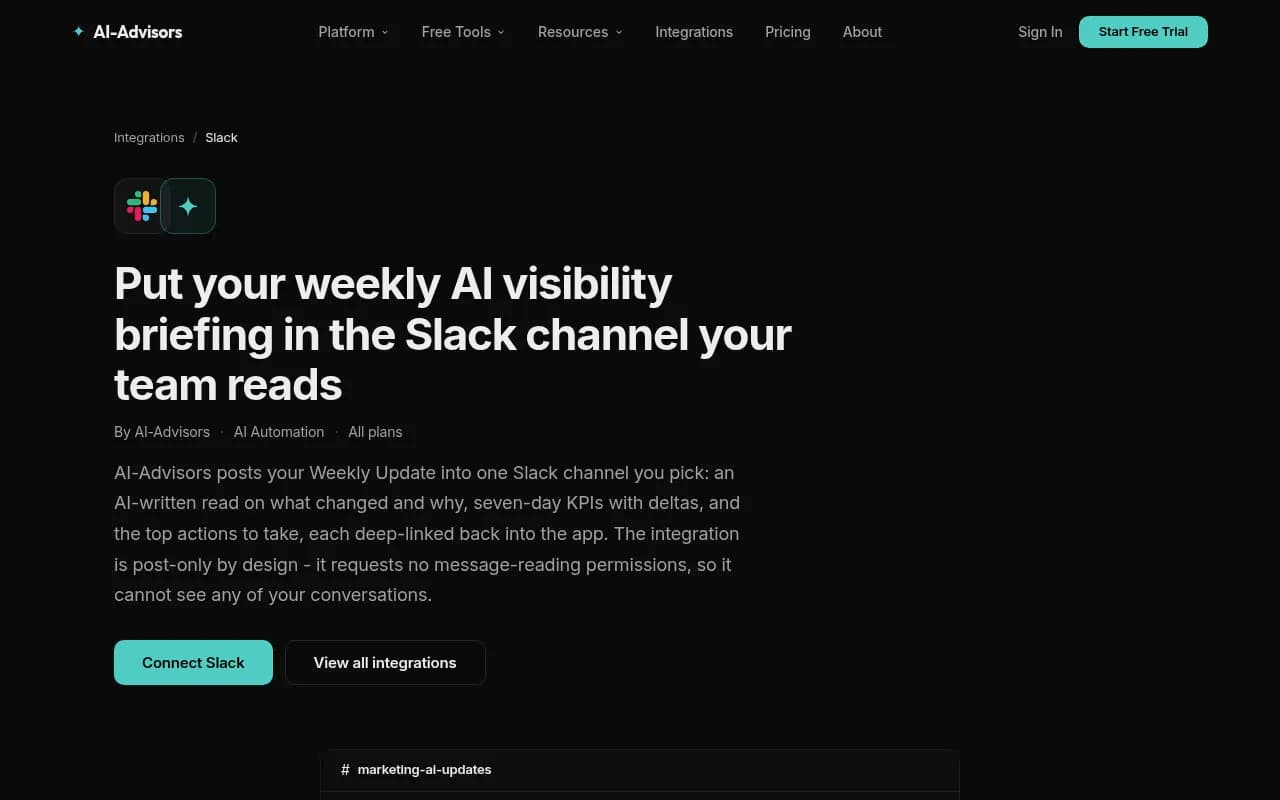
What I like about this design is that it is post-only. The integration requests no message-reading permissions, so it cannot see your conversations. If your security team is nervous about bots in Slack, that is a much easier approval than a bot that reads everything.
The message includes Visibility Score, Citation Share, Positive Sentiment, AI Bot Crawls, AI Referral Visits, AEO Score and Responses Analyzed, each with a plus or minus delta. It also adds a short "where to focus this week" list, top open recommendations, and a ChatGPT Ads section once you have ad data. One channel per organization, changeable any time.
Route 3: ChatGPT scheduled tasks
ChatGPT can run one-time or recurring tasks, and you manage them under Scheduled. That makes it handy for things like "every Monday, search the web for news about our category and summarize it." The notifications go out by push, email, or both, set under Settings > Notifications.
A few limits to know about, straight from the OpenAI help page:
| Plan | Active tasks |
|---|---|
| Free and Go | 3 |
| Plus | 5 |
| Business and Edu | 10 |
| Pro and Enterprise | 15 |
Free users can schedule a recurring task no more than once per day, with a flexible window like morning or night. Exact delivery times and hourly schedules need a paid plan. A completed task also uses your plan allowance even if it posts no update, so pause the ones you stopped caring about.
Now the honest caveat. ChatGPT also has event-triggered tasks that respond to Slack, Gmail or GitHub activity, for example reacting to new messages in a channel where you added @ChatGPT. That is Slack as an input. The help page does not say a scheduled task can post to Slack on its own, and I have not verified a native action that does. If you want a Monday message to appear in a channel, don't assume ChatGPT will do it. Use it for personal research, and let a GEO platform own the team report.
Also worth noting: ChatGPT cannot tell you how your brand appears across ChatGPT, Gemini and Perplexity at scale. It can run a prompt, but it is one run, from one account, not a tracked monitor with history.
Route 4: build it yourself
If you have an engineer, you can pull data from a platform API or MCP server and post through a Slack workflow or webhook. Promptwatch's REST API v2 and hosted MCP server expose visibility, citations, sentiment, crawler and visitor analytics, and date ranges up to 92 days, so a full quarter fits in one request. Plain DIY gives you full control over layout and thresholds. It also gives you a thing to maintain. Do this only if the packaged options truly cannot produce the format you need.
Setting up your Monday briefing, step by step
1. Pick the channel and the audience
One channel. Name it something boring like #ai-visibility. Put in the people who can act: content lead, SEO lead, a PR contact, and whoever owns the product pages. Resist adding the whole company. A briefing read by eight people beats one muted by eighty.
2. Choose the delivery day and time
Monday morning in your team's timezone is the default for good reason. Weekly windows in some tools run Monday to Sunday UTC, so a Monday report covers a clean week. Check how your tool defines the week, or deltas will look odd.
3. Decide on five metrics
Write them down. Keep them for at least a quarter so trends mean something. Changing metrics monthly makes every briefing look like a fresh start.
4. Add thresholds
Start with a visibility drop of 5 points on any one platform and a competitor jump of 20 percent in mentions. Revisit after four weeks. If you got a ping every week, loosen them. If you got none, tighten them.
5. Add a crawler sanity check
This one catches problems dashboards miss. Promptwatch Data's AI crawler traffic report (Jun 8 to Sep 6, 2026) found OpenAI at 79.8% of verified AI crawler requests in the week of Aug 31 to Sep 6, down from 94.8% in Jun 8 to 14. The report suggests comparing your own logs with that mix. A provider that is large in the benchmark but near zero in your logs suggests robots.txt, CDN or WAF rules are blocking it. Note the chart shows share, not absolute volume, so a growing segment does not automatically mean more requests.
For your own site, AI crawler logs show which pages bots actually read and where they hit errors. Adding a single crawler line to the Monday briefing is cheap and has caught real access problems.
6. Add a refresh watchlist
The content half-life data suggests a simple weekly habit: look for pages that were cited a couple of months ago and are about to fall out, then refresh them. Landing pages and docs last longest, while news and press are short bursts. Product pages, reviews and how-tos reach their half-life at roughly 74 to 77 days. So a page you published in early September is entering the danger window around now. Put "pages due for refresh" in the briefing as a standing item.
7. Close the loop with owners
Each action gets a name next to it. In Promptwatch, the Action Board lets you assign actions, add comments and track them in board or list layout, and Agent Chat can reply when @-mentioned. Whatever tool you use, the principle is the same: an action with no owner is a wish.
A sample Monday briefing
Here is the shape I would aim for. Adapt the numbers to your data.
Weekly AI visibility briefing

This week's read
Visibility is up 3 points, driven by Perplexity citing our pricing page.
Competitor X gained 3 citations on comparison prompts. ChatGPT crawls
dropped 18%, worth a robots.txt check.

KPIs (7 days vs prior week)
Visibility score: 41 (+3)
Citation share: 23% (+4 pts)
Sentiment: 62 (-1)
AI crawler visits: 12,400 (-18%)
AI-referred visits: 830 (+9%)
Responses analyzed: 6,000

Alerts
- Gemini visibility down 6 pts
- Competitor X mentions +24%

Do this week
1. Refresh the integrations comparison page (Priya)
2. Check CDN rules for GPTBot (Dan)
3. Publish answer page for "best X for startups" (Marcus)
Short enough to read over coffee. Every line is something a person can respond to.
Mistakes that kill the briefing
- Too many metrics. If it scrolls, it will not be read.
- No deltas. A number with no comparison is decoration.
- Averaging away alerts. Keep thresholds separate from the weekly summary.
- Sending it to everybody. A muted channel is worse than no channel.
- Never closing the loop. If last week's actions are not reviewed, people stop doing them.
- Reporting only what AI says. Pair it with what AI bots do on your site and what the traffic does after.
Choosing a tool
If your only need is a formatted KPI post in Slack, a dedicated integration like AI-Advisors may be enough. If you want the briefing grounded in a full workflow, meaning monitoring, citation tracing, crawler logs, content creation and publishing, then a platform with scheduled chats and an Action Board saves you from stitching three tools together. Promptwatch is built for that second case.
There are many other AI visibility trackers in the market. If you want to compare what else is out there, the GEO software directory at bestgeosoftware.com lists them. Before buying, ask each vendor three things: can the briefing go to Slack on a schedule, what permissions does the Slack app need, and can I set my own alert thresholds? I did not find verified answers for several other vendors, so treat those as questions for a demo, not assumptions.
FAQ
Can I choose which day the briefing arrives?
In most tools, yes. AI-Advisors lets you pick any day from Monday through Sunday, defaulting to Monday, in your organization's timezone. Promptwatch's Action Board digest lands on Mondays, and scheduled chats are set up inside the product.
Is a weekly cadence enough?
For most brands, yes. If you are in the middle of a launch or a campaign, faster tracking helps. Promptwatch lets Business and Agency Scale plans run monitors every 12, 6 or 1 hours for a steadier number, though the briefing itself can stay weekly.
Do I need Slack at all?
No. Email and PDF reports work too, and Promptwatch can send scheduled PDF reports to any inbox. Slack just gets more eyeballs if your team already lives there.
Should a scheduled ChatGPT task replace a GEO platform report?
No. It is a fine research assistant. It is not a tracked monitor with history, citation data and deltas.
The short version
Pick one channel, five metrics, two alert thresholds and a named owner for every action. Start with a tool that can deliver on a schedule, run it for four Mondays, then tune what you send. If you want to test the full loop, Promptwatch's 7-day free trial is a low-risk place to set up a scheduled chat and see what lands in Slack.