Key takeaways
- Branded, informational and commercial prompts answer different questions, so they should be scored separately. One blended visibility number mostly measures how many branded prompts you happened to add.
- Branded prompts inflate your metrics. When your name is in the question, you will almost always show up, so they tell you about reputation, not discovery.
- Promptwatch Data shows the content ChatGPT cites shifts with intent: listicles and comparisons for commercial prompts, how-tos and docs for informational ones, landing pages and reviews for branded ones.
- Tag every prompt with an intent label when you add it, keep monitors or groups per intent, and report each segment on its own line.
- Start with a 50 to 150 prompt list, split roughly by funnel stage, and revisit the split quarterly.
Why one blended score misleads you
Most teams start prompt tracking the same way. They type in "best [category] software", add a few brand questions, hit save, and watch a single visibility percentage. It feels like progress.
The problem shows up a month later when someone asks why the number went up 12 points and nobody can explain it. Usually the answer is boring: somebody added twenty branded prompts. Your brand is in the question, so of course it's in the answer.
SE Ranking makes the same point in its guide to choosing prompts to track: when the brand name is in the prompt, visibility is nearly guaranteed, and mixing those prompts with category prompts skews your broader metrics. Momentic's piece on branded vs discovery prompts in Atlas lands in the same place, saying branded, comparison and discovery prompts should be evaluated separately rather than blended.
That SE Ranking article is worth a read for the sourcing methods it describes. This guide focuses on the other half: once you have prompts, how do you split them and what do you do with each bucket?
The three intents that matter
Vendors use slightly different labels. Moz suggests branded, comparison and non-branded. Profound classifies prompts as informational, commercial or transactional. Promptwatch uses informational, commercial and branded. They overlap enough that the practical advice is the same, so I'll use the Promptwatch set because it maps cleanly to how people talk to AI.
Informational prompts
The user is learning. They have a problem and no vendor shortlist yet.
- "How does a CRM work?"
- "What causes high churn in SaaS?"
- "Is CRM software worth it for a small team?"
Appearing here means shaping how someone understands the problem before they start evaluating anyone. The conversion path is long, but the influence is real.
Commercial prompts
The user is comparing options and getting close to a decision.
- "Best CRM for small businesses"
- "Top project management tools for agencies"
- "Alternatives to [competitor]"
This is where most teams already focus. It is also where the lists are most crowded and the answers change the most between runs.
Branded prompts
The user names a company or product, yours or a competitor's.
- "Is HubSpot good for startups?"
- "What are people saying about [Brand]?"
- "[Brand] pricing"
These are not discovery. They are reputation checks. The question is not whether you appear, it is what the answer says about you and which sources it leans on.
One gray area is competitor comparison prompts like "Asana vs Monday.com". They name brands, but they behave differently from single-brand prompts, as the data below shows. I treat them as their own sub-group of commercial, or as a fourth bucket if volume justifies it.
What the data says about each intent
Intent is not an abstract label. It changes what AI cites, and so it changes what you should publish.
Promptwatch's report on which content types ChatGPT cites the most (Sep 28 to Oct 4, 2026) split citations by these three intents. Product pages were the top content type across all of them, but the rest of the mix moved:
| Content type | All prompts | Commercial | Informational | Branded |
|---|---|---|---|---|
| Product pages | 22.4% | 26.0% | 19.1% | 23.3% |
| Landing pages | 16.8% | 20.6% | 13.9% | 22.8% |
| Listicles | 13.6% | 15.0% | 13.6% | not highlighted |
| How-tos | 8.7% | not highlighted | 10.7% | not highlighted |
| Docs | 7.5% | not highlighted | 8.5% | not highlighted |
| Comparisons | 5.9% | 7.9% | not highlighted | not highlighted |
| Reviews | 1.7% | not highlighted | not highlighted | 5.6% |
The report does not publish every cell, so I've left the gaps rather than inventing numbers. The pattern is still clear:
- Commercial prompts: product pages, landing pages, listicles and comparisons make up almost 70% of citations.
- Informational prompts: how-tos, docs and articles earn a bigger share than they do overall.
- Branded prompts: reviews earn more than 3x their overall share, and social posts almost 4x (3.0%).
If you tracked everything in one bucket, you would see a muddy average that describes none of these situations well.
Source counts change with intent too
Promptwatch's unique domains per response report (same week) adds another reason to split. It uses organic, brand-specific and competitor comparison labels, which is a different taxonomy from the three above, so don't map them one to one. But the shape is useful:
- Organic prompts with no brand named: 52.5% of responses cite 10 or more domains.
- Brand-specific prompts: the most common count is 5 domains, 40.7% cite 5 or fewer, and only 21.3% cite 10 or more.
- Competitor comparisons: 49.1% cite 10 or more domains, so naming two brands does not narrow the sources the way naming one does.
Translation: for organic prompts, a single response tells you very little, so you need many prompts to get a stable read. For brand prompts, a small handful of domains (review sites, forums) shapes how ChatGPT describes you, so fixing those few sources can move the answer.
Ads show up unevenly
In Promptwatch's ChatGPT ads report (May 20 to Aug 17, 2026), ads appeared in an average of 20.1% of ChatGPT responses that ran a web search. Over the past 7 days of that window, 73.3% of ad-bearing responses were organic prompts, 18.0% brand-specific and 8.6% competitor comparison. The report is careful to say this is a volume mix, not a likelihood: add more organic prompts to a monitor and their share goes up. That is another argument for segmenting, so you compare advertisers within a segment instead of across a pile.
How to split your prompts in practice
Step 1: Label at creation, not later
Retro-tagging 200 prompts is miserable. Add an intent label the moment a prompt enters your list. A simple rule set works:
- Does the prompt contain your brand or a named competitor? If one brand, it is branded. If two or more, it is a competitor comparison.
- Is the person choosing between options or asking for a recommendation? Commercial.
- Is the person asking how, why or what something is? Informational.
- Still unsure? Pick the stage the answer would serve. A prompt like "is CRM worth it for a small team" sounds commercial but behaves informational.
Some platforms classify intent automatically. Profound's prompt research reports label prompts informational, commercial or transactional so you can prioritize by buying stage instead of volume alone. Promptwatch labels prompts by type (organic, brand-specific, competitor comparison) and by intent (branded, informational, navigational, commercial, transactional) so you can filter on either.
Step 2: Use separate monitors or groups
The cleanest setup is one group per intent, so each gets its own visibility number. Stat's advice on optimizing tracked prompts is similar: separate groups let you isolate different parts of the business when analyzing performance. In Promptwatch, a monitor is a panel of prompts with a fixed language and location, and you can also use topics and tags to slice within a monitor. Either approach works. What matters is that your report has three lines, not one.
Step 3: Pick a different question for each segment
| Segment | Question to answer | Metrics to watch | If the numbers are bad |
|---|---|---|---|
| Informational | Are we shaping how buyers understand the problem? | Visibility, citation share, which of your pages are cited | Publish or refresh how-tos, docs and explainers |
| Commercial | Are we on the shortlist? | Share of voice, position, competitors named | Build comparison pages, get onto listicles AI already cites |
| Branded | What does AI say about us, and from which sources? | Sentiment, claims made, cited domains | Fix reviews, profiles and pages that state wrong facts |
Branded visibility should be close to 100%. If it is not, that is a bigger problem than anything in the commercial bucket: AI does not know who you are, or your site is blocking crawlers.
Step 4: Weight the list by funnel stage
There is no universal ratio, but a starting split I'd use for a B2B or SaaS brand is roughly 30% informational, 45% commercial and 25% branded (including competitor comparisons). Skew it toward commercial if sales cycles are short. Skew it toward informational if you are educating a new category.
SE Ranking notes that most brands over-index on comparative prompts and ignore the rest. I've seen the same thing. The commercial bucket is the glamorous one, but the informational bucket is where you find out whether AI even associates you with the problem.
Step 5: Do not mix personas and intent without noting it
The same intent sounds different depending on who asks. A buyer and a vendor ask different things, and a CFO and an end user phrase commercial prompts differently. One LinkedIn framework suggests separating buyer and vendor perspectives, and visibility and influence prompts, on top of branded and non-branded. That is a useful second axis once your first split is stable. Tools with persona tracking let you run the same intent through different personas and compare. Do that after you have the three intents working, not before.
Where to source prompts for each bucket
Segmenting only helps if the prompts are realistic. Sources that tend to work:
- Informational: People Also Ask, support tickets, sales call questions, Search Console queries phrased as questions.
- Commercial: your "best X" and "X alternatives" keywords, competitor comparison pages, G2 and Capterra categories, Reddit threads where people ask for recommendations.
- Branded: autocomplete for your brand name, review site headings, "is [brand] worth it" variations, pricing and integration questions.
The Reddit thread that prompted this topic asked how you know which prompts matter at all. The honest answer is that there is no volume data like in classic keyword research, so you reduce guesswork with sourcing plus segmentation. Some tools now estimate prompt volumes and difficulty, and query fan-outs show the actual searches AI runs behind a response, which is a great source for informational and commercial variations.
Tools that support intent segmentation
You can do this in a spreadsheet and a basic tracker, but features that help are intent labels, tags or topics, per-segment reporting and the ability to filter exports. Here is how a few options approach it.
Promptwatch tags prompts by type and intent, supports topics and tags, and scores each topic and prompt on visibility, citation share, position, share of voice and sentiment. Its Brand Narrative feature is especially useful for the branded bucket because it pulls out the individual claims AI makes about you.

Profound classifies prompts as informational, commercial or transactional in its prompt research reports, and is strong on enterprise monitoring.
Peec AI is a lighter tracker with prompt suggestions, a reasonable fit for smaller teams starting out.

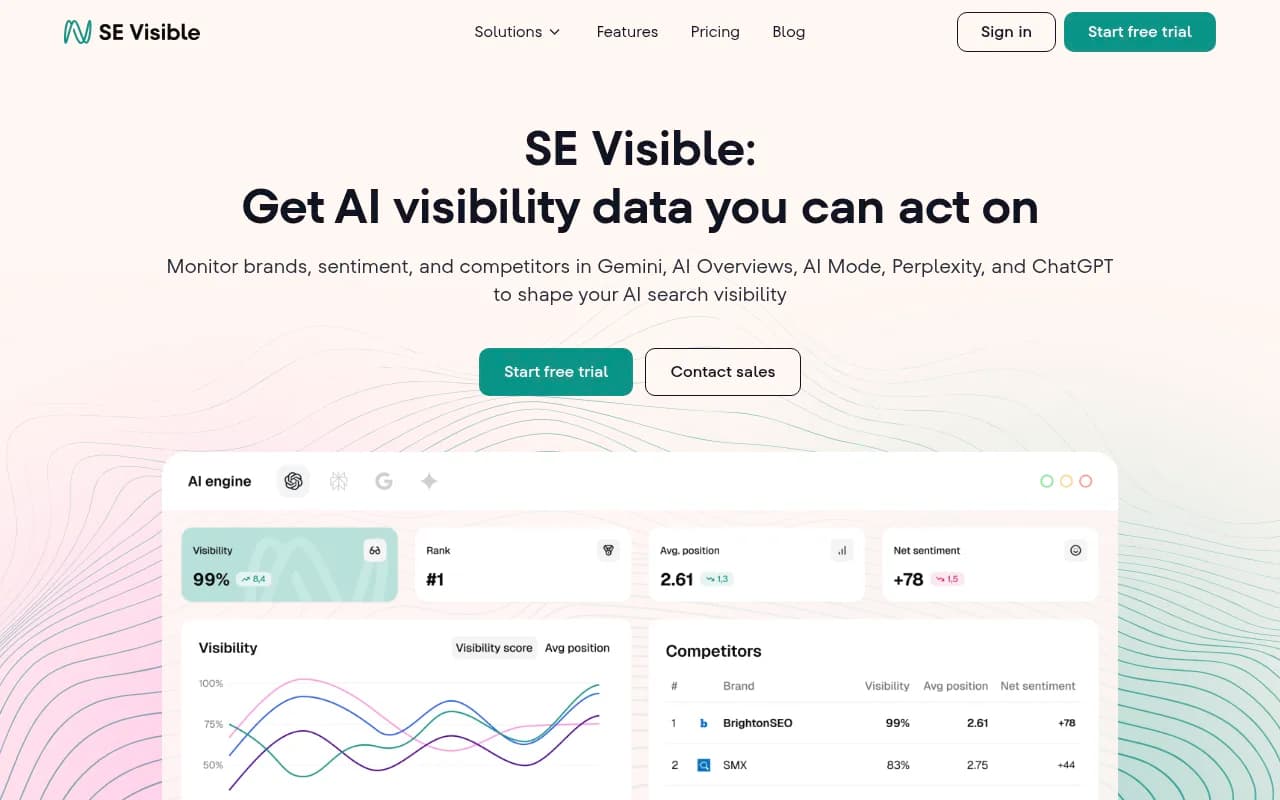
SE Ranking's visibility tool sits next to its keyword and SEO data, which helps if you are converting existing keywords into prompts.
Otterly.AI is an affordable monitor if you mostly want a simple prompt list and reporting.

| Tool | Intent labels | Best for |
|---|---|---|
| Promptwatch | Intent and prompt type, topics, tags | Segmenting, then acting on gaps with content and crawler data |
| Profound | Informational, commercial, transactional | Enterprise teams that want buying-stage prioritization |
| Peec AI | Prompt suggestions, grouping | Smaller teams building a first list |
| SE Ranking Visible | Keyword-led prompt sourcing | Teams already living in SE Ranking |
| Otterly.AI | Basic grouping | Budget monitoring |
Feature sets change quickly, so check each vendor's current docs before buying. For wider options, the GEO software directory at bestgeosoftware.com lists dozens more.
Turning each segment into action
Splitting is the easy part. The value comes from what you do differently.
Informational: publish the explainers AI cites
If your informational visibility is low, look at which pages AI cites for those prompts. The data above says how-tos, docs and articles carry more weight here than elsewhere, so check whether you have strong versions. Product pages still take 19.1% even in informational answers, so make sure yours are readable and specific.
Commercial: get on the lists AI trusts
Commercial answers lean on listicles, comparisons, product pages and landing pages. That means two jobs: have solid comparison and product content on your own site, and appear on third-party lists and review sites that AI already cites. Promptwatch's citation share by domain rank data found mid-authority sites (DR 46 to 75) earned almost half of ChatGPT citations in August 2026, so you do not need to be a giant to be cited.
Branded: fix what AI says and where it learns it
Branded prompts pull from few domains, so the sources are concentrated: review sites, forums, your own landing pages. Read the actual responses. If AI says you lack a feature you shipped two years ago, find the page it is learning that from. Promptwatch's Fact Check feature does this by marking a claim accurate or inaccurate and locating pages that state it, but you can also do it manually.
A weekly and monthly routine
- Weekly: glance at branded sentiment and any new claims. Surprises show up here first.
- Weekly: check commercial share of voice and which competitors moved.
- Monthly: review informational visibility and which pages gained or lost citations.
- Quarterly: re-split the list. Add new prompts, retire dead ones, and check your ratios still match your business.
Report the three segments side by side, with a note about prompt counts. A change from 20 to 30 commercial prompts will shift averages even if nothing real changed.
Common mistakes
- Reporting a single blended visibility score to leadership.
- Treating high branded visibility as a win. It is the floor, not the ceiling.
- Judging organic prompts from one run. Responses vary, so look at trends across many prompts.
- Mixing intent taxonomies between reports without noting it. The labels in different tools are not identical.
- Never touching the informational bucket because it feels far from revenue.
Final thought
Track three numbers instead of one. Branded tells you what AI says about you, commercial tells you whether you make the shortlist, and informational tells you whether AI connects you to the problem. If you only have time to fix one thing this week, open your branded prompts, read ten responses, and see whether you would be happy if a buyer saw them.