Key takeaways
- Most GEO platform demos look identical. The differences only show up when you test raw answers, metric definitions, source data and what the tool does after it finds a gap.
- Run every candidate through the same 25 tests, grouped into five areas: data integrity, metrics and sources, diagnosis, action, and governance and cost.
- Treat the first ten items as pass/fail gates. A platform that cannot show you the answer behind a reported mention should not survive to the pricing conversation.
- Use a trial of 7 to 14 days with a fixed prompt set of 30 to 50 prompts, and write down results before you talk to sales.
- Platforms that only monitor are cheaper and fine for some teams. If you need to change outcomes, test the action layer hard.
Why a checklist beats a demo
I have sat through enough GEO demos to know how they go. A dashboard with a rising line, a share-of-voice donut, a competitor bar chart. Everyone looks great. Then you ask where one number came from and the room gets quiet.
The category now has well over a hundred tools, from prompt trackers to enterprise suites. You can browse them in directories like the GEO software directory at bestgeosoftware.com or the AI rank tracking directory at ai-rank-tools.com, but a directory only gets you a shortlist. The decision happens in the trial.
A Jam procurement guide for technical teams makes the same point: a long feature list rewards breadth while hiding a missing requirement. Ten integrations do not make up for being unable to inspect the answer behind a reported recommendation. So this checklist is built as gates first, conveniences later.
How to set up the trial before you start
Trial days are short. Do the prep first.
Write a one-page charter
List the decisions the platform must support, who will use the output, and what is mandatory versus nice to have. "We may test coding-agent adoption next year" should not outweigh "we must export evidence this month."
Fix your test set
Pick 30 to 50 prompts that you can defend: a mix of organic category questions, brand-specific questions and competitor comparisons. Use the same set in every trial. Include at least five prompts in a second language or country if you sell internationally.
Pick your own ground truth
Before you open any tool, run 10 of those prompts by hand in ChatGPT and Google AI Overviews and save the answers and cited URLs. Now you can check whether the platform's data matches what a real user sees.
Assign an owner per gate
An analyst judges data quality. An editor judges whether a draft is usable. The site owner judges publishing permissions. Do not let the person who watched the demo decide alone.
The 25 capabilities at a glance
| Area | Items | Question it answers |
|---|---|---|
| Data integrity | 1 to 6 | Can I trust what the tool collected? |
| Metrics and sources | 7 to 11 | Do the numbers mean what I think they mean? |
| Diagnosis | 12 to 16 | Does it explain why I am or am not visible? |
| Action | 17 to 21 | Does it help me fix things and prove the fix worked? |
| Governance and cost | 22 to 25 | Can I run this at scale without surprises? |
Area 1: Data integrity (items 1 to 6)
1. Open one result and see the full record
Pick any reported mention. You should see the exact prompt, the full answer text, the collection time and the engine. If you only get a score, stop here.
2. Real interface data versus API data
Ask how each engine is collected. User-facing answers, citations and shopping results can differ from API output. Compare three results to your manual ground truth. Some tools, such as Promptwatch and Superlines, collect from the real interfaces; others query APIs, which is cheaper but can drift from what customers see.
3. Named engine list with versions
"Multi-engine" is not an answer. Ask for the exact list: ChatGPT, Google AI Overviews, AI Mode, Gemini, Perplexity, Copilot, Claude, Meta AI, and whichever you need. Note which are on the plan you would actually buy.
4. Custom prompts, not just a fixed bank
You should be able to add your own prompts, set country and language, choose cadence, and group by intent. A fixed prompt bank with no custom layer is a warning sign.
5. Location and language control
Test a prompt from a different country and a different language. For local businesses, check whether you can pin to a city or exact coordinates, since "near me" answers vary a lot.
6. Raw history and export
Export responses, citations, dates and model versions. Check that exports contain the text, not only aggregates. If you switch vendors in a year, this is your evidence archive.
Area 2: Metrics and sources (items 7 to 11)
7. Separated metric definitions
Mentions, citations, recommendations, position and sentiment should be separate observations. One opaque score replacing all of them is a red flag. Ask for the formula, in writing.
8. Share of voice you can reproduce
Pick one prompt, count the brands by hand, and compare to the tool's share of voice. It should be explainable in two sentences.
9. Citation and source intelligence
The tool should show which domains and URLs are cited, where yours lands in the source list, and which third-party pages mention competitors. Source type matters too. Promptwatch Data shows that documentation and help centers earn the largest share of ChatGPT citations for software prompts, while booking and search sites earn more than half for travel. A tool that cannot classify source types leaves you guessing which of those worlds you are in.
10. Competitor tracking on identical prompts
Competitors should run on the same prompts and engines as you, and the competitor list should be reviewable and editable, not silently inferred.
11. Citation counts per engine, with change flags
Engines behave differently. Promptwatch Data on average sources per response shows ChatGPT citing about 5 sources per web-search answer, AI Overviews about 10, and Perplexity almost exactly 10 every day, while Copilot swung from under 2 to nearly 17 within weeks. A good platform lets you see this so you do not mistake an engine-side change for the effect of your own content. Promptwatch's own advice is to judge Copilot on monthly trends, not weekly snapshots.
Area 3: Diagnosis (items 12 to 16)
This is where most trackers stop and where the real differences begin.
12. Query fan-out visibility
A single prompt can trigger several separate searches. Promptwatch's ChatGPT query fanout report describes 3 to 8+ searches per prompt in some cases, with average fanouts and query length shifting a lot between December 2025 and April 2026. It also tracks a sharper change: ChatGPT began using the site: operator at scale on August 8, 2026, moving from about 0.4% to about 17% of fanout queries overnight. Test whether the tool shows the sub-queries behind a response. If it does not, you are optimizing for prompts the model may never run.
13. AI crawler logs
Ask whether the platform shows which AI bots visit your site, which pages they read, and what errors they hit. The key word is IP-verified: spoofed user agents should be filtered out. Promptwatch's AI crawler traffic report counts only requests that match operator IP ranges, and shows OpenAI's share of verified requests at 79.8% in the week of Aug 31 to Sept 6, 2026, down from 94.8% in early June. Compare any benchmark like that against your own logs. A provider with a large share in the data but near zero on your site suggests you are blocking it.
Check the integrations too: Cloudflare, Vercel, Fastly, CloudFront, or a WordPress plugin. Most monitoring-only tools have no crawler analytics at all.
14. Technical audit for AI readability
Look for weekly or on-demand checks covering robots.txt rules for AI bots, sitemap coverage, broken or orphaned pages, and content freshness. This is the part Customer Impact's 25-point checklist calls technical readiness: crawlable, readable, not blocked.
15. Content gap analysis
The tool should map your pages against the prompts AI answers and show which topics you are missing. Ask it to produce the gap list for your test prompts, then sanity check three of them.
16. Offsite and social source tracking
AI engines cite Reddit, YouTube, LinkedIn and third-party listicles. The mix is moving: Promptwatch Data shows reddit.com's share of ChatGPT citations fell from about 4% to 0.5% on August 14, 2026, and ChatGPT drew 0.46% of citations from social platforms versus 12.2% for Google AI Overviews in the week of Sep 28 to Oct 4, 2026. A platform should let you see this per engine, not as one blended number.
Area 4: Action (items 17 to 21)
17. Prioritized to-do list
Does the platform tell you what to do next, ranked, with evidence? A list of 200 "recommendations" is not prioritization. Ask for five actions for your test site and check each one against the data.
18. Content creation grounded in citation data
Generate one draft. Check whether it uses your brand facts, internal links and the actual prompts and sources behind the gap, or whether it is a generic article. Generic writing tools like AirOps, Jasper and Copy.ai write fine but have no visibility data behind them.
19. Publishing to your CMS
Test the connection to WordPress, Webflow or Framer. Check for a review step, publish windows and the ability to roll back. Fully hands-off modes sound great until the first off-brand post goes live.
20. Content refresh for existing pages
Content decays. Promptwatch's content half-life report found landing pages and docs stayed cited longest among pages ChatGPT cited on July 6, 2026, while news lost half its pages within 36 days. A platform should help you refresh older pages with visible diffs, not only create new ones.
21. Closed-loop tracking
After you publish, can the tool track whether that page gets crawled, cited and clicked, and then flag underperformers? This is the line between a tracker and an optimization platform. Ask for the page-level view.
If you want a platform built around that loop, Promptwatch is worth putting on the shortlist: it pairs crawler logs, citation tracking, AI traffic attribution and a Content Agent that publishes to a CMS.
Area 5: Governance and cost (items 22 to 25)
22. AI traffic and revenue attribution
Mentions are not revenue. Check whether the tool measures actual visits and conversions from AI platforms, through a script, tag manager template or plugin. Trakkr, Passionfruit and LLMclicks.ai also focus on this angle.
23. Roles, workspaces and security
Check owner, editor and viewer roles, audit logs, scoped API keys and SSO. For agencies, ask about client workspaces and white-label reports. Ask for security certifications, such as ISO/IEC 27001, if you go through procurement.
24. API, MCP and integrations
Can you pull data into Looker Studio, Slack or your warehouse? Is there a REST API and an MCP server for agent workflows? Test one real export end to end.
25. The pricing unit
Cost can be based on prompts, responses, engines, brands, seats or regions. The warning sign is an entry price that excludes the engines you actually need. Some entry plans cover only ChatGPT. Calculate a cost per tracked response for the configuration you will really run, and always confirm on the vendor's pricing page.
Scoring sheet
Use a simple scale: 0 for fails, 1 for partial, 2 for passes with evidence. Weight the gates double.
| Gate or item group | Weight | Pass condition |
|---|---|---|
| Items 1 to 4 (record, collection, engines, custom prompts) | 2x | Matches your manual ground truth on at least 8 of 10 prompts |
| Items 7 and 9 (metric definitions, sources) | 2x | Formula documented and sources inspectable |
| Item 6 (export) | 2x | Raw text and citations leave the tool |
| Items 12 to 16 (diagnosis) | 1x | At least three of five demonstrated live |
| Items 17 to 21 (action) | 1x or 0x | Weight to zero if you only need monitoring |
| Items 22 to 25 (governance and cost) | 1x | No hidden engine or seat costs |
What kinds of tools to test against each other
Do not trial ten. Pick three from different categories so the contrast is real.
| Category | Examples | Typically strong at | Typically weak at |
|---|---|---|---|
| End-to-end optimization platforms | Promptwatch, AthenaHQ | Diagnosis plus action and tracking the result | Can be more than a monitoring-only team needs |
| Monitoring-focused trackers | Peec AI, Otterly.AI, Rankscale | Clean dashboards, quick setup, lower price | No crawler logs, no content or publishing |
| Enterprise analytics | Profound, Scrunch AI, Bluefish | Prompt data and governance at scale | Cost, and needing developers to ship changes |
| SEO suites with AI add-ons | Semrush AI Visibility Toolkit, Ahrefs Brand Radar, SE Ranking Visible | One login, familiar workflow | Shallower AI-specific data, fixed prompt sets |
| Content-first tools | AirOps, Writesonic GEO | Draft speed | Weak measurement, little citation data |
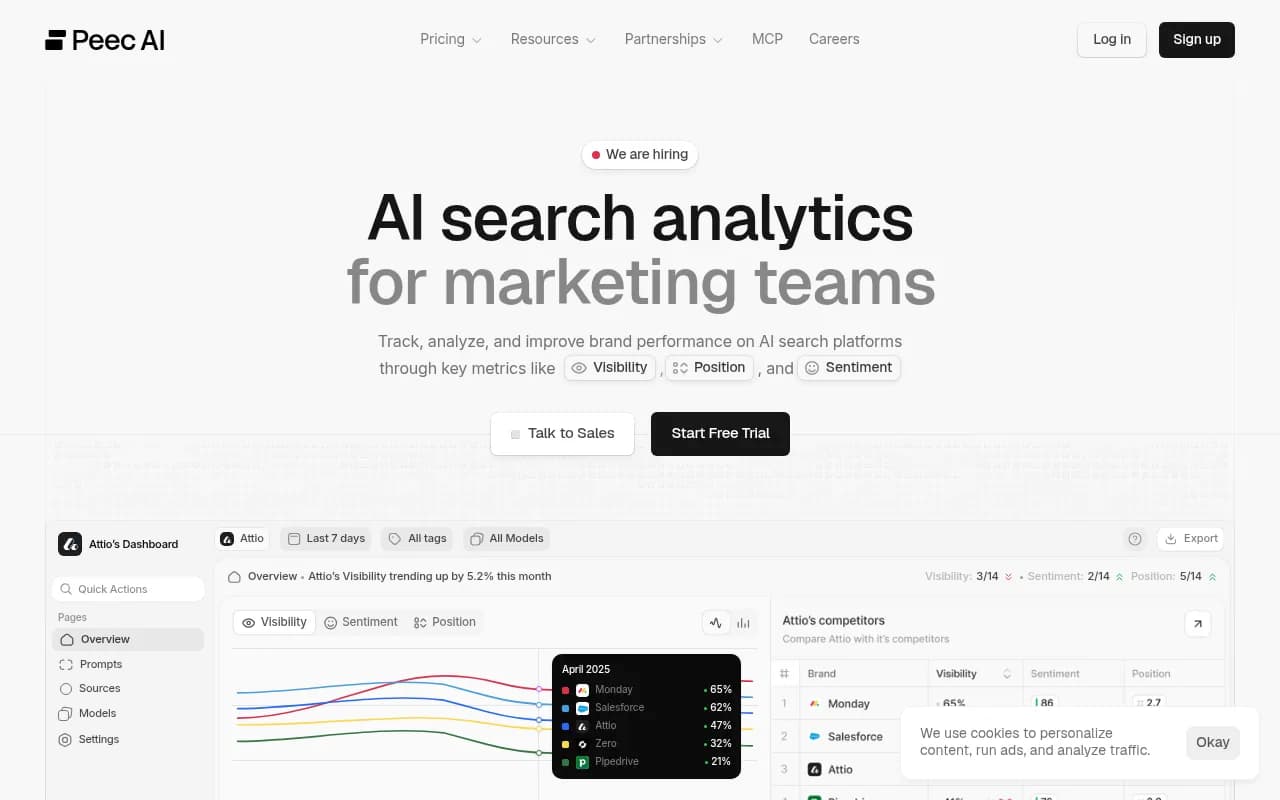
An enterprise vendor writing its own buyer's guide, like Meikai's, will naturally rank itself first. Read these guides as shortlist input and settle the rest in your own trial, which is the whole point of this checklist.
A 10-day trial plan
- Days 1 to 2: connect the site, add the prompt set, set countries. Note setup friction.
- Day 3: run items 1 to 6 against your manual ground truth. Cut any tool that fails two.
- Days 4 to 5: check metrics and sources (7 to 11). Reproduce one share-of-voice number by hand.
- Days 6 to 7: install crawler logs if available and run the audit (12 to 16).
- Days 8 to 9: generate one draft, publish to a staging CMS, set up tracking (17 to 21).
- Day 10: export everything, review roles and pricing (22 to 25), and score.
Most free trials last 7 days, so you may need to ask for an extension. Vendors usually say yes if you are clearly running a structured test.
Red flags that show up in almost every trial
- The tool cannot show the raw answer behind a metric.
- Visibility is a single score with no definition.
- Results are not repeatable: the same prompt gives different outputs and the tool shows only one run.
- Performance claims come with no test set, date or source.
- The tool recommends changes but cannot show whether they worked.
- Free trial data disappears the day the trial ends, with no export.
Final thought
If you remember one thing, make it this: choose the tool you can audit. A smaller platform whose numbers you can verify beats a flashy one whose numbers you have to trust. Then decide whether you need only to watch AI search or to change it, and weight items 17 to 21 accordingly.