Key takeaways
- AI assistants guess a user's location, and the guess differs by platform. Checking from your own laptop once tells you almost nothing about what a customer three miles away sees.
- Answers vary between runs. SparkToro and Gumshoe found less than a 1-in-100 chance that ChatGPT or Google's AI gives the same brand list twice, so report a visibility rate across many runs, not a pass or fail.
- A good local test has four parts: a coordinate or address, a fixed prompt set (named and unnamed location), repeated runs, and a note of which sources got cited.
- Pinning a monitor to exact coordinates is possible with some tools, such as Promptwatch. Otherwise you can approximate it manually with VPNs, mobile devices and location permissions, with more noise.
- When your store doesn't appear, the fix is usually in the sources AI cites (listings, reviews, local pages), not in the store's own homepage.
Why "does AI recommend my store?" is a location question
A customer standing outside a closed shop asks a phone, "Where can I get this fixed near me?" The answer depends on where that phone is. Not on your brand strength, not on your national ranking. On a few blocks of map.
That is the shift for local businesses. In classic local SEO you could check a map pack from a given spot and trust the result for a while. AI answers add two complications: the location signal is fuzzier, and the output is different every time you ask.
The hireawiz.com piece on AI search and geolocation lays out the basics well. Naming a place in the prompt is one of the strongest local signals you can send. Without one, models drift toward broad, safe answers and national brands. It also notes that ChatGPT works from an approximate, IP-based guess at the user's city or region, while Google leans on actual device location and can be far more precise.
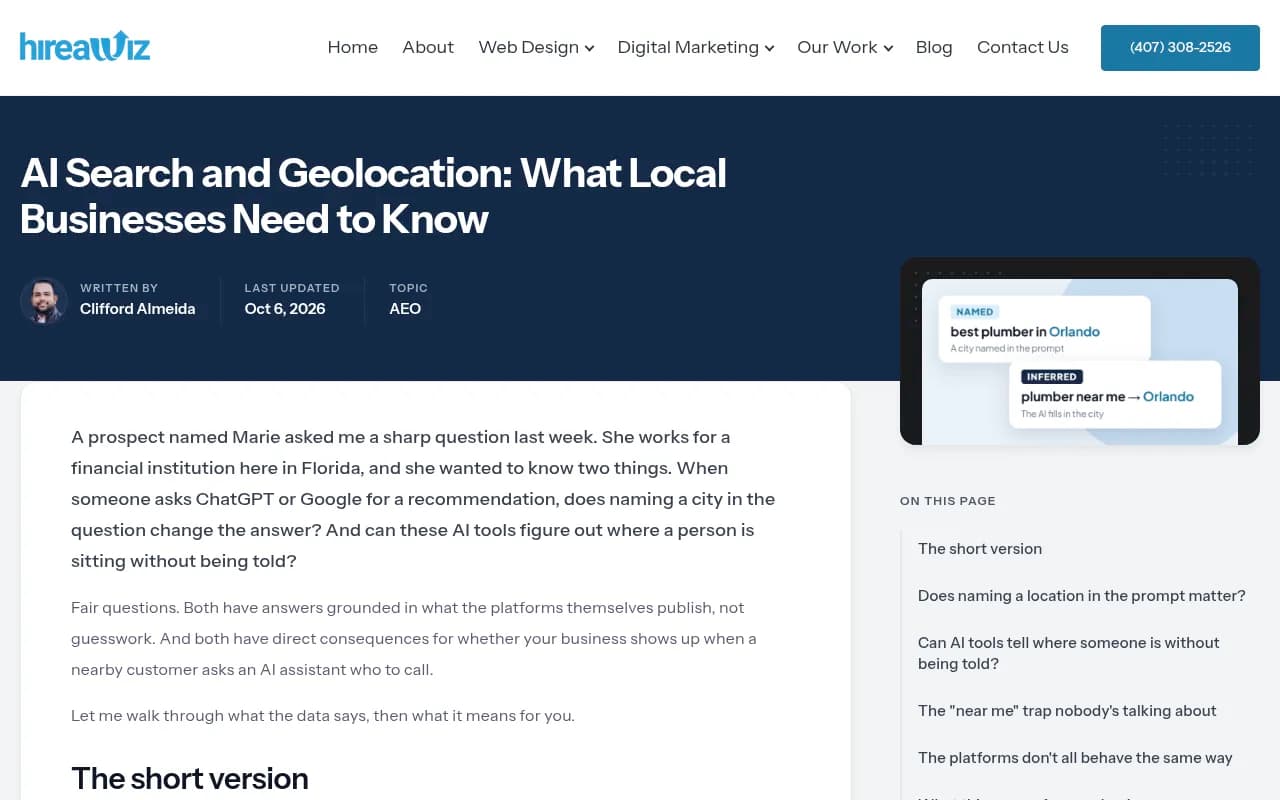
So there are two scenarios to test, and they need different setups:
- Named location: "best bike repair shop in Winter Park, Florida." The place is in the prompt.
- Inferred location: "bike repair shop near me." The platform has to guess, and the guess is only as good as the signal it gets.
Most people only test the first one, because it is easy. The second is where the foot traffic is.
What "exact coordinates" means (and what it doesn't)
Coordinates are a latitude and longitude, optionally with an accuracy radius. A pinned address might resolve to something like 28.6000, -81.3392 with a 500 m radius.
Be careful about what this buys you. I could not find a verified public source describing exactly how ChatGPT, Gemini or Perplexity consume exact coordinates, whether through an API location parameter or browser geolocation permission. Treat any claim that a given platform "uses your precise GPS pin" as unverified until you have tested it yourself. What you can do is simulate the conditions and watch whether answers change as you move the pin.
That last part is the real test. If you move the same prompt from one side of a city to the other and the recommended stores don't change at all, the platform is probably ignoring the signal. If they do change, you have found a locality effect worth measuring.
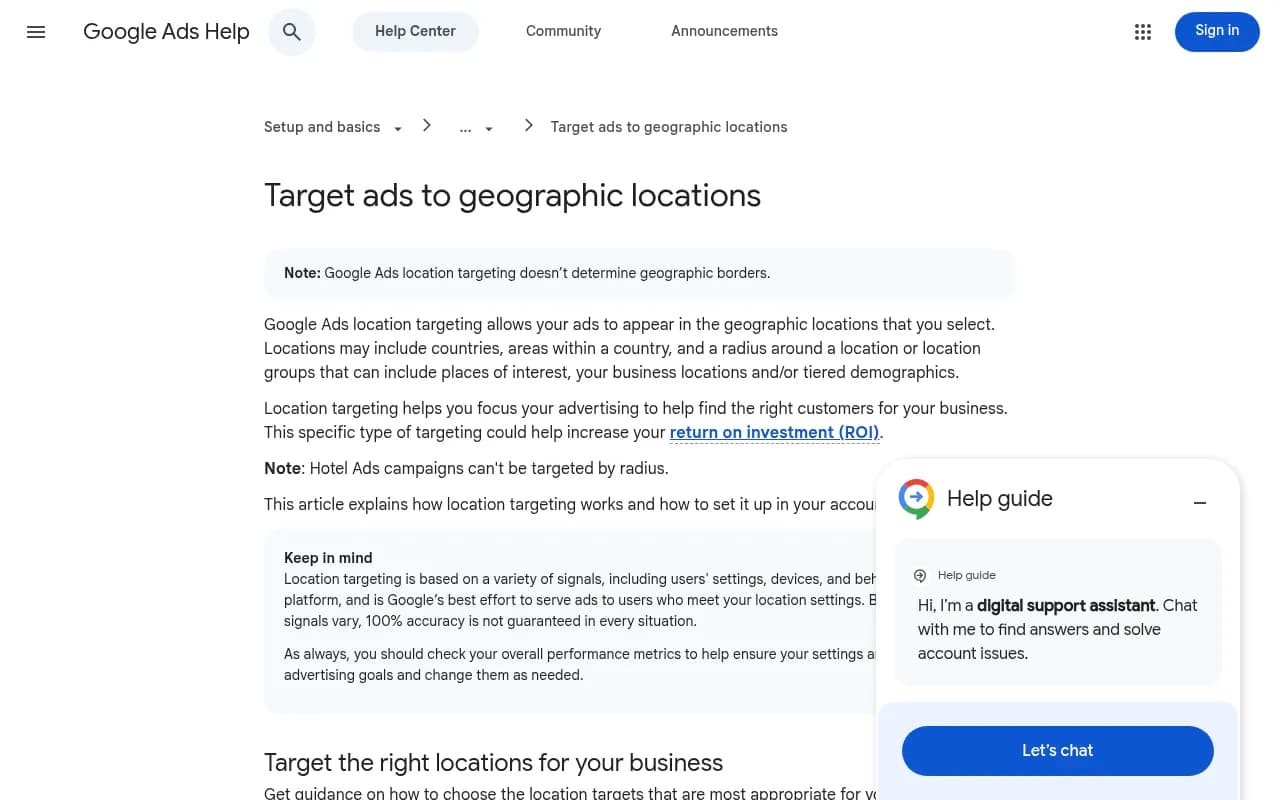
A note on ads, since the research for this topic mostly returns Google Ads material. Google Ads location targeting is a different system. Its own help page says it is Google's best effort and that 100% accuracy is not guaranteed. That caveat applies, with more force, to organic AI answers. Do not assume ad-targeting behavior transfers.
Why one check will mislead you
In the SparkToro and Gumshoe study, 600 volunteers ran 12 prompts through ChatGPT, Claude and Google's AI a combined 2,961 times. SparkToro's conclusion, per their write-up, was a less than 1-in-100 chance that ChatGPT or Google's AI returns the same list of brands in any two responses. Claude repeated lists slightly more often but was even less likely to repeat the order.
Promptwatch Data points the same way from a different angle. In its report on unique domains per ChatGPT response (Sep 28 to Oct 4, 2026), 47.6% of responses cited 10 or more domains, and for generic organic prompts that rose to 52.5%. The report's own advice is that a single prompt tells you little. Plan on sharing the answer with others and measure across many prompts.
For local, the consequence is blunt. If you run "pizza near me" once, see your store, and celebrate, you have learned very little. Run it 30 times from the same point and you might find you appear in 9. That 30% is a number you can improve and track.
A repeatable test, step by step
1. Pick your test points
Choose three to five locations, not one:
- The store itself (exact address)
- A spot about a mile away in your best-performing direction
- A spot at the edge of your real catchment area
- One spot where a competitor is clearly closer than you
Write down the coordinates. Drop a pin in a map app and copy them, so the test can be rerun next month from the same place.
2. Build a small prompt set
Twelve to twenty prompts is plenty to start. Mix the types:
| Prompt type | Example | What it tests |
|---|---|---|
| Named neighborhood | "best tire shop in Winter Park, Florida" | Strongest explicit signal |
| Named city | "best tire shop in Orlando" | Broader market, more competition |
| Near me | "tire shop near me open now" | Whether the platform infers location |
| Intent-specific | "where to get a same-day flat tire repair near me" | Service-level matching |
| Comparison | "[your brand] vs [competitor] tire shop" | Brand-specific behavior |
| Category with attribute | "family-owned tire shop with good reviews near me" | Whether review signals are pulled |
The hireawiz advice is worth borrowing: win the specific before the broad. If you aren't showing up for the neighborhood-named prompts, don't start chasing ungeo'd terms like "best tire shop."
3. Set the location signal
How you do this depends on your tooling.
Manually, you can use a mobile device physically at or near the point, a VPN exit near the area (IP-based guess only, so this mostly helps for ChatGPT-style inference), and a clean browser profile with location permission explicitly granted or denied. Log which of these you used for each run. A VPN and a phone with GPS are not the same test.
With a platform that supports it, you pin a monitor to coordinates and let it run. Promptwatch does this for ChatGPT, Google AI Overviews and Google AI Mode: you search for a place or drop a pin, set an accuracy radius from 20 m to 5 km, and the answers are collected as if asked from that spot. It's available on the Business, Agency Scale and Enterprise plans, and in the REST API and MCP. Confirm current plan details at promptwatch.com/pricing.
4. Run each prompt many times
In the manual version, I would do at least 10 runs per prompt per location, in fresh sessions, and spread across a few days. That is 12 prompts x 4 locations x 10 runs = 480 queries. Nobody wants to do that by hand twice, which is the honest argument for automation. Daily scheduled runs in a monitor get you the same data without the afternoon of copy-pasting.
Record for each run:
- Was your store named?
- At what position in the answer?
- Which competitors were named?
- Which sources were cited (Google Business Profile, Yelp, a local news roundup, your own site)?
- Did the answer include a map, hours, or address?
5. Compute a visibility rate, not a verdict
For each prompt and location, divide the runs where you appeared by total runs. Then compare across points. A simple table does the job:
| Prompt | Store address | 1 mile north | Catchment edge | Competitor's door |
|---|---|---|---|---|
| Named neighborhood | 70% | 55% | 30% | 10% |
| Near me | 45% | 35% | 10% | 0% |
| Same-day repair near me | 20% | 15% | 5% | 0% |
These numbers are invented, but the shape is typical of what you would hope to see: strong at home, fading with distance. If the shape is flat, location isn't doing much for that prompt. If you are weak even at your own address, the problem isn't geography.
Reading the results
You appear at your address but vanish a mile away
This is the most common pattern and often the healthiest. It means the platform recognizes proximity. To widen your reach, strengthen the signals for the neighboring areas: service-area pages, reviews mentioning those neighborhoods, and listings that carry the right categories.
You never appear, even for named neighborhood prompts
Look at the cited sources, not your website. If answers lean on Yelp, Tripadvisor-style aggregators, local "best of" roundups or Reddit threads, your fix is being present on those pages. Promptwatch's data suggests the source mix is vertical-specific: for travel prompts, booking and search sites earned more than half of ChatGPT citations in its October 2026 report, and in automotive, marketplaces like Autotrader and Cars.com outranked every car brand. Brand sites often lose to intermediaries. Check which type dominates your category before deciding where to invest.
You appear for "near me" in one tool but not another
That is expected. Because the platforms infer location differently, a result from one can't stand in for another. Test ChatGPT, Google AI Overviews and AI Mode separately and report them separately.
Results flip between runs
Also expected. This is the noise SparkToro described. Judge by rates over time, and only treat a change as real once it exceeds your run-to-run swing. If your rate bounces between 30% and 50% on identical setups, a move from 35% to 45% means nothing.
A note on query length and fan-outs
When ChatGPT answers a local question, it may run its own web searches behind the scenes. Promptwatch's ChatGPT query fanout data shows average query length falling from about 117 characters in early December to about 53 characters once fanouts returned in April. That is a report about query length, not about local queries specifically, so what follows is my inference: short queries leave little room for an address, so whether a neighborhood or "near X" phrase makes it into the search is worth checking prompt by prompt. Tools that expose fan-outs let you see it. The free GEO Inspector Chrome extension from Promptwatch shows fan-outs and fetched versus cited sources for ChatGPT, if you only need to spot-check a few prompts.
Tools worth knowing for local AI visibility
No single tool covers everything, and I could not verify a head-to-head feature or pricing comparison of local AI-visibility tools, so treat the table as orientation, not a ranking. Check each vendor's current documentation.
| Tool | Role in a local test | Notes |
|---|---|---|
| Promptwatch | Coordinate-pinned monitors, daily runs, citation sources | Business plan and above for exact-coordinate targeting |
| Birdeye Search AI | Location-level AI visibility tracking | Aimed at multi-location brands |
| BrightLocal | Local rankings, listings, reviews, with AI visibility | Strong on classic local SEO data |
| Yext | Verified listing data pushed to many channels | Fixes the data AI reads, rather than measuring |
| SOCi | Local search, reviews and social for many locations | Franchise and multi-location focus |
| Chatmeter | Reviews, listings and local pages | Multi-location reporting |
There is a split here worth noticing. Listing and reputation platforms fix the underlying data AI pulls from. Visibility trackers measure what AI says. Promptwatch sits on the measurement side but adds crawler logs, an action list and content tools, so a failed local test can turn into a to-do list. For a wider scan of options, the GEO software directory at bestgeosoftware.com is a decent starting point.
Fixing a weak local result
Once the test shows where you lose, the work is fairly mundane:
- Make sure name, address and phone are identical across your Google Business Profile, Apple and Bing listings, and the main directories in your vertical.
- Collect reviews that mention the service and the neighborhood, in the customer's own words.
- Build a page per service area with real content: staff, local examples, directions, parking. Not 40 near-identical city pages.
- Get named on the local roundup articles and community pages that your tests show AI citing.
- Check that AI crawlers can actually read your site. Crawler logs, which some platforms provide, show whether bots hit errors.
- Retest from the same coordinates after changes. Give it a few weeks, since AI sources don't refresh overnight.
If you want a specialist to run this for you, an agency that does local SEO and generative engine optimization together is the sensible shape. 1001 SEO Media covers both, and it uses Promptwatch as its AI visibility platform.
Common mistakes
- Testing only from the office. Your own search history and location bias the result.
- Treating a VPN as a GPS pin. IP-based and device-based location are different signals.
- Reporting a single run. See the numbers above on repeat variance.
- Ignoring the competitor's doorstep. Losing there is normal; losing at your own address is not.
- Mixing platforms into one average. Report each model separately.
- Changing the prompt wording between months. Freeze the prompt set, or your trend line is meaningless.
A starter checklist
- Choose 3 to 5 coordinates, including your own door.
- Write 12 to 20 prompts, mixing named and "near me" phrasing.
- Run each prompt at least 10 times per location, per platform.
- Log mention, position, competitors and cited sources.
- Compute visibility rates and compare across points.
- Fix the sources, not just your site.
- Retest on the same schedule and compare against your noise band.
The point of all this is modest. You are not trying to prove AI "knows" where a customer is. You are trying to learn, with enough repetitions to trust the number, whether a person standing at a given address is likely to be told your name. Start with your own front door, and see how often you show up there.