Key takeaways
- AI Overviews build answers from many pages at once. When those pages disagree, or your own site is vague, the summary can blend them into something no single source says.
- The most common causes are an outdated or ambiguous website, a stale Google Business Profile, old directory listings, and name collisions with similar businesses.
- The thumbs-down feedback button is worth using, but it has no stated turnaround and often doesn't fix anything alone. The durable fix is correcting the sources and stating the facts plainly.
- There is no way for an individual business to opt out of AI Overviews, so the realistic goal is making the correct answer the dominant one.
- Track the wrong answer over several weeks. Corrections sometimes revert.
What wrong AI Overview information looks like
You search your own company name and Google's summary gets it wrong. Maybe it lists a service you dropped two years ago. Maybe it says you operate in a city you left. Maybe it attaches a negative review, or even a person's name, that has nothing to do with you.
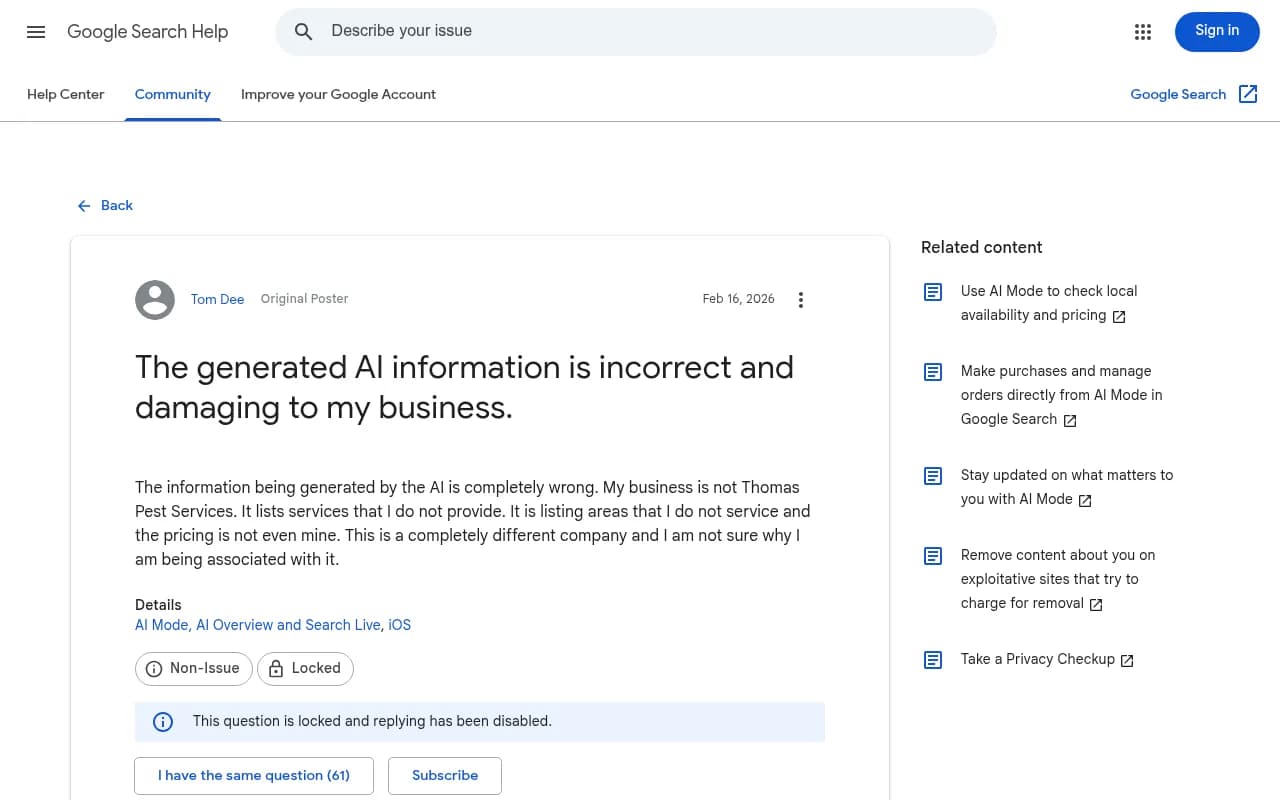
A business owner in the Google Search Community put it bluntly in February 2026: the AI listed services they don't provide, areas they don't serve, and pricing that wasn't theirs. It turned out to be a different company with a nearly identical name. They had reported the error through feedback and had a long-standing Business Profile, and the problem was still there.
That is the uncomfortable truth about this problem. Reporting is the first step, but it is rarely the last one.
Why AI Overviews get businesses wrong
AI Overviews summarize what they find across many pages. Google has said the system may run several related searches behind the scenes and draw from different sources, which means different queries can produce different answers and different supporting links.
When the underlying pages conflict, the model fills the gaps. It says the result confidently, and that confidence is what costs you leads.
| Error type | Typical cause |
|---|---|
| Wrong location | Old directory listing, or location only mentioned in a footer |
| Services you don't offer | Outdated service page, or inference from similar businesses |
| Wrong pricing | Old content, or another company's prices |
| Someone else's reviews or complaints | Name collision with a similar business |
| Wrong people or credentials | Old bios, press mentions, or confusion with another firm |
| Merged identities | Similar names and overlapping service areas |
Your own site is unclear or out of date
This is the easiest cause to fix and the one people check last. An About page may still mention an old address. A service page may imply you do something you stopped doing. Your old company name may still appear on a dozen pages. Check PDFs, old press releases, employee bios, blog posts and location pages too. The wrong fact often lives somewhere you forgot about.
Your Business Profile is stale
Google lets verified owners edit Business Profile details, and it may also update information from reports and other sources. If hours, categories or service areas haven't been touched in a while, fix those before hunting for something more exotic.
Another website disagrees with you
An old Yelp page, a Facebook listing, a chamber of commerce directory, a 2019 local news article. You may not control them, but you can usually ask the publisher for a correction. This matters most when the same wrong fact appears in several places, because repetition looks like consensus to a model.
A name collision
In the community thread above, several US companies shared the name "Thomas Pest Services" or "Thomas Pest Control". One was even called by the other name in New York media. This is entity disambiguation, not a bug you can report away. The fix is giving Google and other AI systems clearer signals about which business is yours.
Nothing obvious
Sometimes the overview stitches together a conclusion that no single source states. You still fix it. You just have to state the fact more plainly yourself, in more places.
Step 1: document the problem before you touch anything
Before changing a thing, record the evidence. Save:
- The exact search you typed
- A screenshot of the AI Overview and the date
- The specific inaccurate statement
- Any sources the overview cites
- The correct fact, plus a source that proves it
Then try variations. If the problem shows up for "reviews for ABC Company", also test "ABC Company reviews", "is ABC Company reputable", "ABC Company complaints" and "ABC Company Florida". You are trying to learn whether this is one odd response or a wider misunderstanding of your business.
Step 2: find where the wrong fact came from
Look at the links the overview cites. The wrong fact usually came from one of them. If no source is obvious, work down this list:
- Your website
- Your Google Business Profile
- Organization and WebSite structured data
- Search results for the incorrect fact itself
- Major directories and review sites
- Similar businesses Google might be confusing with yours
- Old versions of your business information still published online
- Sources attached to related AI Overview searches
Don't over-index on review sites. In Promptwatch's October 2026 data covering Sep 28 to Oct 4, social platforms made up 12.2% of Google AI Overviews citations, about 26 times ChatGPT's share. YouTube was 4.28%, Facebook 2.38%, Reddit 2.15%, Instagram 1.61% and LinkedIn 1.55%, according to the Social Media Citations by AI Model report. Trustpilot and Yelp are a small slice by comparison in the live AI Overviews sources report. So a stale Facebook page or an old YouTube description is a more plausible culprit than people expect.
Step 3: fix your own house first
Google's own guidance for AI features points back to ordinary search fundamentals: clear, reliable, people-first content, not a separate set of AI tricks. So the work is boring and effective.
Correct the site
Remove or update old locations, old names and discontinued services. Make sure every page describes the business the same way. Put your service area in body text, not just the footer.
Add a plain "what we do" block
On your main service page, state the facts a model would otherwise guess. Something like:
We repair and replace residential roofs in [towns]. We don't do commercial flat roofs or gutters. We answer calls Monday to Saturday, 7 a.m. to 6 p.m., and take emergency leak calls 24/7.
The "what we don't do" line is useful beyond AI. It saves wasted calls too. You don't need special markup for this. Clear, indexable text is what counts.
Add unique identifiers
If your name is shared with other companies, show registration numbers, licence numbers, your full address and your city in headings and the page title. Use Organization structured data with the same details. This is the closest thing to a fix for name collisions.
Step 4: fix your Google Business Profile
Claim and verify the profile if you haven't. Then check hours, categories, service areas, phone number and description. A community Product Expert suggested that rewriting the description will "force" the summary to update. Treat that as unverified volunteer advice, not official Google policy. It's still worth doing because an accurate profile is a good source for Google to find.
Keep your name, address and phone number identical everywhere. "St." on one site and "Street" on another is the kind of small mismatch that can make a model trust a competitor's data over yours.
Step 5: clean up third-party sources
Audit these, and request corrections where they are wrong:
- Yelp, Bing Places, Facebook, Instagram, LinkedIn, YouTube channel descriptions
- Industry directories and chamber of commerce listings
- Old news articles or press releases that describe discontinued services
- Association pages that use a former company name
If listings are scattered across logins nobody remembers, a listings tool can do the legwork. Options in this category include BrightLocal, Synup and Yext.
The principle behind all of it: if 15 sources give your correct address and one outdated directory gives the wrong one, the majority signal tends to win.
Step 6: report the overview (and keep expectations low)
On the AI Overview, click the thumbs-down icon or the three-dot menu, choose to report a problem, and say in one or two sentences what is wrong and what is true. Naming the other company explicitly helps in a name-collision case.
Do it. Just don't count on it. The business owner in the community thread had already reported the error and nothing changed, and Google states no turnaround. There is also no per-business opt-out. One commenter in that thread asked for one, and I found no mechanism for it. Treat feedback as a supplement to fixing sources, not a substitute.
If the error is defamatory or causes real harm, a lawyer's letter is an option, though it is slow and costly. Any legal route is a separate decision from the technical fixes here.
Step 7: monitor whether the fix sticks
Businesses who have dealt with this report answers that improve and then revert, or related searches that keep giving inconsistent results. Keep a simple log:
| Query | Date | Result |
|---|---|---|
| ABC Company reviews | Aug 10 | Wrong, attributes another company's reviews |
| ABC Company reviews | Aug 14 | Correct |
| ABC Company reviews | Aug 21 | Correct |
You don't need to search yourself every morning. For a serious reputational error, though, you should know whether the correction is holding.
Manual checks get tedious across several variations, locations and AI engines. AI visibility tools can run those prompts on a schedule. Promptwatch tracks what ChatGPT, Google AI Overviews, Google AI Mode, Gemini, Perplexity and others say about your brand, breaks out the individual claims AI makes about you with Brand Narrative, and lets you mark claims as inaccurate and find the pages teaching the wrong thing with Fact Check on Business plans. Its AI visibility report is a free starting point, and there is a 7-day trial.
Other monitoring options worth a look include Otterly.AI for affordable tracking and Profound for enterprise teams. For a wider list, the GEO software directory at bestgeosoftware.com is a good place to compare.
Monitoring and cleanup tools compared
| Tool type | Examples | Helps with |
|---|---|---|
| Listings management | BrightLocal, Synup, Yext | Fixing inconsistent name, address and phone data across directories |
| AI visibility monitoring | Promptwatch, Otterly.AI, Profound | Tracking what AI says about you over time and across engines |
| Manual checks | Google search, screenshots, a spreadsheet | Free, fine for one or two queries, tedious beyond that |
A realistic timeline
Some fixes show quickly, such as an updated Business Profile. Others depend on Google recrawling pages and directories, which can take weeks. Expect to repeat searches over time and expect a few relapses. If the wrong information keeps coming back after you've fixed the visible sources, it usually means a source you haven't found is still feeding it, or the name collision needs stronger identifiers.
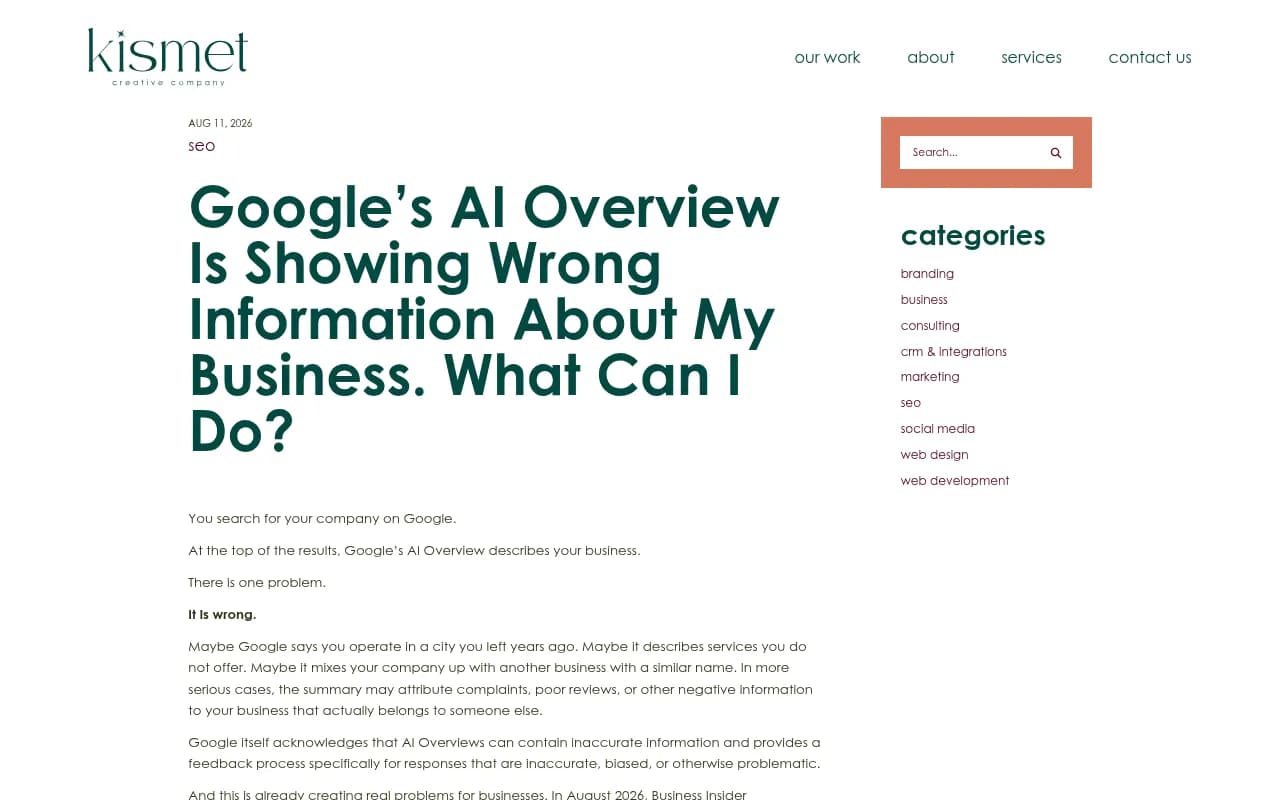
If you'd rather hand the whole thing to specialists, an agency that handles technical SEO and entity work, such as 1001 SEO Media, can audit your sources and structured data.
Prevention checklist
- Quarterly, check that business details are identical across your site, Business Profile, Bing Places, directories and social profiles.
- State your location, services, exclusions, credentials and founding details in plain text.
- Show unique identifiers if your name is common.
- Keep Facebook, Instagram, YouTube and LinkedIn pages complete and current, since AI Overviews cite them far more than ChatGPT does.
- When you change a name, address or service, update every listing the same week.
The pattern across every case is the same. AI Overviews don't invent your business from nothing. They average what the web says about it. Make the web agree with itself, and the summary tends to follow.