Key takeaways
- Your docs are probably read more by software than by people. Mintlify attributes 78% of October 2026 traffic on its hosted docs to agents, and Fern measured agents at 51.7% across 90 sites. Both are vendor figures, so treat them as direction, not gospel.
- Named crawlers like GPTBot and ClaudeBot are a small slice. Coding agents such as Claude Code, Cursor and Codex do most of the reading on API docs, and some of them hide behind ordinary user agents.
- Group bots by job (training, search index, user fetch), not by vendor. Blocking one group does not block the others.
- A log shows access, not citation. A 200 only means your server sent something back.
- Count failed agent requests, especially 404s on guessed
.mdand/llms.txtURLs. That number tells you how lost agents are.
Why developer docs logs look different
Most advice on AI crawlers is written for marketing sites. Docs behave differently. A marketing site gets ChatGPT-User fetching a page because someone asked about a product. A docs site gets coding agents pulling a reference page mid-task because a developer told an editor to wire up an endpoint.
Evil Martians measured both sides and found the contrast sharp. On their marketing site, ChatGPT-User made 73% of agent requests. On docs-style content, Claude Code dominated and asked for Markdown 76% of the time via the Accept header, while ChatGPT-User took Markdown on under 1% of requests. Same company, opposite pictures. Audience decides who shows up.
Mintlify's analysis of about 790M requests across its hosted docs over 30 days (reported via MarketSplash, March 2026 data) named Claude Code at 199.4M requests, Cursor at 142.3M, OpenCode at 7.7M, Trae at 4.6M and ChatGPT at 1.8M. Claude Code and Cursor together were 95.6% of the agent traffic Mintlify could name. Fern's "State of Docs" says something similar: Claude Code sent 1.03M requests to Fern-hosted docs in September, 13% of all agent traffic and 3.4x the next named agent, with GPTBot and ClaudeBot far down the list.
Two caveats. Both companies sell docs platforms, so these are vendor numbers. And agent share varies wildly by site, from under 10% to over 90% in Fern's sample, highest on APIs that developers call from code. Your own logs beat any benchmark.
The three jobs a bot can be doing
The single most useful habit is sorting bots by purpose. Each vendor runs separate user agents for separate jobs, and each obeys its own robots.txt group.
| Vendor | Training | Search index | Live user fetch | robots.txt on live fetch |
|---|---|---|---|---|
| OpenAI | GPTBot | OAI-SearchBot | ChatGPT-User | May not apply (observed complying) |
| Anthropic | ClaudeBot | Claude-SearchBot | Claude-User | Honored |
| Perplexity | none | PerplexityBot | Perplexity-User | Generally ignored |
| Google-Extended (a control token, not a bot) | Googlebot | Googlebot for grounding, Google-Agent for agentic tasks | n/a |
Source for the table: Advanced Web Ranking's August 2026 breakdown, cross-checked against OpenAI's crawler documentation.
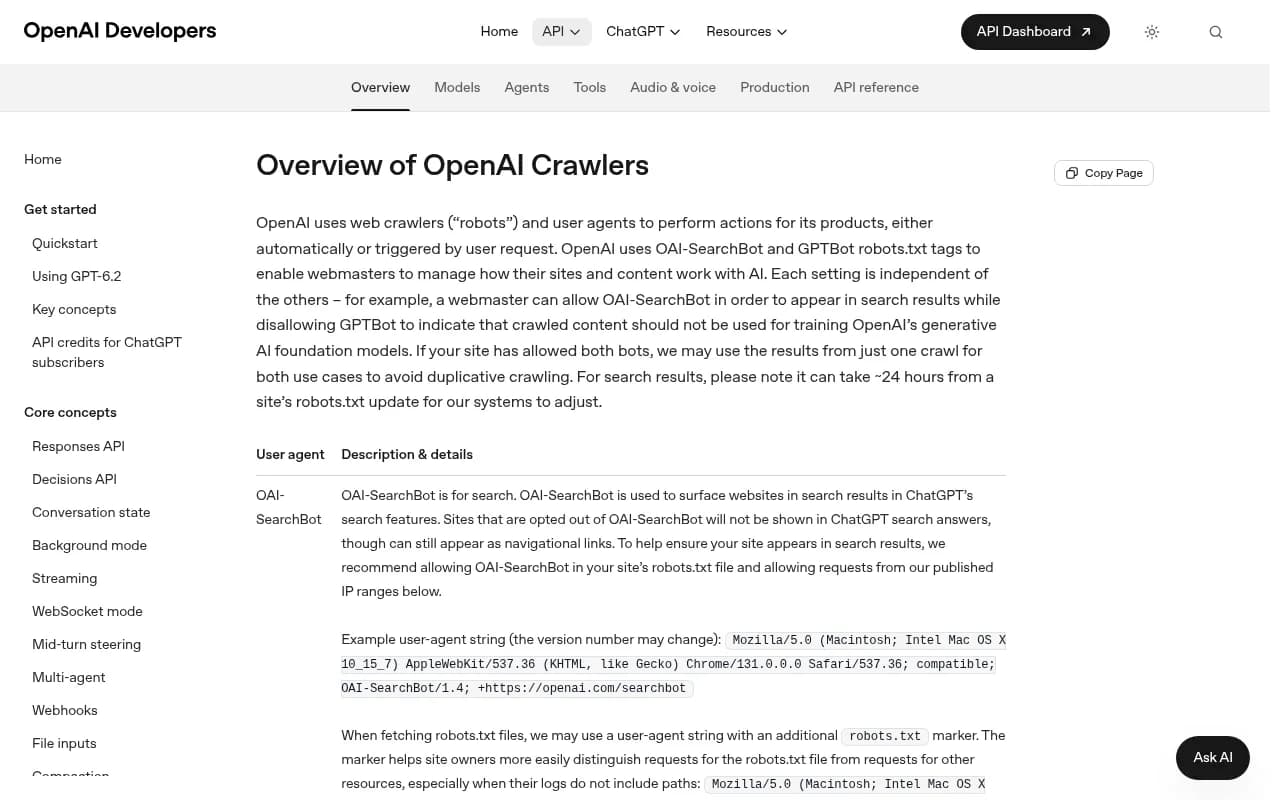
Three consequences matter for docs teams:
- Blocking GPTBot does not remove you from ChatGPT search. That runs on OAI-SearchBot and ChatGPT-User.
- Blocking ClaudeBot leaves Claude-SearchBot and Claude-User untouched.
Google-ExtendedandApplebot-Extendednever appear in your logs. They are tokens that Google and Apple check after their normal crawlers visit.
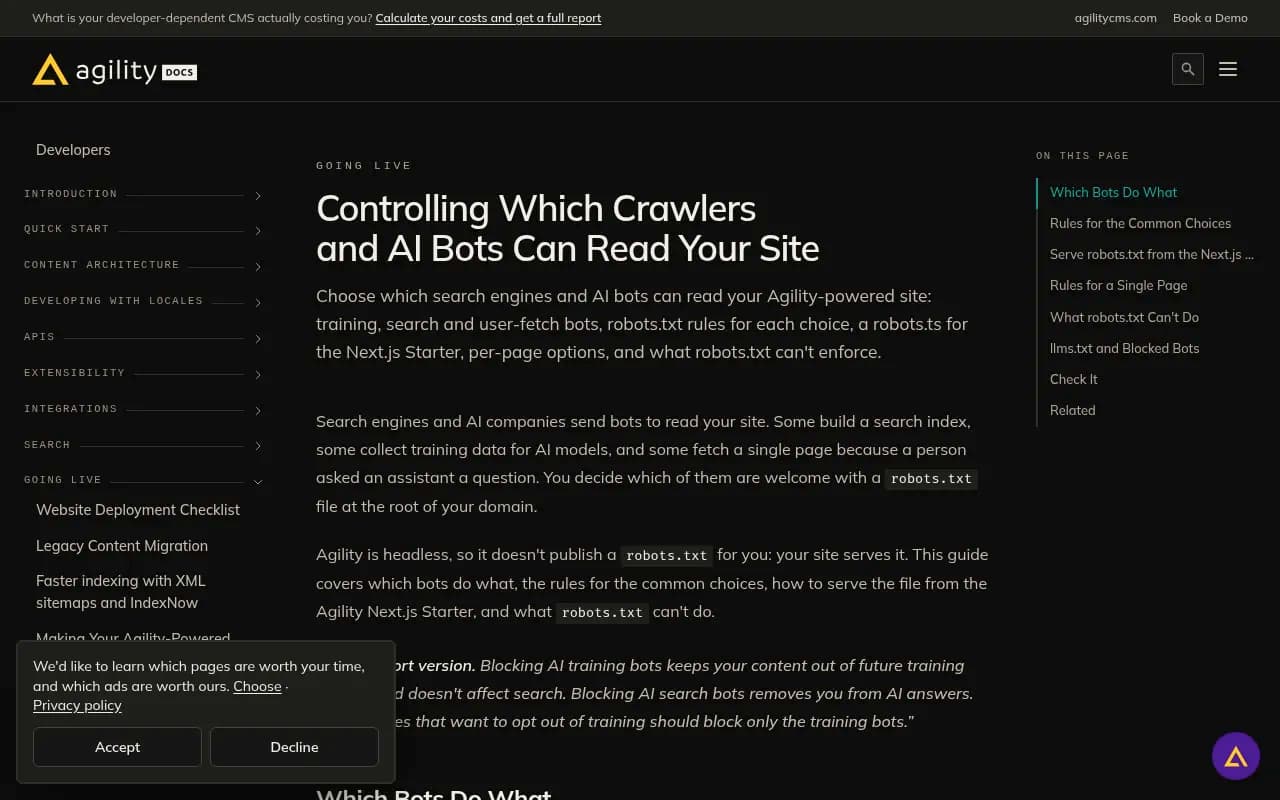
The Agility docs guide lays out the same split with ready-made robots.txt blocks, and is worth bookmarking.
For a docs site, the user-fetch group is the one to watch. ChatGPT-User and Claude-User visits are the most informative lines in the log because a person triggered each one. The log will not tell you the prompt or whether your page got linked in the answer, but it tells you someone asked a question that your page could answer.
Who reads your API reference, and who doesn't
Here is the practical read on the main groups, based on the research above.
Bots that do read docs heavily
- Claude Code. Sends
Accept: text/markdown, requests.mdURLs, and is the biggest named reader in both Mintlify's and Fern's data. It also made 32,812 of the 448,667llms.txtfetches Fern saw in September, more than GPTBot, ClaudeBot and OAI-SearchBot combined. - Cursor. Heavy reader, but it sent an ordinary Chrome browser string in Mintlify's data, so you will not find it by searching for a bot name.
- Codex. Sends the ChatGPT-User user agent, which means some of your "ChatGPT-User" traffic is a developer's terminal, not a chat window. Codex CLI follows a Markdown link in the page head.
- GitHub Copilot and OpenCode. Copilot sends a Markdown Accept header; OpenCode appears in Mintlify's named list and, per Cloudflare, also prefers Markdown.
Bots that read less than you think
- ChatGPT, Gemini and Perplexity live fetches. Fern found they fetch only HTML. Advanced Web Ranking reports that three of the four major assistants do not execute JavaScript on a live fetch. If your API reference renders client-side, those readers may get an empty shell.
- GPTBot and ClaudeBot as training crawlers. Present, but a small share of docs traffic.
- llms.txt consumers in general. Ahrefs looked at 137,210 domains in May 2026: about 38,000 had a valid
llms.txt, and 97% of those got zero requests. AI retrieval bots made 1.1% of the requests that did arrive. Longato's audit of Adobe Experience Manager domains found 22,494/llms.txtrequests, only 258 (1.1%) from verifiable LLM agents. Evil Martians logged 593 fetches ofllms.txtandllms-full.txtin September and October, only 47 from named AI assistants, and 43 of those from Claude Code.
The pattern: llms.txt is not useless, but one agent does most of the reading. If your audience does not use Claude Code, expect little.
Crawlers that can swamp your mix
Sometimes one bot distorts everything. Promptwatch Data's Meta-WebIndexer report shows meta-webindexer going from about 2.2% of tracked AI crawler requests in mid-July 2026 to 37.8% on August 9, roughly 17x in under a month. If you only look at raw counts that month, you would think everything changed. Watch shares and server load together.
For the broader mix, Promptwatch Data's AI crawler traffic report covers IP-verified requests from OpenAI, Anthropic, Google, Perplexity and Mistral from June 8 to September 6, 2026. OpenAI was the top provider at 79.8% in the week of August 31 to September 6, down from 94.8% in the week of June 8 to 14. Claude's citation crawler grew from about 30 visits a day in December 2025 to several thousand a day by mid-April 2026, but was still around 1% of tracked citation crawler traffic (Promptwatch Data). That page labels the crawler inconsistently between its description and body, so check the label before you quote it.
Step by step: reading your own logs
1. Use server or CDN logs, not browser analytics
GA4 and similar tools run JavaScript in a browser. Agents do not. You need raw server logs, CDN logs or a log-based product. Cloudflare's AI Crawl Control is available on all plans and lists AI crawlers, request counts, status codes and top pages. Check the CDN log, not only the origin: a request blocked at the edge never reaches your origin, and some logs are sampled.
2. Pull the obvious named bots first
A quick grep gets you a first look. For Nginx:
grep -E "OAI-SearchBot|GPTBot|ChatGPT-User|Claude-SearchBot|ClaudeBot|Claude-User|PerplexityBot|Perplexity-User" /var/log/nginx/access.log
A GPTBot line looks like this:
20.171.207.15 ... "GET /blog/... HTTP/1.1" 200 18432 "-" "Mozilla/5.0 AppleWebKit/537.36 (KHTML, like Gecko); compatible; GPTBot/1.4; +https://openai.com/gptbot"
That catches the named crawlers. It misses most of your real readers.
3. Add a coding-agent bucket
MarketSplash's classification scheme is a good template. Sort every request into:
- person
- ai-user-fetch (ChatGPT-User, Claude-User, Perplexity-User)
- ai-crawler (GPTBot, OAI-SearchBot, ClaudeBot, Claude-SearchBot, PerplexityBot)
- likely-coding-agent: sends
Accept: text/markdown, requests.mdURLs, or uses a library user agent such as axios, python-requests or node-fetch on docs paths - other
The likely-coding-agent bucket is where Cursor hides. It is a heuristic, so label it that way in reports.
4. Log the Accept header
Most default log formats drop it. Add it. Claude Code, Cursor and GitHub Copilot send Accept: text/markdown, and it is the cleanest signal you have that a request came from an agent rather than a browser. Fern reports Markdown pages were 94% of agent requests by September, up from 71% in January, so if you serve Markdown you will want to see it.
5. Rank the failures
This is the step most teams skip, and it pays off most. Sort 404s on docs paths and 4xx responses on API endpoints by count. Agent 404s are often guesses: .md appended to a URL, a year in the slug, /llms.txt on a site that does not have one.
Mintlify's Docs URL Benchmark (2,400 agent runs by Claude Code and Codex across 20 docs sites) puts numbers on it. Average HTTP 404s per task were 2.23 on HTML, 1.42 on plain Markdown, and 0.11 when the Markdown linked to llms.txt. Agents wandering into dead ends is a fixable problem, and your 404 report shows where.
One more point from the same sources: agent share rises when agents get lost and falls when docs improve. Total agent requests is a muddy metric. Count failed agent requests.
6. Verify the IPs
User agents are trivial to fake. Promptwatch counts only requests whose source IP matches the operator's published ranges, which is why spoofed bots do not inflate its numbers. If you roll your own, check against the ranges that OpenAI, Anthropic, Perplexity and Google publish before you trust a count.
What the logs can and cannot prove
Vincent Schmalbach's November 2026 write-up is blunt, and right: treat a bot visit as access evidence, not proof of citation. Specifically:
- A 200 status means your server or CDN sent something. It does not mean the bot got the content you intended, indexed it or used it.
- Googlebot visits do not separate classic Search from AI Overviews or AI Mode.
- Microsoft uses bingbot-collected pages for Copilot answers, so Bing crawl health matters too.
- A bot visit with no later citation can mean a content problem, a ranking problem or nothing at all.
So logs answer "can they reach it?" and "which pages do they try?" To answer "does anyone cite it?" you need prompt-level tracking on top. That is the gap between crawler analytics and an AI visibility platform. Promptwatch's AI crawler logs put crawl-to-citation rates per page next to the logs, so you can tell an access problem from a content problem. It works with Cloudflare, Vercel, Fastly and raw server logs.

Diagnosing common patterns
| What you see | Likely cause | First thing to check |
|---|---|---|
| A provider is a big share in public benchmarks but near zero in your logs | Blocked or unreachable | robots.txt, CDN and WAF rules for that provider |
| Lots of 403s from named bots | WAF or bot rule | CDN log, not just origin |
Many 404s on .md and /llms.txt | Agents guessing discovery routes | Serve those routes or return a clean 404 |
| ChatGPT-User hits with Markdown Accept headers | Probably Codex or another agent | Segment by Accept header |
| Visits only to marketing pages, none to reference | Reference page renders client-side | View raw HTML with curl |
| Sudden surge from one crawler | Index build-out (see Meta-WebIndexer) | Share of mix plus server load |
Promptwatch's own guidance is a good sanity check: compare your logs to the public mix, and if a provider is large there but near zero for you, assume you are blocked.
Check the HTML your reference actually serves
Run curl -s https://yourdocs.com/api/reference/endpoint | head -100 and see if your endpoint names, parameters and examples are in the response. If they are not, ChatGPT, Gemini and Perplexity live fetches probably cannot see them either. The free AI crawler URL inspector and agentic readiness check do a similar test without the terminal.
Fixing what the logs reveal
Govern by purpose, not by vendor
The simplest robots.txt story for docs: allow search and user-fetch bots, and decide separately on training. A block list from the Agility guide looks like this:
User-agent: GPTBot
User-agent: ClaudeBot
User-agent: CCBot
User-agent: Google-Extended
User-agent: Applebot-Extended
Disallow: /
That opts out of training only. Adding OAI-SearchBot, Claude-SearchBot, PerplexityBot or the -User agents to that block removes you from those assistants' answers. For a developer-tools company, that is rarely what you want. Also remember robots.txt is not enforcement: Perplexity-User generally ignores it, and OpenAI says ChatGPT-User may not apply it. Vendors add and rename bots, so check OpenAI's list and the others before relying on a name. The robots.txt generator for AI helps with syntax.
Serve Markdown and a real discovery path
Since agents ask for Markdown and try .md URLs, serve them. Return a real 404 for unknown URLs rather than a soft 200 page. Keep llms.txt under 50,000 characters and split it if bigger; Fern stopped generating llms-full.txt because it was too large for most context windows, and Mintlify caps each generated llms.txt at 100,000 characters and splits larger ones. Given how little most llms.txt files get read, treat it as cheap insurance, not a strategy. Chrome's Lighthouse 13.3 added an "Agentic browsing" category with an llms.txt audit, but Chrome itself calls the file "optional at the moment."
Fern Agent Score, a free open-source 0 to 100 benchmark against the Agent-Friendly Docs spec, is a quick way to see what is missing. The LLMs.txt generator covers the file itself.
Fix the access rules at the edge
If the logs show 403s or silence from a provider, the cause is usually a CDN bot-fight setting, not robots.txt. Open the CDN dashboard, find AI crawler rules, and allow the specific user agents you want, ideally with IP verification so you are not opening the door to impostors.
Tools to help
DIY greps get you far. When you want crawler data tied to citations and traffic, a few options in the catalog:
| Tool | Strength for this job |
|---|---|
| Promptwatch | IP-verified crawler logs, crawl-to-citation path per page, visitor analytics, prompt tracking and content gap work in one product |
| Botify | Enterprise log analysis for technical SEO teams |
| Cloudflare AI Crawl Control | Free on all plans, lists AI crawlers, status codes and top pages (not in our catalog; see Cloudflare docs) |
For wider monitoring of how assistants talk about your product, the GEO software directory at bestgeosoftware.com lists more options. Promptwatch's plans start at $95/mo for Essential, but crawler logs begin at Professional ($245/mo); confirm current details at promptwatch.com/pricing. Teams that want to try it can use the 7-day free trial or the free AI visibility report.
A monthly routine that takes an hour
- Export 30 days of CDN logs filtered to docs paths.
- Bucket requests into the five groups above, adding the Accept header.
- List the top 20 agent 404s and fix or redirect the top 5.
- Compare your provider mix to the public mix; investigate any provider near zero.
- Note shifts in share, not just counts, and check server load if one bot spikes.
- Spot-check three high-value reference pages with curl for server-rendered content.
The numbers in this space are mostly vendor-reported and some are old. Vercel and MERJ's finding that none of the major AI crawlers rendered JavaScript dates to late 2024, and Mintlify's and Fern's figures come from companies that sell docs platforms. That is fine as long as you read them as direction and let your own logs settle the question.
The short version: your API reference is probably being read by a coding agent right now, it probably does not look like a bot, and the clearest sign of trouble is a pile of 404s you have never looked at.