Key takeaways
- From November 2, 2026, new Microsoft 365 Copilot Business licenses bought through a CSP partner switch on usage-based billing automatically, with a preset limit of $10 per user, per month, confirmed by Stone Ridge Software and corroborated on Reddit.
- The danger isn't the price per credit. It's that access used to require an admin to deliberately configure billing. Now it's live from day one, and anyone with a license can install an agent from the Agent Store without anyone signing off on the cost.
- Credit-based pricing (Copilot Credits at $0.01 each, Default.com's enrichment credits, Clay's workflow credits) hides a 100x cost swing depending on how a workflow or agent is built. The same task can run $8 a month or $800.
- "Auto-apply new services" is on by default inside Microsoft's spending policy settings, meaning every new agent Microsoft ships gets added to your existing spend caps automatically unless you turn that toggle off yourself.
- The fix is boring but effective: set your own monthly and per-user caps before the vendor's default kicks in, and check your invoice line items monthly instead of trusting the sticker price on the pricing page.
Why "by default" is the most expensive two words in SaaS pricing
I've been reading vendor pricing pages for years, and there's a pattern that keeps showing up in 2026: the headline number on the page and the number that lands on your invoice are two different things, and the gap between them is almost always something that was switched on by default.
It used to be the opposite. Usage-based add-ons were opt-in. An administrator had to go find the setting, link a billing account, and choose a limit. That friction was annoying, sure, but it also worked as a brake. Nobody accidentally spent money on a feature they never turned on.
That brake is disappearing. The clearest example lands on November 2, 2026, when Microsoft flips the switch on Microsoft 365 Copilot Business.
The Copilot case study: what actually changes on November 2
Microsoft announced the change in Partner Center on September 16, 2026. Starting November 2, any new Microsoft 365 Copilot Business license bought through a CSP partner (the licenses that sit on top of Business Basic, Standard, or Premium for organizations up to 300 users) ships with usage-based billing turned on from day one.
That means three things happen automatically, before an admin touches anything:
- Pay-as-you-go becomes the default billing method for services like Copilot Cowork, Work IQ APIs, and GitHub Copilot Harness.
- The Azure subscription that usage-based billing needs gets created and linked for you.
- A preset monthly spending limit applies, one you didn't choose.
That third point is the one that matters. Microsoft didn't publish the limit in its original announcement, which left a lot of IT teams guessing. It's since been confirmed by Stone Ridge Software and corroborated independently in a Reddit thread citing the same Microsoft notice: the preset is $10 per user, per month. For a 50-person team, that's up to $500 a month in usage charges nobody asked for, sitting quietly next to the fixed license fee everyone budgeted for.
Here's the part that actually trips people up. Before this change, Copilot Cowork required deliberate setup. If an admin hadn't linked an Azure subscription and set a spending policy, a user trying to open Cowork just hit a "request access" wall. That wall is gone for new licenses. Cowork now shows up in the Agent Store for every licensed user by default, and anyone can install it and start running tasks, market analyses, report generation, mailbox cleanup, that sort of thing. Each task burns credits. Multiply that by a curious team and the invoice adds up fast, without a single meeting about budget ever happening.
What it actually costs, in real numbers
Copilot Credits are priced at $0.01 each on pay-as-you-go through Azure. Microsoft also sells a prepaid capacity option: a 25,000-credit pack for $200 a month, which works out to roughly $0.008 per credit, about a 20% discount versus pure pay-as-you-go. There's also an annual prepay option (Credit Commit Units) for up to 20% off, with automatic overflow into pay-as-you-go once you burn through what you committed.
The part that should worry a budget owner more than the per-credit price is how much that price can swing depending on what the agent is actually doing. A scripted answer costs 1 credit, about a cent. A single response from a reasoning model can cost 100 credits, about a dollar. CloudZero's framing of this is the one that stuck with me: the same agent can run $8 a month or $800 a month depending entirely on how it was built. Nobody sets a budget expecting a 100x variance.
| Billing option | How it works | Who it suits |
|---|---|---|
| Pay-as-you-go (new default) | $0.01/credit, bills after use, preset $10/user/month limit | Teams that haven't set a policy yet (i.e. everyone on Nov 2) |
| Prepaid capacity pack | $200/mo for 25,000 credits (~$0.008/credit) | Predictable, moderate usage |
| Annual Credit Commit Units | Prepay for up to 20% off, auto-overflow to PAYG | High, predictable usage |
| Admin-set spending policy | Custom monthly and per-user caps via Cost Management | Anyone who wants to avoid surprise invoices |
Where admins need to look before November 2
Microsoft's own documentation on managing these AI experiences lays out the control panel: Microsoft 365 admin center, then Copilot, then Cost Management, then the Configuration tab, where you add a spending policy. Each policy asks you to choose a scope (all users, specific groups), which agents and services it applies to, limits and alert thresholds, model profiles, and a billing method.
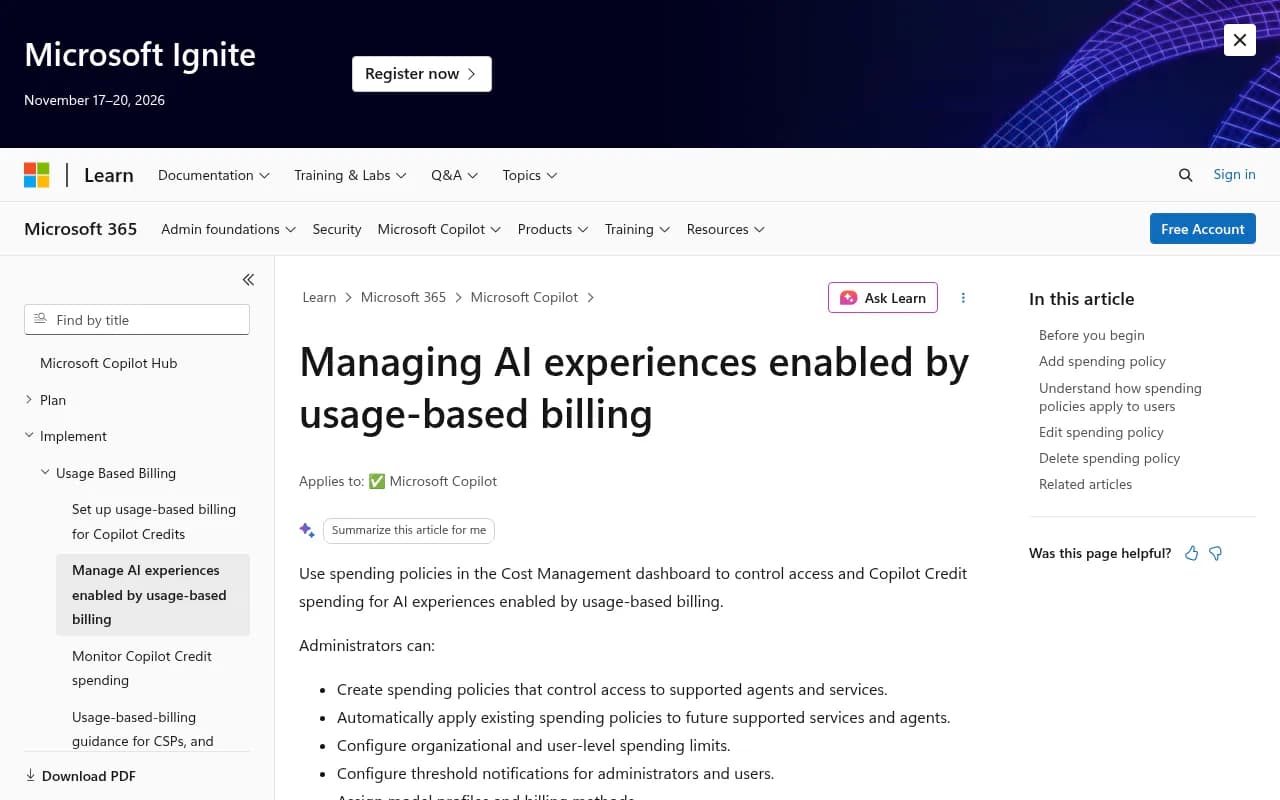
There's one setting buried in there that's easy to miss and genuinely important: "Auto-apply new services" is on by default. Every new agent or service Microsoft adds to the usage-based billing program gets folded into your existing spending policy automatically, unless you go turn that toggle off. So even a team that did its homework in October can get hit with a new cost category in January that it never explicitly approved.
And when a user or the whole org does hit the credit limit, there's no quiet overage. Access to the agent or service just stops until credits reset on the first of the next month, or until an admin raises the cap. That's either a relief (no runaway bill) or a productivity headache (work stops mid-task), depending on how you set it up. Worth deciding which outcome you'd rather have before it happens to you by accident.
It's not just Microsoft: the same pattern in GTM and data-enrichment tools
Credit-based pricing with a default-on overage mechanism isn't unique to Copilot. It's become the standard model across GTM and sales-tooling SaaS, and the same hidden-cost shapes keep showing up.
Take Default, the GTM/RevOps platform (default.com, unrelated to Microsoft's billing default but sharing the exact same pricing trap). Its Growth plan runs $1,250 a month billed annually, $15,000 a year, and includes 24,000 enrichment credits and 200,000 workflow runs a year. The Scale plan jumps to $3,000 a month, $36,000 a year, for 60,000 credits and 600,000 runs. Both plans sell extra enrichment credits in blocks on top of the base fee, an add-on cost that most buyers don't build into their first-year budget because it isn't on the pricing page headline.
The credit definition itself is where the hidden cost lives. Default defines one credit as "a single call to one provider" across a panel of data sources (Abstract, Apollo.io, Clearbit, People Data Labs, Wiza). If a single enrichment request waterfalls through several providers before it finds a match, that one request can burn several credits at once. You think you bought 24,000 enrichments. You actually bought 24,000 provider calls, which is a smaller number of real enrichments if your data is messy.
Tomba's comparison guide on vendor pricing structures lists four patterns worth checking for on any credit-based tool before you sign:
- Overage rates that run 2 to 4 times the in-plan per-unit cost.
- Credit expiry, where unused monthly credits vanish at renewal instead of rolling over.
- Annual-only headline pricing, where the advertised number requires a 12-month prepay and month-to-month costs 20 to 40% more.
- Export caps, where a 50,000-credit plan still limits you to exporting 1,000 rows at a time in a CSV.
This isn't theoretical grumbling. Cognism's enrichment credits don't roll over, a frequent complaint on G2. Clay users report credits burning fast during the learning phase, before anyone's figured out how to use output previews to check an action before it fires and spends a credit on a failed run.
| Tool/product | Pricing unit | Hidden-cost mechanism | What to check before signing |
|---|---|---|---|
| Microsoft 365 Copilot Business | Copilot Credits, $0.01 each | On by default Nov 2, 2026, $10/user/month preset | Set your own spending policy in Cost Management first |
| Default (default.com) | Enrichment credits + workflow runs | One request can burn multiple credits across providers | Ask what "one credit" actually counts as |
| Cognism | Enrichment credits | No rollover, expire each cycle | Model your actual monthly usage, not your average |
| Clay | Workflow credits | Failed/wasted runs still consume credits | Use output previews before running at scale |
| Stripe (for context on variable billing generally) | Transaction-based fees | Multiple fee tiers stack (base rate + disputes + currency conversion) | Read the full fee schedule, not just the headline rate |
What teams actually paid after the first invoice
The general shape of involuntary, invoice-driven cost surprises isn't limited to AI tooling. Slicker's research on failed payments found that a $50 failed payment can cost a subscription business far more than $50 once you factor in lost customer lifetime value and the cost of acquiring a replacement customer, their model puts total impact at around $1,405 per involuntary churn event in a representative scenario. That's not the same mechanism as a credit overage, but the underlying lesson is identical: the number that looks small on paper compounds once you trace what actually happens after the transaction clears.
For Copilot specifically, the honest answer to "what will teams actually pay" is: it depends entirely on how curious your staff are and whether anyone set a cap before November 2. A 50-user org sitting on the default $10/user limit with no custom policy is exposed to up to $500/month in usage charges on top of its existing license fees, and that's before anyone even installs a credit-hungry reasoning-model agent that burns 100 credits a response instead of 1.
A short checklist before your next renewal
- Find the admin console for the tool and look specifically for a spending limit, credit cap, or usage-based billing toggle, don't assume "we're on a flat plan" protects you if the vendor has announced a default-on change.
- Ask the vendor directly what a single "credit" or "unit" actually measures, and whether one user action can consume more than one.
- Check whether unused credits roll over or expire, and model your actual month-to-month usage instead of your yearly average.
- Turn off any "auto-apply to new services" setting if you want to approve new cost categories manually instead of inheriting them.
- Read your invoice line items for at least the first two billing cycles after any default-on change takes effect. The sticker price on the pricing page is the floor, not the ceiling.
None of this requires exotic tooling. It just requires treating "on by default" as a sentence that means someone, somewhere, decided your organization would pay for something unless you opted out. In 2026, that someone is increasingly the vendor, not you.