Key takeaways
- Coding agents now pick tools for developers. If your SDK or API isn't in the plan an agent writes, it often never gets installed.
- Promptwatch runs a hosted MCP server, so connecting Claude Code takes one command and an OAuth login. Nothing runs locally.
- Once connected, you can ask for visibility, competitor gaps, citations and content briefs in plain language without leaving the terminal.
- Verify the connection with a number you already know from the dashboard before you trust any answer.
- Use read-only keys when you only want to look, and scope access to the projects that matter.
Why a devtool team should care about coding agent rankings
A developer asks Claude Code to add payments to a side project. The agent picks a library, runs npm install, and writes the integration. The developer never opened a comparison page. Your product either was in that plan or it wasn't.
There is research on this. Amplifying's "What Claude Code Actually Chooses" (February 2026) ran 2,430 open-ended prompts through Claude Code across 20 tool categories without naming any tool. In 12 of the 20 categories, the most common pick was a custom-built solution. Where it did pick, it picked hard: GitHub Actions took 93.8% of CI/CD, Stripe 91.4% of payments, Vercel 100% of JavaScript deployment.
Armature's September 2026 study of what coding agents install adds a sharper detail. PayPal was mentioned 139 times and never selected. LangChain was mentioned 194 times and chosen 4 times. Being talked about and being installed are different things. Claude Code, Codex and Cursor also chose the same tool only 42% of the time, so one agent's ranking tells you little about another's.
That is the problem this guide is about. You want to know, regularly and cheaply, where your devtool stands in Claude Code and Codex. And since you live in the terminal anyway, it makes sense to ask from there.
What an MCP server does here
MCP (Model Context Protocol) has three roles. The host is the app that runs everything, like Claude Code, Cursor or VS Code. The client is the component inside the host that connects to servers. The server exposes tools and data.
Most MCP servers developers install are about the code: Chrome DevTools MCP for browser debugging, GitHub's server for repos and pull requests, Context7 for library docs. This one is different. It exposes your AI visibility data, so Claude Code can answer questions about how AI engines (including coding agents) treat your product.
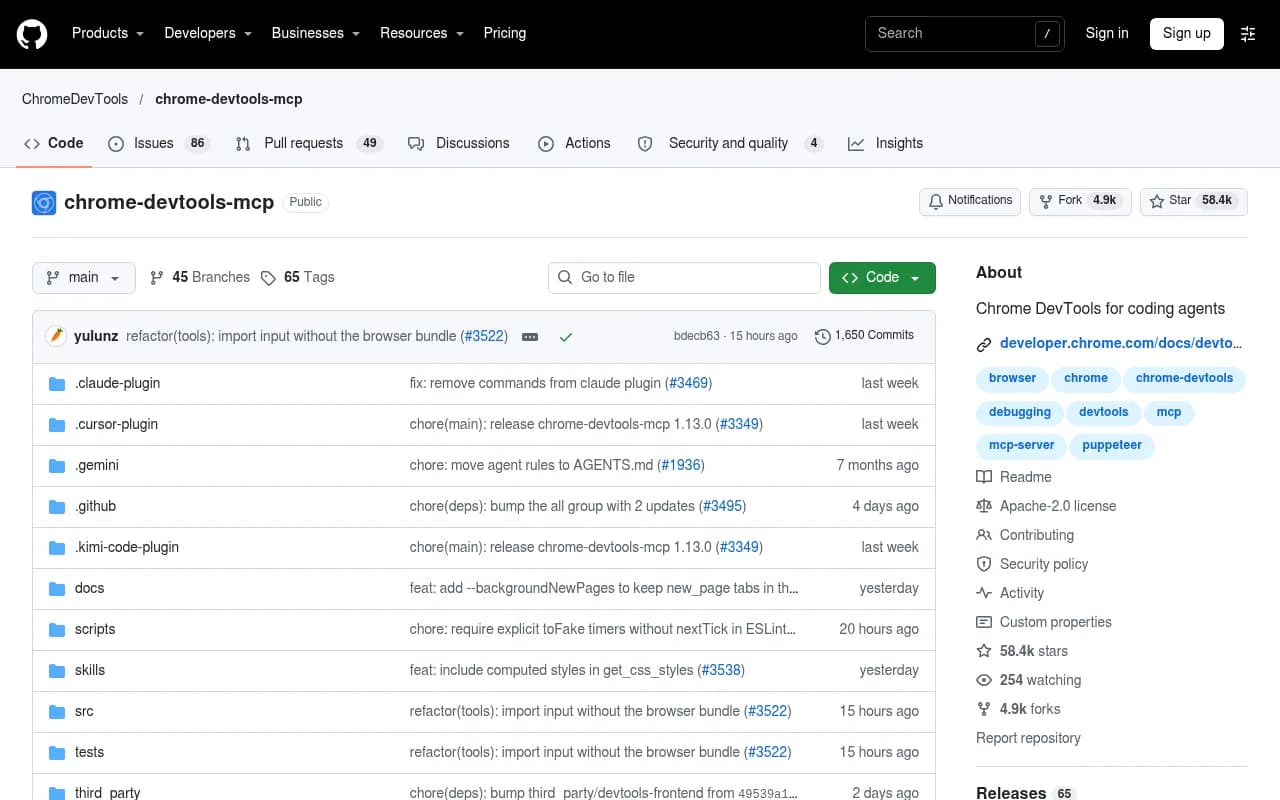
The Chrome DevTools MCP repo above is a good reference for how MCP configuration looks in general: a command, some args, done. A hosted server is simpler still, since you only point the client at a URL.
What you are actually measuring
Promptwatch tracks Claude Code and Codex on every plan, using the same visibility, mention, sentiment and competitor metrics it uses for ChatGPT, Gemini and Perplexity. Its definition of coding agent visibility is how often an agent recommends, installs or builds on your product when a user asks it to plan or build software.

Promptwatch frames this as four questions, and they are a handy checklist for the prompts you will ask later:
- Is your product in the plan?
- Is it the default choice?
- Does the agent build instead of buy?
- How does the agent describe you?
Most coding agent prompts land in the Transactional intent type, the highest-intent stage, even when no brand is named. Someone typing "set up auth for my Next.js app" is not browsing. They want a result, and the agent will hand them one.
There is also a compounding effect. An agent-written install makes your product a dependency, and replacing a dependency costs time. Code built on your SDK then produces tutorials, repos and forum threads, which feed the next round of recommendations. The loop runs in your favor or against you.
The two agents behave differently
Armature found Codex used web search in 94% of sessions, often with site-specific operators. Claude Code searched in roughly 30% of sessions overall, and about 80% in newer sectors. Promptwatch's reading of that (its inference, not Armature's) is that Codex picks follow live web content more closely, while Claude Code picks lean on model knowledge and shift more slowly. That is a reasonable hypothesis, and it means you should track both rather than assume one tells the story of the other.
Setting up the Promptwatch MCP server in Claude Code
The server is hosted and runs over streamable HTTP at https://server.promptwatch.com/mcp. Supported clients include Claude, Claude Code, Cursor, Lovable, OpenAI Codex and any MCP-compatible client. You need a Promptwatch account first; the 7-day free trial works if you want to try this before committing. Check pricing for current plan details.
Option 1: OAuth (recommended)
Add the server:
claude mcp add --transport http promptwatch https://server.promptwatch.com/mcp
Don't pass --header here. The docs are explicit that it switches to API key auth and skips OAuth.
Then, inside a Claude Code session, run /mcp, select promptwatch, choose Authenticate, and finish the consent page in your browser. The consent screen lets you scope access to specific organizations and projects, which is worth using if you have several.
Confirm it worked:
claude mcp list
The server should show as Connected.
Option 2: API key (headless and CI)
If you can't open a browser, for instance on a remote box or in a pipeline, create a key under Settings, API Keys, at either the organization or project level. Then:
claude mcp add --transport http promptwatch https://server.promptwatch.com/mcp --header "Authorization: Bearer YOUR_API_KEY"
Verify with claude mcp list again.
Other clients
| Client | How to connect |
|---|---|
| Claude Code | claude mcp add --transport http (OAuth or Bearer key) |
| Cursor | URL plus Authorization header in .cursor/mcp.json |
| Clients without remote HTTP | npx -y mcp-remote https://server.promptwatch.com/mcp --header "Authorization: Bearer KEY" |
| Claude web and Desktop | Customize, Connectors, search "Promptwatch", Connect |
| ChatGPT | Install the Promptwatch plugin from the ChatGPT store |
The full catalog of connection options lives on the MCP integration page, and the API and MCP docs cover everything else.
Verify before you trust it
This is the step people skip. Before asking anything interesting, ask something you already know:
What's my visibility score this week?
Then open the dashboard and compare. If the numbers match, you have a working connection and you know which project and date range the agent is reading. If they don't, fix that first. Wrong project scope is the usual culprit when you have several, and an answer built on the wrong project looks every bit as confident as a right one.
Prompts worth running from the terminal
The docs include example prompts, and they translate well to a devtool context. Here is how I would adapt them.
Where do we stand
- "How did my brand visibility change over the last 30 days, and which model dropped?"
- "Compare my visibility against my top three competitors this month."
The second one is the closest thing to a ranking. Ask it for Claude Code and Codex separately, because a blended number hides exactly the divergence Armature's 42% figure warns about.
Where do answers come from
- "Which domains does ChatGPT cite most in my category, and am I on any of them?"
For software prompts, Promptwatch's data shows GitHub as the most cited domain at 1.2% of software citations, learn.microsoft.com at 0.98% and G2 at 0.73% (Sep 28 to Oct 4, 2026). Docs and help centers had the largest share by source type at 2.64%, with vendor sites at 2.01%. Vendor sites plus docs earned about three times what review sites and analysts did. Read the full software citation report from Promptwatch Data before you decide where to invest. Those numbers are for ChatGPT, not coding agents, but they are a reasonable proxy for which public sources your docs compete with.
The practical takeaways in that report for devtool companies are plain: publish crawlable docs, keep a public GitHub presence, and keep G2 and Capterra profiles current.
What should we fix
- "Find my biggest content gaps and draft a brief for the top one."
- "Which prompts mention competitors but not us?"
Query fan-outs matter here. Promptwatch's ChatGPT query fanout data found averages of roughly 1 to 2 searches per response across different months, and short queries. Their advice is to write headings that read like short search queries and cover sub-questions like "X vs Y", pricing, alternatives and how-tos. Again, that is ChatGPT behavior, so treat it as a starting hypothesis for coding agents rather than a rule.
Skills and recipes
If you'd rather not write prompts from scratch, Promptwatch publishes Skills, which are pre-built workflows for coding agents like Claude Code and Cursor. They cover visibility audits, competitor benchmarks, weekly reports and content gap analysis. See the Skills docs and the GitHub repo. I haven't audited the repo's contents, so read what a skill does before you install it.
There are also recipes for weekly GEO briefings, investigating visibility drops, and publish-and-track workflows, in the recipes docs.
A weekly briefing is the one I would set up first. It turns "check rankings" from a thing you forget into a thing that shows up.
What the server can read and write
Read tools cover visibility and sentiment time series, citations with rank analysis and top pages, Reddit and YouTube citations, prompts and responses, competitor heatmaps, content gaps, query fan-outs, site health, and crawler and visitor analytics.
Write tools cover creating and managing prompts, tags, topics and personas, generating content and managing Content Agent slots, pushing drafts and publishing to a connected CMS, and creating reports and action items.
That split matters for the next section.
Security habits that cost nothing
An MCP server is code your agent calls with your access. Pixee's write-up on securing coding agents lists MCP servers among six risks and recommends central policy for which servers an agent may load. You don't need an enterprise program to borrow the useful parts.

For this server specifically:
- If you only want to look at rankings, use a read-only key. Write tools become unavailable, so a confused or manipulated agent can't publish anything. Promptwatch calls these safe to hand to an assistant that should only look.
- Use project-scoped keys when you only care about one product. Organization keys see everything.
- With OAuth, use the consent screen to limit organizations and projects instead of clicking through.
- Be careful opening unfamiliar repos in a session that has write access to your CMS. A cloned repo can carry instructions, and an agent with publishing tools is a bigger target than one without.
The Promptwatch audit log (Business, Agency Scale and Enterprise plans) records whether a change came from the dashboard, the API, an MCP client or Agent Chat, which helps if you ever need to trace an odd edit.
A weekly routine that takes ten minutes
- Run the known-number check once after any reconnect.
- Ask for visibility by agent, Claude Code and Codex separately, over the last 7 and 30 days.
- Ask which competitors gained and on which prompts.
- Ask for the top three content gaps and which pages are cited today.
- Queue one fix, a doc page, a comparison page or an SDK quickstart, and check next week whether the agent mentions it.
The last step is the real point. Rankings are only useful if you change something and then see whether it moved.
Alternatives and where to look next
Promptwatch is not the only AI visibility tool, and not the only one worth knowing. Profound and Peec AI are common comparisons, and Promptwatch's own breakdown is in its 2026 platform comparison. I have not verified whether competitors ship hosted MCP servers, so check that before assuming parity. The GEO software directory at bestgeosoftware.com lists more options by category.

If you use ChatGPT rather than Claude Code, there is an official Promptwatch plugin, and a third-party route through Truto that generates a managed server. You don't need either for Claude Code.
Limitations to keep in mind
- Coding agent behavior shifts with model updates. A ranking from last month may not hold.
- The Amplifying and Armature studies are third-party and each tests specific categories and prompts. Don't generalize a 90% win rate in payments to your niche.
- ChatGPT citation data is a proxy at best for what Claude Code or Codex do.
- I did not verify per-plan MCP or API rate limits. Check the rate limits page before you script anything heavy.
Next steps
Start with the OAuth command, run the known-number check, then ask for a competitor comparison split by agent. If the picture looks bad, the useful follow-up is a content gap brief, not a bigger dashboard. For a broader view of how this fits into a program, the Promptwatch Data hub has the underlying citation research.