Key takeaways
- Firecrawl is a web data layer: search, scrape, crawl and map endpoints that return Markdown or JSON, plus an Interact feature for browser actions. It fits RAG and data pipelines best.
- Browserbase is browser infrastructure. You get cloud browsers with persistent sessions, billed by browser hour, and you bring the agent logic (usually Stagehand or Playwright).
- Skyvern is a workflow automation tool. It uses LLMs and computer vision to drive forms, logins and multi-step tasks on sites that have no API.
- Several widely repeated claims are stale. Firecrawl no longer sells a separate token plan for Extract, Browserbase now solves CAPTCHAs on paid plans, and Skyvern lists SMS numbers. Check each vendor's pricing page before deciding.
- Most real stacks combine two of these. Use Firecrawl for reading, and a browser agent for acting.
Three tools, three different jobs
These three get compared constantly, and the comparison is slightly unfair to all of them. They sit at different layers of the same problem: getting data and actions out of a website for an AI system.
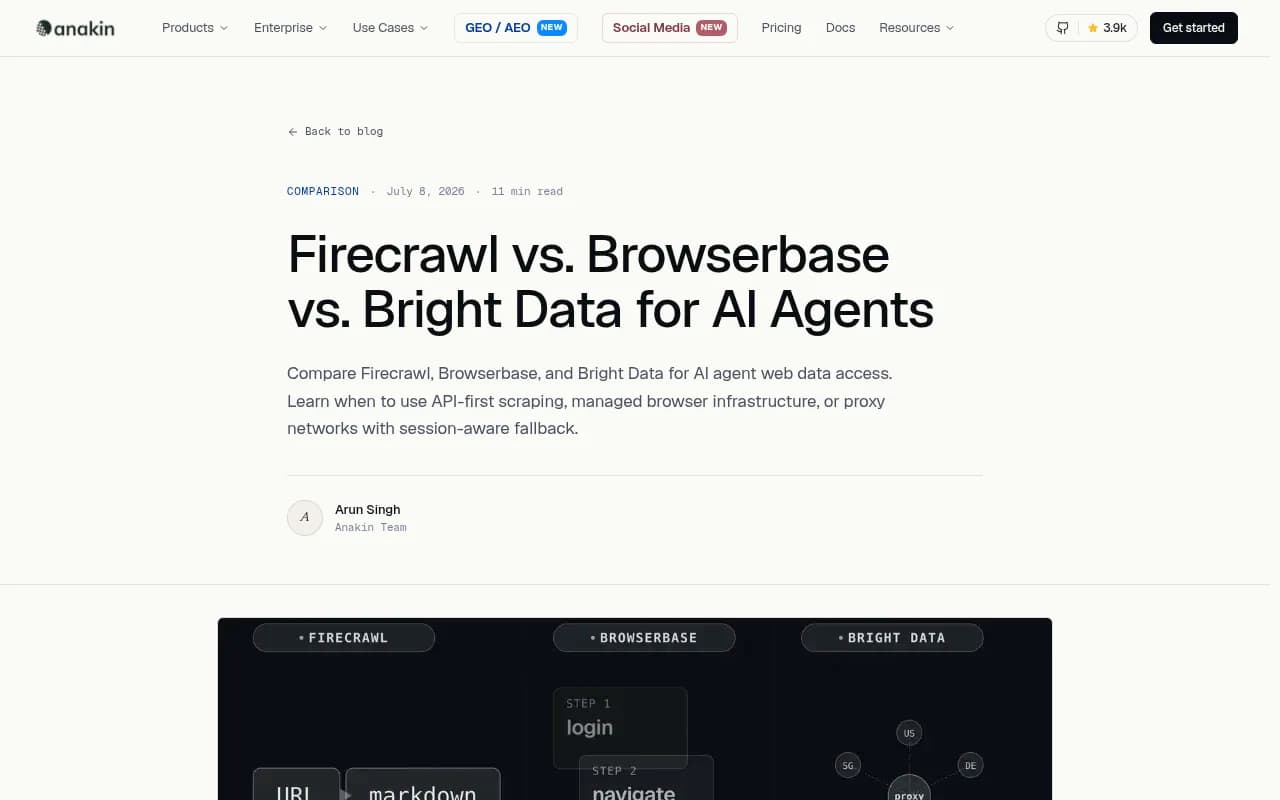
Anakin's July 2026 write-up describes three architectural patterns: stateless API scraping, managed browser infrastructure, and proxy networks. Firecrawl is the first, Browserbase is the second, and Skyvern is closer to a third thing, a workflow agent that sits on top of a browser. If you pick based on a feature table alone, you will probably pick wrong. Pick based on the shape of your task.
A quick way to frame it:
- Do you need to read pages and feed text to a model? Think Firecrawl.
- Do you need to run a browser session that you or your agent controls? Think Browserbase.
- Do you need to complete a task, like downloading invoices from 80 vendor portals, without writing selectors? Think Skyvern.
Firecrawl: the web data layer

Firecrawl turns pages into clean Markdown or structured JSON behind a REST call. Its core endpoints are scrape (one page), crawl (a whole site), map (list URLs on a domain), search, and extract. It decides on its own whether to spin up a headless browser, waits for dynamic content, and strips navigation and ad noise. Anakin cites a P95 latency of 3.4 seconds from Firecrawl's own site, which is a vendor number, so treat it as a ceiling to test rather than a promise.
The 2026 version of Firecrawl is broader than the "URL in, Markdown out" tool people remember. Two additions matter:
- Interact lets you scrape a page and then keep going in the same managed browser session: click, type, paginate, fill a form. You can drive it with natural-language prompts or Playwright code. Each session also returns a live view URL and a CDP URL.
- The Agent endpoint takes a plain-English description of the data you want and navigates to find it.
Firecrawl's own docs are upfront about limits. Interact sessions end after 10 minutes total or 5 minutes idle by default, so they suit task-length work. And by its own admission, Firecrawl is a data layer, not a general-purpose browser agent. For open-ended jobs like booking flights, it suggests pairing it with a framework such as Browser Use.
Firecrawl pricing, and a stale claim
Older comparisons, including Skyvern's July 2026 review, say Firecrawl runs a separate token-based Extract subscription starting at $89 a month. The current pricing page (effective September 4, 2026) does not show that. JSON extraction is simply +4 credits per page, and credits are shared across all endpoints. If you read the dual-pricing complaint somewhere, treat it as outdated.
Current rules of thumb from the pricing page:
- 1 credit is one page for a basic scrape, crawl or map.
- Search is 2 credits per 10 results.
- Interact is 2 credits per browser minute (code-driven), and the Firecrawl blog lists 7 credits per minute with natural-language prompts.
- A scrape that returns no result is not charged, but a 403 or 404 response still costs 1 credit.
| Plan | Monthly price | Credits per month | Concurrency |
|---|---|---|---|
| Free | $0 | 1,000 | 2 |
| Hobby | $19 ($16 annual) | 5,000 | 5 |
| Standard | $99 ($83 annual) | 100,000 | 25 |
| Growth | $399 ($333 annual) | 500,000 | 50 |
| Scale | $749 ($599 annual) | 1,000,000 | 100 |
One wrinkle: only Scale gets a month of credit rollover. Everything below it loses unused credits. Zero-data retention and SSO are Enterprise only.
Browserbase: browser infrastructure for agents

Browserbase gives you cloud browsers. Sessions are persistent, so cookies, auth state and JavaScript execution carry across a multi-step flow. That is the main thing a stateless scraping API cannot do cleanly. Browserbase now describes itself as "browser agent infrastructure" and bundles Browsers, Fetch and Search APIs, Agent Identity, a Functions runtime, and a model gateway through Stagehand with unified billing.
The usual framing is that Browserbase is raw infrastructure with no extraction or CAPTCHA handling. That is out of date. Paid plans include automatic CAPTCHA solving, and there is a Fetch API with an extract option. You still write the agent logic or use Stagehand, Browserbase's open-source framework, to do it.
Browser Use's March 2026 scraping guide scored Stagehand at 65% on its benchmark and noted the default step limit cut the agent off before it finished a 20-article task, so they raised maxSteps to 50. That benchmark comes from a competitor, so read it as one data point about tuning effort, not a verdict.
Browserbase pricing
| Plan | Price | Concurrent browsers | Browser hours | Notable inclusions |
|---|---|---|---|---|
| Free | $0 | 3 | 1 | 15-minute sessions, no CAPTCHA solving or stealth |
| Developer | $20/mo | 25 | 100 (then $0.12/hr) | CAPTCHA solving, basic stealth, 1GB proxies |
| Startup | $99/mo | 100 | 500 (then $0.10/hr) | 5GB proxies, 10,000 fetch calls |
| Scale | Custom | 250+ | Custom | Advanced stealth, verified agents, HIPAA BAA, SSO |
Browserbase estimates a typical scrape runs under two minutes, so 100 hours is roughly 3,000 page-level tasks. That is its own estimate. Proxy overage ($12 per GB on Developer) is the line item that surprises people on heavy jobs.
Skyvern: workflow automation without selectors

Skyvern uses LLMs and computer vision to read a page visually rather than relying on DOM selectors or XPaths. The pitch is that one workflow can run across many different sites without per-domain code, and that it keeps working after a redesign. It is open source, with a managed cloud on top that handles credentials, CAPTCHAs, proxies and 2FA.

The best-fit jobs are ones with no API and a login wall: invoice downloading across vendor portals, procurement on unfamiliar supplier sites, form submissions that change layout. Skyvern also says its hybrid code generation compiles successful AI runs into deterministic Playwright code, which cuts LLM token use on repeated paths while keeping a self-healing fallback. That is a vendor claim, and I would test it on your own sites before building a budget around it.
Two stale Skyvern numbers
Skyvern's blog quotes $0.05 per step and says SMS verification is not supported. The current pricing page tells a different story. Plans are credit-based, and 150,000 credits works out to roughly 6,200 actions, so around $0.024 per action on Pro. Skyvern SMS numbers are now listed at $10 a month per number on Pro. Verify the unit economics yourself.
| Plan | Price | Credits | Concurrent runs | Notable inclusions |
|---|---|---|---|---|
| Free | $0 | 5,000 | 1 | Datacenter proxy, basic CAPTCHA solver (~170 actions) |
| Hobby | $29/mo | 30,000 | 10 | Stored credentials (~1,200 actions) |
| Pro | $149/mo | 150,000 | 25 | Advanced CAPTCHA, residential proxy, 2FA/TOTP, 1Password (~6,200 actions) |
| Enterprise | Custom | Custom | 100 | HIPAA, SOC 2 report, Azure Key Vault, human-in-the-loop |
Skyvern claims SOC 2 Type II and 500+ enterprise teams. The comparison article that criticizes Firecrawl is also written by Skyvern, so weigh it accordingly.
Head-to-head comparison
| Firecrawl | Browserbase | Skyvern | |
|---|---|---|---|
| Layer | Data API | Browser infrastructure | Workflow agent |
| Main output | Markdown, JSON | Live browser session | Task result, structured data, files |
| Session state | Stateless by default, Interact for short sessions | Persistent sessions | Per-workflow, stored credentials |
| You write | API calls | Agent code or Stagehand | Prompts or workflow definitions |
| Form filling and logins | Via Interact, limited by session length | Yes, via your code | Core strength |
| CAPTCHA | Not a headline feature | Paid plans | Included, advanced on Pro |
| Billing unit | Credits per page or minute | Browser hours plus proxy GB | Credits per action |
| Entry paid price | $19/mo | $20/mo | $29/mo |
| Open source | Core repo, limited | Stagehand (MIT) | Yes |
The billing unit row is the one I would stare at longest. Per-page pricing rewards short reads. Per-hour pricing rewards efficient sessions and punishes slow agents. Per-action pricing rewards workflows that finish in few steps. A task that is cheap in one model can be expensive in another.
How to choose
Pick Firecrawl when you are reading, not acting
If you are building a RAG index, monitoring product pages, or feeding documentation to an LLM, Markdown output saves tokens and chunks cleanly. Firecrawl's Monitoring feature even reruns scrapes on a schedule and alerts on changes. Kadoa's 2026 review calls it the best developer-first API tool but notes it has no autonomous maintenance when a site changes, so selector-like drift is still your problem on custom extraction.
Pick Browserbase when you want control
Teams with Playwright or Puppeteer experience, or who already run Stagehand, get the most from Browserbase. You keep the logic in your own code and rent the browsers. It is also the better choice when you need long-lived authenticated sessions, or when a security team wants to know exactly what runs where.
Pick Skyvern when the target has no API
If the work is a repeatable business process across many different portals, a visual agent that you describe tasks to can beat maintaining 80 scripts. The tradeoff is less low-level control, and LLM cost per step.
Combine them
Firecrawl's own guide recommends an agent framework for orchestration, Firecrawl for data and browser access, and a vector database for storage. In practice, a common split is Firecrawl for the 90% of pages that are just content, and Browserbase or Skyvern for the 10% behind logins and forms. That keeps your most expensive tool on the smallest share of traffic.
If you want to widen the field, Bright Data covers the proxy-network end, and Apify is a marketplace of ready-made scrapers. Browse more options in the software directory at surferstack.com.

Pitfalls that apply to all three
- Bot blocking. The sites you target decide whether your agent gets in. Promptwatch Data's AI crawler traffic report (IP-verified requests, June 8 to September 6, 2026) shows OpenAI at 79.8% of verified AI crawler requests in the week of August 31 to September 6, down from 94.8% in early June. It also says a robots.txt or CDN block can remove a site from the providers that dominate the mix. Expect the same friction when your own agents knock on other people's doors. Respect robots.txt and terms of service.
- Credit surprises. JSON formats add 4 credits per page on Firecrawl. Proxy gigabytes add up on Browserbase. LLM steps add up on Skyvern. Run a 100-page pilot and extrapolate.
- Vendor-authored comparisons. Most of the research above was written by one of the vendors. Firecrawl's article ranks Firecrawl first, Skyvern's ranks Skyvern first. No independent success-rate or latency benchmark of these three exists in the sources I reviewed, so run your own.
- Staleness. Pricing and features in this space move monthly. Confirm on each vendor's pricing page before you commit.
A practical test plan
- Pick 20 real target pages: a mix of static content, JS-heavy pages and logged-in pages.
- Run the content pages through Firecrawl scrape and note credits used and cleanliness of the Markdown.
- Run the logged-in tasks through Browserbase with Stagehand and through Skyvern. Record completion rate, wall-clock time and cost.
- Break something on purpose, such as a changed button label, and see which tool recovers.
- Multiply the per-task cost by your real monthly volume and compare against the plan tiers above.
This takes an afternoon and will tell you more than any comparison article, including this one.
Tracking what the data is for
Many teams collect web data to understand how their own brand shows up in AI answers. For that job, a collection stack is usually overkill. Tools like Promptwatch track visibility across ChatGPT, AI Overviews and Perplexity directly, and the GEO software directory at bestgeosoftware.com lists alternatives.

Bottom line
Firecrawl is the default for turning pages into model-ready text, and its 2026 Interact and Agent endpoints cover short interactive tasks. Browserbase is the pick when you want persistent browsers and your own code. Skyvern is the pick when the job is a business workflow on sites without APIs. Start with Firecrawl for reading, add one of the other two only for the pages that need a login or a form, and re-check the pricing pages before you sign anything.