Key takeaways
- Your CMS sets the ceiling for AI SEO: schema, llms.txt, clean HTML and crawler access all start there. Platform choice matters less than the system you run on top of it.
- WordPress has the deepest plugin ecosystem, Webflow now ships native AEO and schema features, and Shopify relies mostly on App Store apps and Liquid edits for advanced work.
- Tracking tools (what AI says about you) and publishing tools (what lands on your site) are different categories. Check CMS publishing support before you buy.
- Product pages and landing pages are the main citation surface in ChatGPT, so templates matter more than blog volume for commerce sites.
- A CDN or WAF bot rule can silently remove you from AI answers. Check crawler access first, whatever platform you use.
Why the CMS decision is now an AI SEO decision
A CMS controls URL structure, schema output, internal linking, HTML cleanliness and crawlability. Those are the same inputs AI engines use to decide whether your page is worth citing. So when people ask which AI SEO tool to buy, I usually ask a different question first: what can your CMS actually do, and what do you need to bolt on?
The market numbers explain why this is a three-way question. Awilix reports WordPress powers 43.5% of all websites (February 2026), with Shopify the second-largest CMS at around 5.1%. Webflow is small by share but punches above its weight in design-led marketing sites.
Here is a source that pushes back on assuming any of this decides your fate. Rankability looked at 209 AI-cited sites and found WordPress on 24.4% of them (13.2% of citations), Webflow on 3.3% (2.4% of citations) and Shopify on 0.5% (0.1%). Meanwhile 44% of sites had no detectable CMS and got 51.1% of citations, and Next.js sites took 20%. Custom builds do well. Commerce and enterprise platforms skew lower. That is a small sample and it says nothing about causation, but it fits what I see: the platform is not the lever, the content and structure are.
What AI engines need from your CMS
Stridec's framing is useful here. AI systems look for a handful of signals, and your CMS has to be able to produce them:
| AI signal | What the CMS must provide |
|---|---|
| Entity clarity | Author, business and topic data |
| Answer extraction | Structured sections, clear headings |
| Topical depth | Clusters of related pages, not isolated posts |
| Schema | Article, FAQ, HowTo, Product, Organization |
| Speed | Fast, clean rendering |
| Internal linking | Semantic connections between pages |
The CMS that lets you control these wins. Which brings us to how each platform does it.
WordPress: the most control, and the plugin tax
WordPress is where most AI SEO tooling lives. Yoast and Rank Math handle schema (20+ types), and a growing group of GEO plugins handle llms.txt, entity signals and on-page optimization for AI engines. Awilix and Stridec both rank it first for flexibility, programmatic scale with no hard item limits, and topic-cluster architecture.
The tradeoff is maintenance. One agency (1Digital, which sells its own competing CMS, so read with salt) estimates a typical WordPress SEO stack at about $600 a year once you add a premium SEO plugin, a Core Web Vitals plugin, redirects, schema and AI add-ons. It also says schema validation is only partial and still finds broken Product schema on sites that passed plugin checks. I can't verify the dollar figure, but the broken-schema point matches what happens when plugins stack up. Validate your output, don't trust the green checkmark.
One conflict in the sources: some say Rank Math supports llms.txt natively, while 1Digital says neither Rank Math nor Yoast does. Check the current plugin docs before you rely on either claim.
Best for: content-heavy blogs, SaaS sites with hundreds of articles, WooCommerce stores, and programmatic SEO beyond 10,000 pages.
Webflow: native AEO features, with a content ceiling
Webflow has moved the furthest toward built-in AI search features. It says every site gets semantic HTML, schema markup, SEO metadata, llms.txt, sitemaps and robots.txt out of the box, and it now markets Webflow AEO, an agentic system that measures how your brand appears in AI answers and ships fixes through AEO agents. That product is aimed at enterprise marketing teams, and I couldn't confirm pricing or whether it is enterprise-only, so ask Webflow directly.
Other native pieces: sitewide SEO and AEO audits, bulk meta title and description generation for CMS collections, automatic alt text, and an Audit Panel that flags missing metadata before you publish.
The limits are real. Awilix notes a hard CMS ceiling of 10,000 items on the Business plan, and Stridec calls Webflow limiting for large-scale content and schema at scale. If you are planning thousands of programmatic pages, that is a problem.
Note the disagreement: 1Digital scored Webflow as having no llms.txt support and treated AI visibility tracking as a separate subscription (via Semrush). Webflow's own documentation says llms.txt is built in. I'd trust the vendor docs on a feature claim, but verify in your own project.
Best for: design-led marketing or brand sites under roughly 5,000 pages, and teams that want managed hosting and fast publishing without plugin conflicts.
Shopify: fastest route to a store, thinner native SEO
Shopify gives you managed commerce and a quick path to a ranking store. The constraints are rigid URL paths (/products/, /collections/, /pages/), which create duplicate-content risk, and schema that needs Liquid edits for anything advanced. Apps can bloat the theme and hurt Core Web Vitals as you add them.
The App Store has filled much of the AI gap. Examples from the research:
- LLM Rank - AI Visibility generates llms.txt, llms-full.txt and agents.md and controls 100+ AI crawlers. Its free plan covers up to 100 products and 50 collections.
- TinySEO and Smart SEO AI & Image Optimizer cover AI SEO, JSON-LD, image optimization and page speed.
- Naridon provides Shopify-native GEO monitoring.

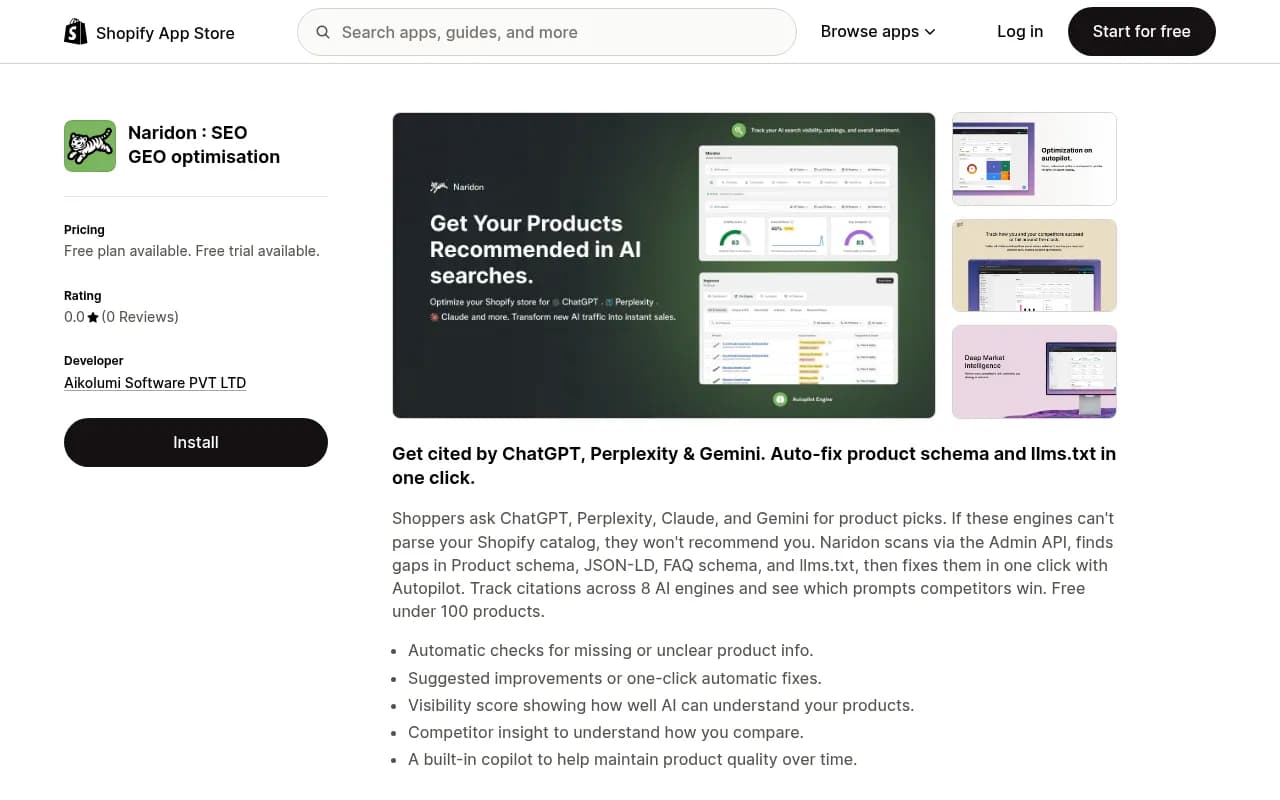
That contradicts 1Digital's claim that Shopify has no llms.txt option, so treat that claim as stale.
Best for: DTC ecommerce with a standard catalog. If content SEO matters, many teams pair Shopify with WordPress or Webflow for the blog and marketing layer.
Head-to-head comparison
| Factor | WordPress | Webflow | Shopify |
|---|---|---|---|
| Schema control | Unlimited via plugins or code | Built-in plus custom embed | Limited, Liquid for advanced |
| llms.txt | Plugin-dependent (verify docs) | Built in per Webflow | App-based (e.g. LLM Rank) |
| Native AI SEO tools | Minimal, plugin-led | Audits, schema, bulk meta, AEO | Shopify Magic for content, apps for SEO |
| Scale limit | None | 10,000 CMS items (Business plan) | Fine under ~50,000 SKUs |
| Core Web Vitals | Depends on host and plugins | Strong, clean output | Degrades as apps pile up |
| Maintenance | Highest | Lowest | Low to medium |
| Best for | Content scale, WooCommerce | Design-led marketing sites | DTC stores |
Two kinds of AI SEO tools, and why the difference matters
This is where buyers get confused. There are two jobs, and most tools only do one.
- Tracking and analysis: which prompts mention you, which pages get cited, where competitors beat you.
- Execution: writing, optimizing and publishing content into your CMS.
A tracker works the same whichever CMS you run, because it checks what AI engines say about you, not how your site is built. Publishing integrations are where the CMS matters. Before buying, ask which of WordPress, Webflow and Shopify the tool can publish to directly.
Tools that track visibility across any CMS
If you mainly need to see where you stand, tools like Promptwatch go further than most trackers. It reads real ChatGPT, AI Overviews and Perplexity interfaces, shows IP-verified AI crawler logs so you can see whether bots are reaching your pages, and its Content Agent can publish to WordPress, Webflow and Framer. Shopify publishing isn't in its listed CMS integrations, so check that if you run a store.

Other trackers worth a look: [tool:peec-ai] [tool:otterly-ai] [tool:profound] [tool:athenahq]
For a wider survey, the GEO software directory at bestgeosoftware.com lists many more.
Tools that touch your content workflow
If you write at volume, content optimization tools help on any platform: [tool:surfer-seo], [tool:clearscope] and [tool:frase] score drafts, and [tool:inlinks] automates entity-based internal linking and schema, which helps the topical-cluster side. WordLift does schema and content tagging for publishers.

Ecommerce-specific options
For catalogs, product-level tracking is more useful than brand-level. [tool:ranketta], [tool:yotpo-discover], [tool:alhena-ai] and [tool:azoma] focus on product visibility in AI shopping contexts. Evaluate them against your actual SKU count and whether they connect to Shopify.
Enterprise suites
Large teams on enterprise stacks often look at [tool:botify], [tool:brightedge], [tool:conductor] or [tool:adobe-llm-optimizer], which fit more naturally with heavier technical SEO programs.
What the data says about where to focus
Promptwatch Data's report on ChatGPT citation share by content type (Sep 28 to Oct 4, 2026) found product pages are the most cited type at 22.4% of classified citations, followed by landing pages at 16.8%. Together, about 39% of citations go to pages describing what a company sells. Listicles get 13.6%, how-tos 8.7%, and documentation 7.5%. See the full content type report.
For commercial prompts the skew is stronger: product pages 26.0% and landing pages 20.6%.
What this means by platform:
- On Shopify, product page templates are your citation surface. Complete specs, pricing, availability and clean Product schema matter more than a blog.
- On Webflow, CMS collection templates for products, features or locations do the same job.
- On WordPress, don't let the blog crowd out your landing pages. Editorial formats combined reach 43%, but the commercial pages are what convert.
Freshness also varies. According to Promptwatch's content half-life report, landing pages and docs stay cited longest, while news loses half its pages within about 36 days. Evergreen pages in your CMS are worth more upkeep than news posts.
Check crawler access before anything else
This is the pitfall I see most. You can have perfect schema and still be invisible if bots are blocked. Promptwatch Data's AI crawler traffic report shows OpenAI made up 79.8% of verified AI crawler requests in Aug 31 to Sep 6, 2026, down from 94.8% in early June, so the mix is shifting. Its advice: check robots.txt, CDN and WAF rules for each major provider. If a provider is a large share of the mix but near zero in your logs, you are probably blocked.
Platform-specific places to look:
- WordPress: robots.txt, security plugins, and host-level firewalls.
- Webflow: robots.txt settings and any Cloudflare layer in front.
- Shopify: robots.txt.liquid edits and bot settings, plus apps that manage crawler rules.
A quick robots.txt example that allows major AI crawlers:
User-agent: GPTBot
Allow: /

User-agent: OAI-SearchBot
Allow: /

User-agent: ClaudeBot
Allow: /

User-agent: PerplexityBot
Allow: /
Whether you want to allow all of them is a business decision. Just make it a decision rather than an accident.
Which setup fits which team
| Situation | Recommended setup |
|---|---|
| Content-heavy site, 500+ articles | WordPress, Rank Math or Yoast, plus a tracker and content tool |
| Design-led marketing site under 5,000 pages | Webflow with native audits and AEO features, plus an external tracker |
| DTC store, standard catalog | Shopify with an AI SEO app (llms.txt, JSON-LD) plus product-level tracking |
| Marketing site feeding a Shopify store | Webflow for content, Shopify for checkout |
| Programmatic SEO at 10,000+ pages | WordPress or Next.js, since Webflow hits its cap |
| Agency managing mixed client stacks | CMS-agnostic tracker with publishing to several CMSs |
A practical rollout plan
- Audit crawler access. Confirm AI bots reach your key pages and see what they read.
- Fix structured data. Validate Product, Article, Organization and FAQ schema with a real validator, not just your plugin's status light.
- Publish llms.txt if your platform supports it, but don't expect miracles. Promptwatch Data found markdown files are only 0.05% of AI search citations, because markdown serves agents, not AI search.
- Strengthen product and landing page templates first.
- Add tracking so you can tell which changes moved citations.
- Only then scale content production, using a tool that publishes into your CMS.
Things I'd be skeptical of
- Claims that one CMS is categorically best. Even sources that rank WordPress first admit all three can rank with the right governance.
- Vendor-sourced statistics. Webflow's AEO stats (such as 60% of AI answers citing the wrong source) come from its own marketing page. Treat them as context, not fact.
- Agency anecdotes, like 1Digital's claim that 38% of organic clicks on its ecommerce accounts come from AI sources. It is one agency's data.
- Feature scorecards that haven't been updated. The llms.txt disputes above show how fast this changes.
Need help choosing and implementing?
If you'd rather hand the technical and content work to specialists, agencies like 1001 SEO Media cover technical SEO and GEO across all three platforms. For tool shopping on your own, the directories at surferstack.com are a decent starting point.
Bottom line
Pick the CMS for your content model and team first, then layer AI SEO tooling on top. WordPress wins on control and scale, Webflow on native features and clean output, Shopify on getting a store live. Whichever you choose, confirm crawler access, validate schema, invest in product and landing templates, and make sure any publishing tool you buy actually supports your CMS.