Key takeaways
- Claude Code and Codex answer "which tool should I use?" questions inside the terminal, so developer-tool and API brands now have a recommendation channel that classic rank trackers cannot see.
- Brand tracking here has two halves: what the agents say about you (prompt monitoring) and whether their crawlers can reach your docs (log analysis).
- You can start with a free baseline in under an hour: a prompt list, a robots.txt check, and a look at your server logs for Anthropic and OpenAI user agents.
- A platform such as Promptwatch tracks Claude Code, Codex and OpenCode directly, so you do not have to run prompts by hand.
- Do not trust your own signed-in agent session as a measurement. Memory, project files and your own config will skew the answer.
Why track coding agents at all?
A developer who used to search Google for "best Postgres hosting for a side project" now often types the question into Claude Code or Codex and accepts whatever it suggests. The agent picks an SDK, writes the import, and the choice is made before anyone visits a landing page.
If you sell a developer tool, an API, a library or a cloud service, that is a channel you either measure or ignore. Most brand monitoring tools were built around ChatGPT, Perplexity and Google AI Overviews. Coding agents are a different surface: they run web searches, read documentation, and lean heavily on docs, GitHub and package registries.
There is some evidence of how this plays out. Promptwatch Data found that for software prompts (Sep 28 to Oct 4, 2026), GitHub, Microsoft's docs and G2 led ChatGPT citations, and documentation and help centers earned the largest share. Agents that search the web will likely lean on the same kinds of sources, so your docs matter more than your homepage.
Step 1: understand what you are measuring
Before you set anything up, decide which questions matter. Brand tracking for coding agents breaks into four metrics:
- Mention rate: how often your product appears when the agent is asked to recommend something in your category.
- Position: whether you are the first suggestion or the fourth.
- Source: which pages the agent read or cited to arrive at the recommendation (your docs, a competitor's comparison page, a Reddit thread, a README).
- Access: whether the agent's crawler can fetch your pages at all.
The last one gets skipped most often. If the answer is bad because the crawler is blocked, no amount of content work will fix it.
Step 2: build a prompt list that sounds like a developer
Write 20 to 50 prompts the way a developer would actually type them into a terminal. Not marketing phrases. Real tasks.
- "Add authentication to this Next.js app. Which library should I use?"
- "I need to send transactional email from Node. What SDK is best?"
- "Compare Stripe and Paddle for a SaaS with EU customers."
- "Set up error tracking for a Python FastAPI service."
- "What is the best vector database for a small RAG project?"
Sort them into three groups: category prompts (no brand named), comparison prompts (you versus a competitor), and brand prompts (your name in the question). Category prompts are the ones that reveal whether you are on the shortlist at all. Brand prompts mostly tell you about accuracy and sentiment.
Add a few that include a stack or framework, since agents tend to recommend what fits the project in front of them. A prompt that mentions Rails will get a different answer than one that mentions Go.
Step 3: get a manual baseline
Before paying for anything, run your prompts by hand once so you know what normal looks like. It is tedious, and it is also the fastest way to see how different the agents are from each other.
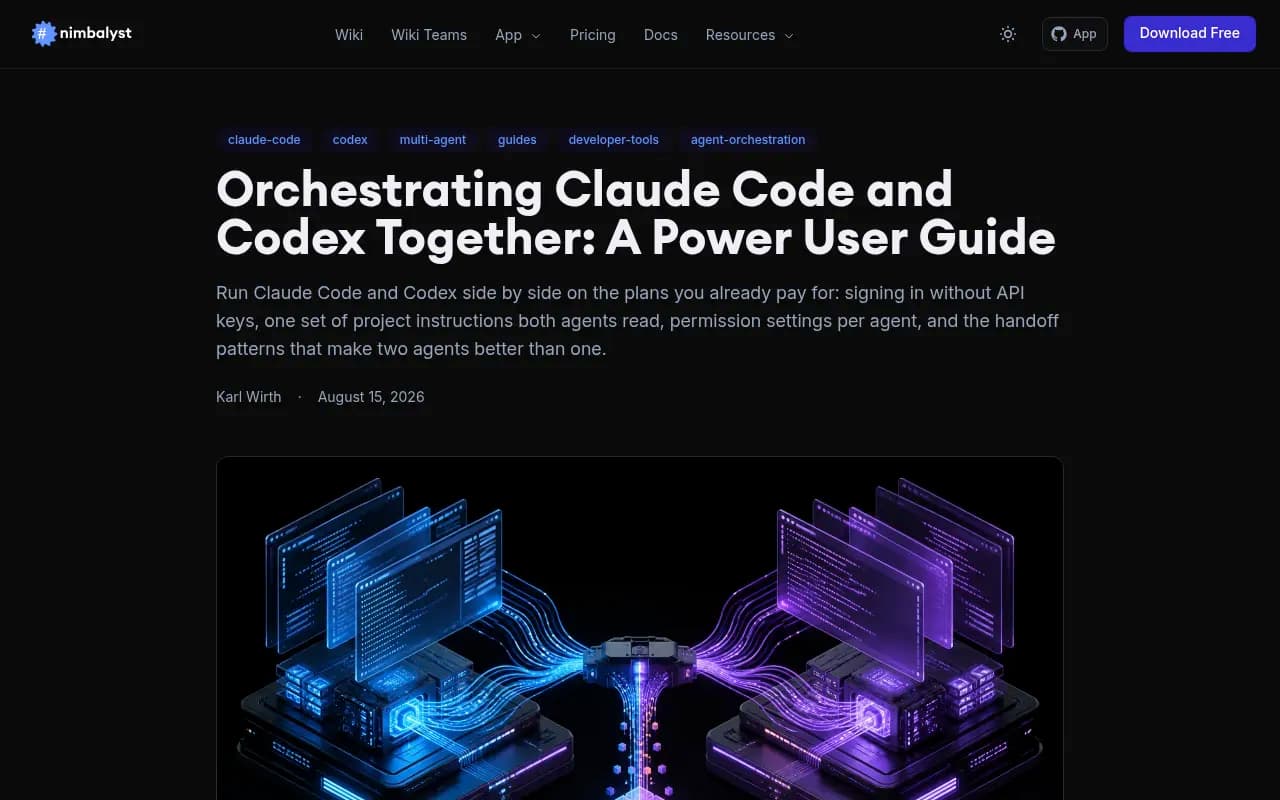
The setup for both agents is short. Per the Nimbalyst power-user guide, Claude Code installs with a single command and signs in through the browser:
curl -fsSL https://claude.ai/install.sh | bash
claude --version
claude
Claude Code needs a Pro, Max, Team, Enterprise or Console account; the free Claude.ai plan does not include it. Codex signs in with codex login against your ChatGPT account. Both have a doctor command that checks install, config and auth, so run claude doctor and codex doctor after setup.
Two cautions that matter for measurement:
- Check for a stray
ANTHROPIC_API_KEYin your environment. Claude Code asks before using it, and it changes which account is billed. - Run each prompt in an empty directory with no
CLAUDE.mdorAGENTS.md. Both agents read project instruction files, and yours may well name your own stack. That contaminates the test.
Record, for each prompt: which tools were recommended, in what order, and whether the agent ran a web search or answered from training data. Do this three times per prompt. Answers vary between runs, so a single result tells you very little.
What a manual baseline cannot tell you
It is a sample of one machine, one account and one afternoon. It will not show trends, it ignores country and language differences, and it costs hours each time you repeat it. Treat it as a sanity check and a way to write better prompts, not a measurement system.
Step 4: check that the agents can read your site
This is the part most teams can do for free today.
Robots.txt and CDN rules
Open your robots.txt and look for blanket disallows or rules aimed at AI user agents. Then check your CDN or WAF bot settings, because many default "block AI bots" toggles catch Anthropic and OpenAI crawlers without anyone noticing.
Per Promptwatch's Claude citation crawler report (Dec 10, 2025 to Apr 18, 2026), Claude-User is the crawler that may visit cited pages when someone asks Claude a question or uses Claude Code. Its visits grew from about 30 a day in mid-December 2025 to several thousand a day by mid-April 2026, but it was still only around 1% of tracked citation crawler traffic. The report's advice is to make sure Claude-User and ClaudeBot are not blocked, then review a baseline monthly. It does not recommend putting your whole optimization budget there yet, and I agree.
Read your logs
Search your server or CDN logs for Anthropic and OpenAI user agents: ClaudeBot, Claude-User, Claude-SearchBot, GPTBot, OAI-SearchBot and ChatGPT-User. Count requests per week and note which paths they hit and which return errors.
Then compare against the wider mix. Promptwatch's AI crawler traffic report (June 8 to Sept 6, 2026) found OpenAI made up 79.8% of verified AI crawler requests in the week of Aug 31 to Sept 6, down from 94.8% in early June. Its guidance: if a provider is a large share of the market but near zero in your logs, you are probably blocked or unreachable for that provider.
One warning. User agents can be spoofed, so raw log counts overstate real crawler activity. The report only counts requests whose source IP matches the operator's published ranges. If you are doing this by hand, verify IPs against those published lists.
Step 5: automate the tracking
Manual runs stop scaling at about the second week. You have three realistic options.
Option A: a platform with coding agent coverage
Promptwatch monitors Codex, Claude Code and OpenCode alongside ChatGPT, Gemini, Perplexity and the rest, and tracks how they recommend tools, SDKs and docs. It also shows IP-verified crawler logs, so the access question from Step 4 sits next to the mention data. That pairing is the reason I would start there for a developer-tool brand: you see both the answer and the reason for it.

Option B: general AI visibility trackers
Several lighter tools monitor ChatGPT, Gemini and Perplexity prompts. They are fine for tracking the consumer-facing assistants, but check each vendor's model list before assuming terminal agents are covered. Most are not.



Option C: a DIY harness
If you are a developer, you can script this yourself: run claude -p and codex exec style non-interactive calls against your prompt list on a schedule, store the output, and parse for brand names. It works, and it is cheap. It also breaks whenever a CLI changes, drifts from what real users see, and gives you no crawler data. Scraping helpers such as the ones below can cover the web-side checks.

| Approach | Covers coding agents | Crawler logs | Effort | Best for |
|---|---|---|---|---|
| Manual runs | Yes, one machine | No | High, repeats weekly | Initial baseline |
| Promptwatch | Codex, Claude Code, OpenCode | Yes, IP-verified | Low | Developer-tool and API brands |
| General AI trackers | Usually no | Usually no | Low | Consumer AI assistant monitoring |
| DIY scripts | Yes, if you build it | Only from your own logs | Medium to high | Engineering-heavy teams |
For more options by category, the GEO software directory at bestgeosoftware.com lists a lot of them.
Step 6: configure your monitor
Whatever you pick, set it up the same way.
- Load the prompt list from Step 2 and tag each prompt as category, comparison or brand.
- Add your brand name, common misspellings and product names as aliases, plus three to six competitors.
- Select both Claude Code and Codex, plus a couple of general assistants so you can compare.
- Run daily if the tool allows. Agent answers move, and a weekly snapshot will miss it.
- Connect your crawler logs (Cloudflare, Vercel, Fastly, or raw server logs) so access problems show up beside mention data.
Keep your own test accounts out of this. Real-UI or clean-environment tracking matters because a logged-in session with a loaded CLAUDE.md will recommend your own stack back to you.
Step 7: read the results
The numbers are only useful if you know what they point to.
| Symptom | Likely cause | First fix |
|---|---|---|
| Not mentioned in category prompts | Weak coverage | Publish task-shaped docs and comparison pages |
| Mentioned, but late in the list | Low prominence | Strengthen quickstarts and examples |
| Mentioned, but your docs are never cited | Content or crawlability issue | Check logs and robots.txt |
| Wrong facts about your API | Stale sources | Update docs, changelog, and third-party listings |
| Competitor cited from their docs, you from nobody's | Missing source pages | Add a clear docs page per task |
Notice how often the fix lives in documentation. Promptwatch's content type data shows product pages as the most cited type in ChatGPT (22.4% of citations, Sep 28 to Oct 4, 2026), and its half-life study found landing pages and docs stayed cited longest while news lost half its pages within 36 days. Evergreen docs hold their value. Press releases do not.
Step 7b: make your docs agent-friendly
A few practical changes that cost little:
- Write quickstarts that a model can copy: complete, runnable snippets with the install command, the import and a minimal example.
- Keep one canonical page per task. Five overlapping tutorials split the signal.
- Put version numbers and dates on pages so agents can tell what is current.
- Do not assume markdown files help. Promptwatch Data found markdown makes up only 0.05% of AI search citations. They serve agents fetching docs directly, not AI search.
- Run a free readiness check of your site for llms.txt and similar standards, but treat them as extras, not fixes.
If you also publish content to close gaps, a platform with a Content Agent can draft and publish against the prompts where you are missing. Whether you automate that or write by hand, check afterwards that the new page actually got crawled and cited.
Step 8: report on it
A monthly one-pager is enough:
- Mention rate and average position per agent, with last month beside it.
- Top three prompts lost to a competitor and the pages cited for them.
- Crawler request counts per provider, plus any new errors.
- What you shipped and what you will ship next.
If you want a team to set up the surrounding SEO and GEO work, 1001 SEO Media runs AI search programs for brands, though the tracking above is something an in-house team can start alone.
Common mistakes
Testing from your own project folder. Reading a single run as truth. Tracking only ChatGPT and assuming the terminal agents match. Blocking AI bots at the CDN and forgetting about it. Optimizing for Claude before checking Codex, when OpenAI still drives most verified crawler traffic.
Where to start today
Write 20 developer-style prompts, run them in a clean directory in both agents, check robots.txt and your CDN bot rules, and pull a week of logs filtered for Anthropic and OpenAI user agents. That gives you a baseline in an afternoon. Then pick a tracker that covers Claude Code and Codex, so the next time an agent recommends your competitor, you find out the same day and can see which page it read.