Key takeaways
- ChatGPT processes over 50 million shopping queries every day, making it a product discovery channel you can no longer ignore
- There are three ways your products can appear in ChatGPT: organic discovery, direct product feeds via the merchant portal, and Instant Checkout
- The ChatGPT product feed is NOT the same as your Google Shopping feed -- it has its own spec, format requirements, and a 15-minute refresh cycle
- Tracking whether ChatGPT actually recommends your products requires dedicated monitoring, not just feed submission
- Tools like Promptwatch can show you exactly when and how ChatGPT cites your products, which prompts trigger recommendations, and where competitors are appearing instead of you
ChatGPT has quietly become one of the most important product discovery surfaces in e-commerce. Hundreds of millions of people now ask it things like "What's the best espresso machine under $300?" or "Help me find trail running shoes for wide feet" -- and they expect a real answer, not a list of links to sift through.
OpenAI made this official in late 2025 with three back-to-back releases: a merchant product feed program, Instant Checkout (the "Buy it in ChatGPT" feature), and a dedicated shopping research mode. If you sell physical products and haven't thought about any of this yet, you're already behind.
This guide covers the full picture: how ChatGPT shopping works, how to submit your product feed, and -- the part most guides skip -- how to actually track whether ChatGPT is recommending your products to real buyers.
How ChatGPT shopping actually works
Before you can track anything, it helps to understand what's happening under the hood.
When a user asks a shopping question, ChatGPT can pull product information from a few different places. It crawls the web like any AI model, so organically indexed pages and product listings can surface. But OpenAI has also built a structured merchant program where brands submit product feeds directly, giving ChatGPT richer, more accurate data: real-time pricing, inventory status, images, reviews, and variant details.
The shopping research feature (launched November 2025) goes further. It asks clarifying questions, researches across multiple sources, and builds a personalized buyer's guide. It performs especially well in categories like electronics, beauty, home and garden, and sports and outdoor.
There are three ways your products can appear:
- Organic discovery: ChatGPT finds your product pages through web crawling. No setup required, but no control either.
- Product feed: You submit structured data directly to OpenAI's merchant portal. This gives you much better placement accuracy and real-time data.
- Instant Checkout: Users can complete purchases without leaving ChatGPT. This requires additional integration with OpenAI's Agentic Commerce Protocol.
Most brands should start with the product feed. It's the most controllable path to visibility.
Setting up your ChatGPT product feed
Step 1: Access the merchant portal
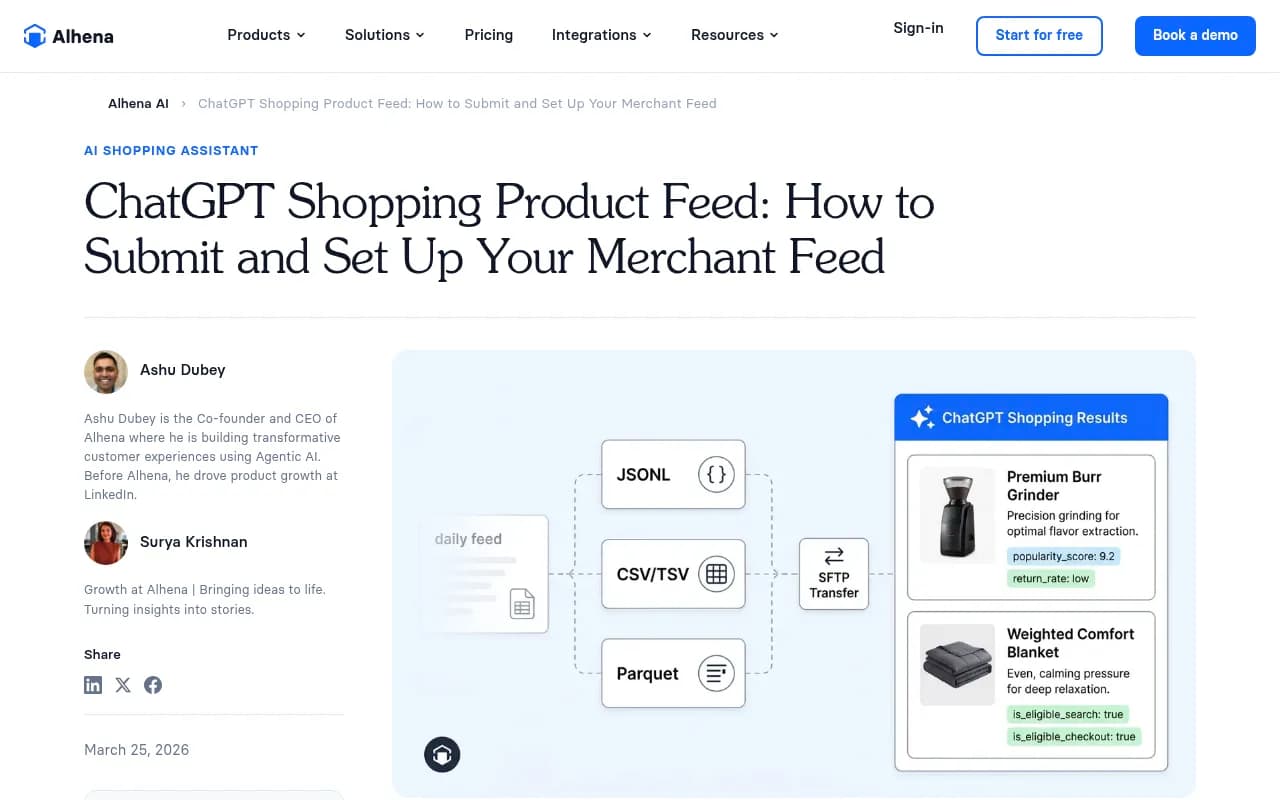
OpenAI's merchant program is available at chatgpt.com/merchants. You'll need a business account and to go through an onboarding process. OpenAI provides SFTP credentials during onboarding -- this is how you'll deliver your feed files.
Step 2: Choose your feed format
The ChatGPT product feed accepts four formats:
| Format | Compression | Best for |
|---|---|---|
| JSONL | gzip | Mid-size catalogs under 50,000 SKUs |
| CSV | gzip | Flat catalogs with simple variant structures |
| TSV | gzip | Similar to CSV, tabular data |
| Parquet | zstd | Enterprise catalogs above 100,000 products |
All files must use UTF-8 encoding. For most brands, compressed JSONL is the cleanest option -- it handles nested fields like variant arrays without the escaping issues CSV creates. If you're running a large catalog (100k+ SKUs), Parquet with zstd compression is the way to go. Keep file size under 500MB per shard, with a maximum of 500,000 items per shard.
Step 3: Build your feed to spec
This is where a lot of brands trip up. The ChatGPT product feed is not a variation of your Google Shopping export. It has its own field requirements and ranking signals.
Required fields typically include:
- Product ID (unique, stable identifier)
- Title (descriptive, not keyword-stuffed)
- Description (conversational language works better here than traditional SEO copy)
- Price and currency
- Availability / inventory status
- Product URL
- Image URLs
- Brand
- Category
Fields that improve ranking but aren't strictly required: reviews and ratings, variant details, materials, dimensions, and use-case descriptions. The more context you give ChatGPT, the better it can match your product to specific buyer queries.
One thing worth emphasizing: write your descriptions the way a knowledgeable friend would describe the product, not the way a product listing page reads. ChatGPT is synthesizing information for a conversation, and dense keyword-stuffed copy doesn't serve that context well.
Step 4: Understand the 15-minute refresh cycle
This is genuinely different from anything in traditional e-commerce. Google Shopping feeds refresh every 24 hours. The ChatGPT product feed accepts updates every 15 minutes.
That's a 96x increase in update frequency. It means you can push real-time pricing changes, live inventory status, and flash sale data. It also means that if your feed is misconfigured or your SFTP delivery fails, you'll know quickly -- but so will ChatGPT, which may deprioritize stale or error-prone feeds.
Set up automated feed delivery and monitoring from day one. Don't rely on manual exports.
The part most guides skip: actually tracking your visibility
Submitting a product feed is step one. But knowing whether ChatGPT is actually recommending your products -- to which buyers, for which queries, and how often -- requires a completely different approach.
This is where most e-commerce teams get stuck. They set up the feed, assume it's working, and have no real way to verify it.
Manual spot-checking (the baseline)
The simplest starting point: open ChatGPT and run buyer-style prompts in your category. Search "best [your product type] for [your target customer]" and note who shows up. Do this across a range of prompts -- price-focused queries, use-case queries, comparison queries.
This tells you something, but it's not scalable. ChatGPT responses vary by user, session, and context. What you see in one query isn't necessarily what your customers are seeing.
Systematic prompt monitoring
A more reliable approach is to build a list of the prompts your target customers are likely to use, then monitor ChatGPT's responses to those prompts regularly. You're looking for:
- Whether your brand appears at all
- Where in the response you appear (first recommendation vs. mentioned in passing)
- Which competitors appear instead of you
- What language ChatGPT uses to describe your products
Doing this manually across dozens of prompts is tedious. Dedicated AI visibility tools handle this automatically.
Using AI visibility tools to track ChatGPT shopping
Promptwatch has specific ChatGPT Shopping tracking built in -- it monitors when your brand and products appear in ChatGPT's shopping recommendations, tracks which prompts trigger citations, and shows you competitor visibility side by side. It also logs AI crawler activity on your site, so you can see when ChatGPT's crawlers are reading your product pages and whether those crawls are leading to citations.
For brands that want broader AI search monitoring alongside shopping tracking, a few other tools are worth knowing about:
Here's a quick comparison of what to look for in a ChatGPT shopping tracking tool:
| Capability | Why it matters |
|---|---|
| ChatGPT Shopping-specific tracking | Generic AI monitoring may miss product recommendation contexts |
| Prompt-level visibility data | You need to know which queries you're winning and losing |
| Competitor comparison | Knowing you're invisible is less useful than knowing who's appearing instead |
| AI crawler logs | Confirms ChatGPT is actually reading your product pages |
| Traffic attribution | Connects ChatGPT citations to actual site visits and revenue |
Optimizing your products for ChatGPT recommendations
Getting into the feed is necessary but not sufficient. ChatGPT's shopping research feature ranks products based on relevance to the specific query, data quality, and signals like reviews and brand authority. Here's what actually moves the needle.
Write for the question, not the keyword
Traditional SEO optimizes for keywords. ChatGPT shopping optimizes for questions. When someone asks "What's the most durable water bottle for hiking in hot weather?", ChatGPT is looking for products that clearly answer that question -- not products with "durable water bottle hiking" in the title.
In your product descriptions, address the use case directly. "Designed for high-temperature outdoor use, with double-wall vacuum insulation that keeps drinks cold for 24 hours" is more useful to ChatGPT than "Premium insulated water bottle."
Reviews matter more than you think
ChatGPT's shopping research feature explicitly pulls from reviews to assess product quality. A product with 500 reviews and a 4.6 rating will generally outperform a product with 20 reviews and a 4.9 rating, because the larger sample gives ChatGPT more confidence in the recommendation.
If your review count is low, prioritize getting legitimate reviews on your own site and on third-party platforms. ChatGPT pulls from multiple sources.
Keep your feed data accurate
Stale pricing or out-of-stock products that still appear in recommendations are a fast way to get deprioritized. With the 15-minute refresh cycle available, there's no excuse for showing products that aren't actually available. Automate your feed updates and set up alerts for delivery failures.
Build authority signals off your site
ChatGPT doesn't just look at your product pages. It reads product roundups, review sites, Reddit discussions, and YouTube videos. If your products are mentioned positively in those places, that feeds into ChatGPT's confidence in recommending them.
This is the same logic as traditional PR and link building, but the target audience is now an AI model rather than a search algorithm. Getting your products into "best of" lists, review articles, and community discussions matters.
Tracking the full picture: from feed to citation to revenue
The goal isn't just to appear in ChatGPT -- it's to drive actual sales. That means you need to track the full chain:
- Feed submission and delivery (is ChatGPT receiving your data?)
- Crawler activity (is ChatGPT reading your product pages?)
- Citation tracking (is ChatGPT recommending your products in responses?)
- Traffic attribution (are those recommendations driving clicks and purchases?)
Most e-commerce analytics tools handle step 4 reasonably well. Steps 1-3 require either manual checking or a dedicated AI visibility platform.
Promptwatch covers all four steps for brands that want a single place to manage this. Its crawler logs show exactly when ChatGPT's agents visit your site, its citation tracking shows which products are being recommended and for which prompts, and its traffic attribution connects AI citations to actual revenue. For e-commerce brands serious about ChatGPT as a channel, that full-loop visibility is hard to replicate with manual spot-checking.
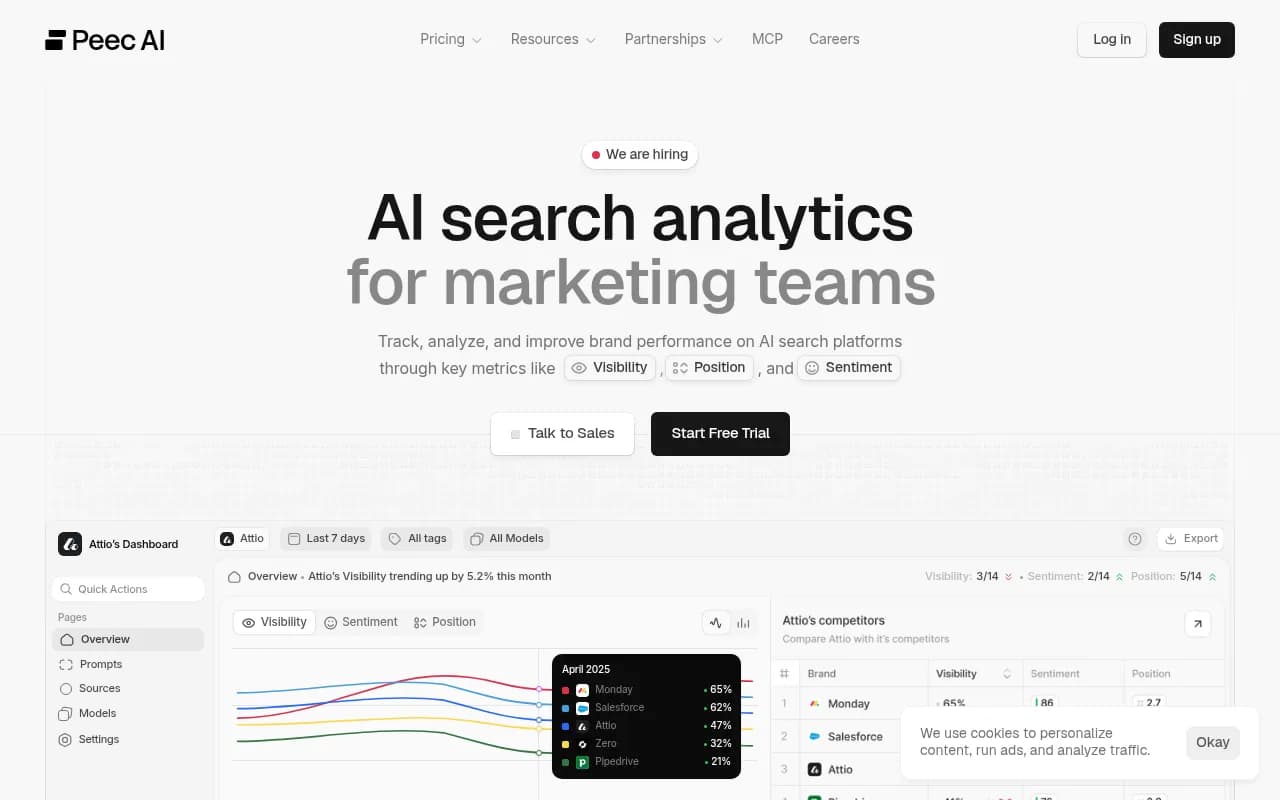
For teams that want to start simpler, even basic prompt monitoring with a tool like Otterly.AI or Peec AI gives you more signal than guessing.
Common mistakes to avoid
A few things that trip up brands getting started:
Submitting your Google Shopping feed as-is. It won't work. The ChatGPT feed spec is different, and submitting a misformatted feed means your products simply won't appear.
Ignoring the refresh cadence. If you set up a daily export and call it done, you're leaving real-time pricing and inventory accuracy on the table -- and potentially showing buyers products that are out of stock.
Only checking your own visibility. Knowing you appear for some queries is useful. Knowing that a competitor appears for 80% of the high-value queries in your category, and you appear for 20%, is actionable.
Treating ChatGPT like Google. The ranking signals are different. Conversational relevance, review quality, and data freshness matter more here than domain authority and backlink counts.
Skipping off-site signals. Your product feed gets you in the door. But ChatGPT's recommendations are also shaped by what the broader web says about your products. Don't neglect third-party coverage.
Where to go from here
ChatGPT shopping is still early. The merchant program is relatively new, the Instant Checkout integration is still rolling out, and OpenAI will keep changing how this works. That's actually an advantage for brands that move now -- the competitive field is less crowded than it will be in 12 months.
The practical next steps:
- Apply to the merchant portal at chatgpt.com/merchants if you haven't already
- Build a properly formatted product feed (JSONL for most catalogs, Parquet for large ones)
- Set up automated feed delivery via SFTP with error monitoring
- Run a baseline audit: search your product category in ChatGPT and see who's appearing
- Set up systematic prompt monitoring so you're not flying blind
The brands that treat ChatGPT as a real channel -- with proper feed management, ongoing visibility tracking, and content that answers buyer questions -- will have a meaningful advantage over those still waiting to see how it plays out.