Key takeaways
- Treat a monitor as one market: one country, one language, and optionally one state or city. Multiple markets mean multiple monitors, not one monitor with more prompts crammed in.
- Topics group prompts by subject (pricing, integrations, comparisons) so you can roll results up. Tags describe what a prompt is (organic or branded, informational or transactional) so you can filter across topics.
- Country and language are separate settings. Country decides where the engine thinks the user is. Language decides how the prompt is asked and answered. Set both.
- Do not translate English prompts word for word. Each market phrases questions differently and compares you against different competitors.
- Mixed-market projects hide problems: a gain in Germany can cancel a loss in France, and the dashboard shows a flat line.
Why structure matters before you add a single prompt
Most teams start AI visibility tracking the same way. They paste in 50 prompts, pick a few models, and watch a score appear. It feels productive for about three weeks. Then someone asks "how are we doing in France?" and nobody can answer, because the prompts were written in English, run from one location, and averaged into one number.
Structure is cheap to set up at the start and painful to retrofit. Once months of history sit under a flat setup, you cannot split it by market after the fact, because the responses were collected under the wrong country and language settings in the first place.
AI answers also vary by engine more than people expect. Promptwatch Data's average sources per response report shows ChatGPT citing about 5 sources per web-search answer, while Google AI Overviews and Perplexity sit at roughly 10. Copilot swung from under 2 to nearly 17 within a few weeks before settling low. If citation inventories differ that much by engine, they will differ by market too, and a blended average tells you very little about any single one.
The model below is simple: projects hold brands, monitors hold markets, topics hold subjects, and tags hold attributes.
The four building blocks
Projects: one per brand
A project is the container for a brand and its competitors. You set the brand, aliases and competitor list once, and they apply to every monitor inside. If you run several brands, such as a portfolio of regional sites, give each its own project. TreeHouse, the company behind Pararius and Huurwoningen.nl, works this way in Promptwatch: one project per brand, one monitor per market, for example "NL, Dutch" for Huurwoningen.nl and "FR, French" for Toitpourtoi.
Monitors: one per market
A monitor is a panel of prompts that runs on a schedule across the models you choose. In Promptwatch its country and language are fixed when it is created, which sounds restrictive but is the point: markets never mix. You can optionally narrow a monitor to a US state or a city, and city targeting works in any country. Prompts run daily on every plan. Business and Agency Scale plans can run a monitor every 12, 6 or 1 hours if you need a steadier number or want to watch a launch closely.
The practical rule is one monitor per country, language and model combination you care about. A national English-only monitor averages away exactly the markets worth optimizing.
Topics: one per subject
Topics are the subject buckets your prompts fall into: "pricing and plans", "integrations", "alternatives to X", "how to choose". Each topic gets its own page under Trends, where it is scored on Visibility, Citation Share, average Position, Share of Voice and Sentiment, with views by competitor and by rank. Topics are how you answer "where are we weak?" without scrolling through 300 prompts.
Tags: attributes you filter on
Tags describe the prompt rather than its subject. Promptwatch classifies prompts by type (organic, brand-specific, competitor comparison) and by intent (informational, commercial, transactional, navigational, branded). You can add your own tags too, such as "launch-q4", "persona-cfo" or "priority". Topics tell you what a prompt is about. Tags tell you how to cut it.
Country and language are two different settings
This trips people up constantly. Country controls where the engine believes the user is. Language controls how the prompt is written and how the answer comes back. A Belgian French speaker is not a French user in France, and Swiss German is not Germany. Naming your monitors with both makes the difference obvious in every dropdown:
- DE, German
- FR, French, Paris
- BE, French (Belgium)
- NL, Dutch
Regional language variants are supported, so use them where the market differs. The naming habit pays off later when you build dashboards, heatmaps and reports, because the market is readable at a glance.
It also matters how location is applied. Promptwatch collects answers from the live interface of each engine, and monitors pinned to a city or state route through a geo-located residential proxy with browser locale and timezone matched. For local intent you can go further and pin ChatGPT and Google AI prompts to exact coordinates with a 20 m to 5 km radius, on Business, Agency Scale and Enterprise plans. In Promptwatch's own New York pizza test, an unpinned ChatGPT guessed a different city on every run, which is a good reminder that "near me" prompts without a location are noise.
A worked example: a SaaS brand in four markets
Say you sell project management software in the US, Germany, France and the Netherlands. A clean setup looks like this.
| Layer | What you create | Example |
|---|---|---|
| Project | One brand, one competitor set | YourBrand |
| Monitors | One per country and language | US, English / DE, German / FR, French / NL, Dutch |
| Topics | Shared subject buckets, translated per market | Pricing, Integrations, Alternatives, Use cases |
| Tags | Prompt type, intent, plus custom labels | Organic, Commercial, launch-q4 |
Keep the topic names identical across markets even though the prompts are different. That is what lets you compare "Alternatives" in Germany against "Alternatives" in France later. If the German team calls it "Vergleiche" in the topic name and the French team calls it "Concurrents", your cross-market roll-up falls apart.
Write prompts per market, not translations
A literal translation of "best project management tool for agencies" produces something no German buyer would type. Each market phrases questions differently, uses local brand names, and compares you against local competitors. The better method is to start from local inputs: Search Console queries for that country, sales and support transcripts from that region, and a native speaker reviewing the list.
The prompt-design guides from Profound and Omnia both make the same point from different angles: start from real buyer language, not keyword lists. That is even more true across languages.
Keep most prompts non-branded. A prompt that names your brand almost always returns your brand, which inflates visibility without telling you whether buyers who have never heard of you will find you. Use the prompt-type tag to keep branded and non-branded results separate, so one never flatters the other.
How many prompts per market?
I could not find independent expert guidance on a correct number, so treat this as a working opinion rather than a rule. Start each market with a smaller core set (30 to 50 prompts) that covers your main topics, and expand only where the data shows a reason. A market with 15 well-chosen prompts you can act on beats one with 150 you never read.
The constraint is usually the plan. Promptwatch Essential at $95/mo includes 50 prompts and 6,000 responses a month, Professional at $245/mo includes 150 prompts, and Business at $579/mo includes 350. Because every monitor multiplies your response volume (prompts times models times frequency), four markets at 50 prompts each is 200 prompts, which puts you in Professional or Business territory. Check Promptwatch pricing for current numbers before you plan the budget.
Reading results by market
Once the structure is in place, the per-monitor metrics become useful. Each monitor reports Visibility Score, Share of Voice, Position and Sentiment, along with the brands named, cited URLs and the query fan-out. The Academy guide to metrics explains how to read them together. A rough diagnostic:
- Low Share of Voice in one market is a coverage problem: you are not in the answer set.
- Late Position is a prominence problem: you are mentioned, but after the competitors.
- Mentions without citations to your own domain point to content or crawlability on that market's site.
- Weak Sentiment in one language is a reputation problem, often driven by local review sites or forums.
The Visibility by Country map on the dashboard shows where the brand appears and which markets you have not tracked yet, which is a useful check on whether your structure has gaps. Heatmaps let you put markets on one axis and topics on the other, colored by Visibility, so a weak cell stands out immediately. That grid, markets by topics, is the view I would build first.
Common mistakes
Putting every market in one monitor
This is the big one. Results blend into one number, so a gain in Germany can mask a loss in France. You get a stable-looking score and no way to explain it.
Using country without language, or the reverse
If you set Switzerland but write prompts in English, you are measuring English-speaking users in Switzerland, which may not be your buyers. Decide on both deliberately.
Letting topics drift between markets
The moment teams rename topics locally, roll-ups break. Agree a master topic list in English, keep the internal names the same, and translate only the prompts.
Over-tagging
Tags are cheap, so people create dozens. If a tag is not used in a filter or a report, delete it. Five or six consistent tags beat thirty that nobody remembers.
Forgetting that engines differ
ChatGPT, AI Overviews and Perplexity cite different numbers of sources and different kinds of pages. Look at engines separately within each market before you conclude anything. Promptwatch Data's social citations report shows how far apart they can be: for Sep 28 to Oct 4, 2026, ChatGPT drew 0.46% of its citations from social platforms while Google AI Overviews drew 12.2%. A market where you rely on Reddit or YouTube presence will look very different depending on the engine.
What other tools offer for multi-market tracking
Multi-market support varies a lot, and extra markets often sit behind a higher tier or an add-on. The table below is based on a vendor-authored comparison (checked October 12, 2026), so treat it as a starting point and verify on each vendor's own pricing page.
| Tool | Countries | Languages | Where multiple markets live |
|---|---|---|---|
| Profound | 80+ | Not specified | Enterprise custom regions; trial includes one region |
| Scrunch | 88 for the primary country, or any per prompt | Any | Plans from $250/mo |
| Semrush AI Visibility Toolkit | 220+ for prompt tracking | Not specified | $99/mo for 25 prompts; extra locations $99/mo each |
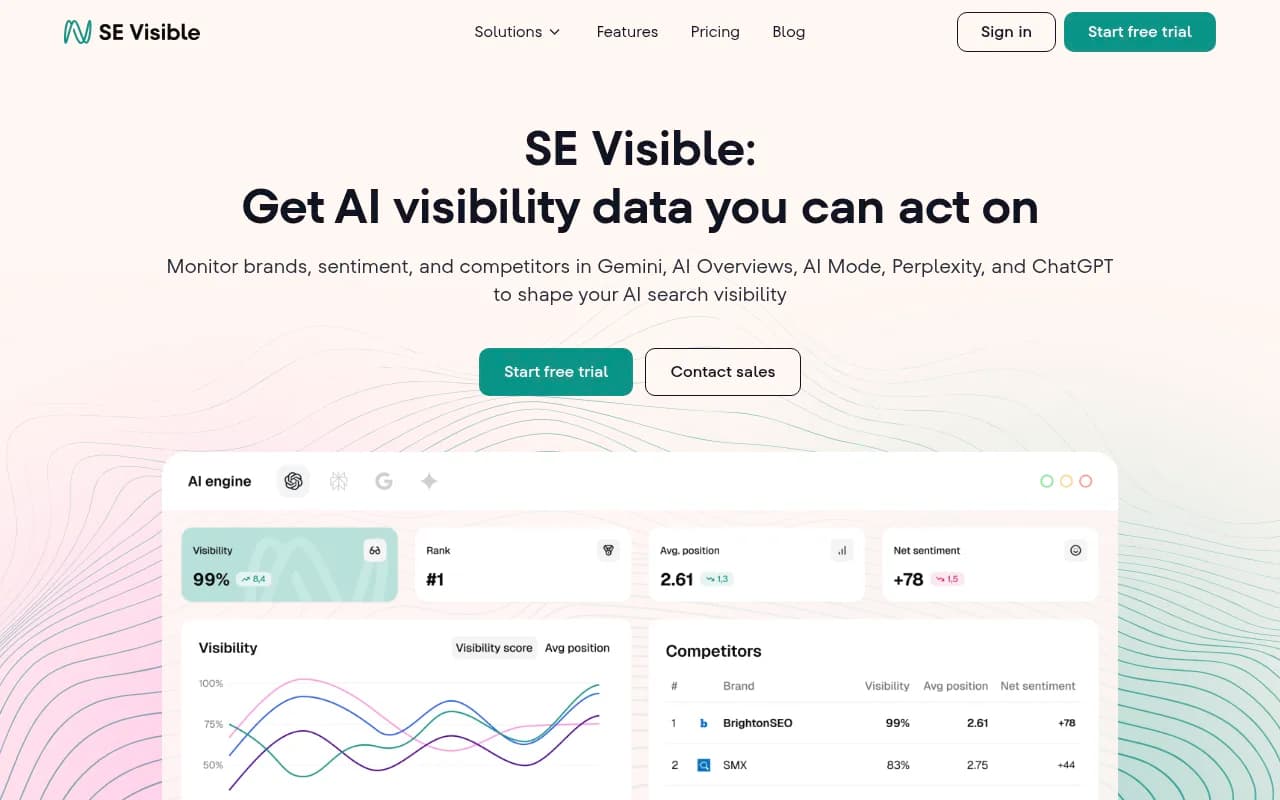
| SE Ranking (SE Visible) | 7 | 5 | From $99/mo |
| AthenaHQ | Single region on Starter | Single language on Starter | Multi-country on Enterprise |


A few others worth a look if multi-language is your main concern: [tool:trackerly-ai] advertises daily multi-LLM tracking in 20+ languages, and Lumar lets you organize tracking by topic for strategic roll-ups. Screpy takes a similar approach to the one in this guide, assigning each prompt its own country and language and rejecting duplicate questions in the same market.
When you compare tools, ask three questions the marketing pages rarely answer. How is the country actually set (a parameter, a proxy, or just an instruction in the prompt)? Is language a separate setting? And do extra markets cost extra? Most vendors do not document the first one at all. For a wider shortlist, the GEO software directory lists tools by capability.
For agencies and multi-brand groups
The same structure scales to client work, with one change: separate clients by project, not by monitor. Promptwatch agency plans (Kick-off $199/mo, Growth $399/mo, Scale $799/mo) run on one account with unlimited projects and pitch projects, so each client gets their own brand, competitor set and markets. Inside each client you repeat the pattern: a monitor per market, shared topic names, a small set of tags. If you are weighing whether to build this in-house or bring in outside help, 1001 SEO Media works on GEO and AI search visibility for brands and runs its own tracking on Promptwatch.
For more on running this across clients, see the Academy guide to GEO and visibility for agencies.
A setup checklist
- List the markets you sell in and rank them by revenue. Start with the top two or three.
- For each market, write down the country and the language, and the state or city if the business is local.
- Create one project per brand and add your competitors, including local ones that only exist in some markets.
- Create one monitor per market, named "country, language" (add the city if relevant). Choose the models you want in each.
- Agree a master topic list and keep the names identical everywhere.
- Write prompts locally, with a native reviewer. Keep most of them non-branded.
- Tag by prompt type and intent, and add a few custom tags for campaigns or personas.
- Wait two weeks for the baseline, then compare markets side by side on a heatmap.
- Review monthly. Retire prompts nobody acts on and add ones from fresh Search Console data.
Final thought
The structure is boring, and that is why it works. One monitor per market, shared topics, a handful of tags. Skip it and you will spend a quarter wondering why your global score never moves. Build it first and every later question, from "how are we doing in Germany?" to "which topic is weakest in French?", is a filter instead of a rebuild. You can try the setup on a 7-day free trial or start with the free AI visibility report to see a baseline first.