Key takeaways
- A content calendar only works if it answers four questions at a glance: what's publishing, when, who owns it, and what stage it's at. Most abandoned calendars fail one of these.
- Pricing varies wildly by model. Buffer charges per channel (from $6/channel/mo), Sprout Social charges per seat ($99-$499/seat/mo), and Planable charges per workspace ($33-$49/mo) — the right pick depends on team size, not feature count alone.
- Approval workflows are the single biggest differentiator between tools that teams actually use and ones that get bypassed. Sprout Social gates this behind its $399+/seat Professional tier; Buffer, Planable, and Hootsuite include it much earlier.
- Content type matters more than most calendars account for: product pages, listicles, and how-to guides dominate AI citations, so your calendar should treat these as scheduled deliverables, not one-off ideas.
- Spreadsheet templates (Google Sheets, Airtable, Notion) are free and flexible but require someone to manually enforce the workflow. Dedicated scheduling tools automate the publishing step but cost more as you add channels or seats.
Why most content calendars fall apart
Here's the pattern I keep seeing: a team builds a beautiful calendar in January, it's color-coded, every platform has its own column, there's even a legend. By March it's half-empty. By June nobody opens it. The content still gets posted, but it's written the night before and approved by whoever happens to be online.
The problem usually isn't the template. It's that the calendar lived somewhere disconnected from where the actual work happened — the drafts were in Google Docs, the assets were in Dropbox, the approvals were in Slack threads that scrolled away. A calendar is only a source of truth if people actually touch it during their normal workflow, not as an extra step bolted on top.
That's the lens to use when picking a template or tool in 2026: not "does it look nice" but "will my team actually update this thing in week six."
What a working calendar needs, structurally
Before picking a tool, get clear on the fields and views you actually need. Based on how the better templates are built, a working social calendar needs at minimum:
- A date and time field, obviously, but also a status field (draft, in review, approved, scheduled, live) so people can filter by what needs their attention
- A platform or channel tag, since a LinkedIn post and a TikTok script are different jobs even if they're "the same campaign"
- An owner field and, ideally, a reviewer or approver field separate from the owner
- A content-type tag (listicle, how-to, product update, UGC, etc.) — this sounds cosmetic but it's genuinely useful for spotting when your calendar has turned into 80% promotional posts and nothing else
- A linked asset or caption field so the actual creative lives next to the schedule, not in a separate folder someone has to go hunting for
Most templates below cover these basics. The differences are in how much further they go.
Free templates worth starting with
If you're not ready to pay for a dedicated tool, these free templates get you most of the way there.
Airtable's social media calendar
Airtable's free template combines the calendar with campaign planning, so key dates and events sit next to the posts themselves. You get calendar, grid, and Kanban views out of the box, plus the ability to assign posts, track approval status, and comment directly on records instead of relying on email threads.
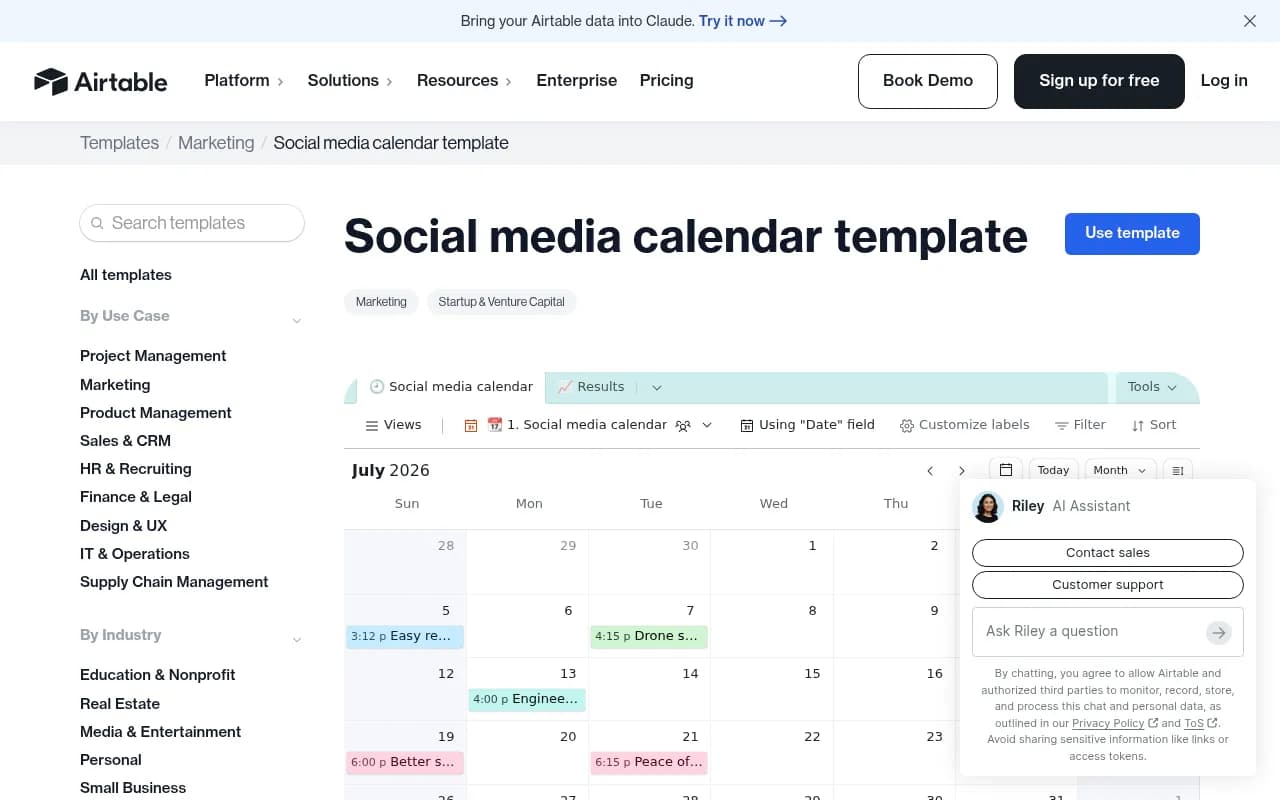
What makes Airtable worth the setup time is its flexibility: you're building your own database, so you can add fields for campaign goals, content pillars, or a character-count helper without fighting a rigid template structure. The tradeoff is that Airtable doesn't publish posts itself, so you'll still need to connect it to a scheduler like Buffer or Hootsuite for the actual posting step.
Asana's social media calendar template
Asana's version leans into project management rather than publishing. Color-coded sections, custom tags, task dependencies, and a calendar view that shows deadlines alongside subtasks make it a solid fit for teams that already run their editorial process through tasks and assignments. If a post needs copy, design, and legal sign-off before it goes live, Asana's subtasks and dependency notifications handle that chain reasonably well.
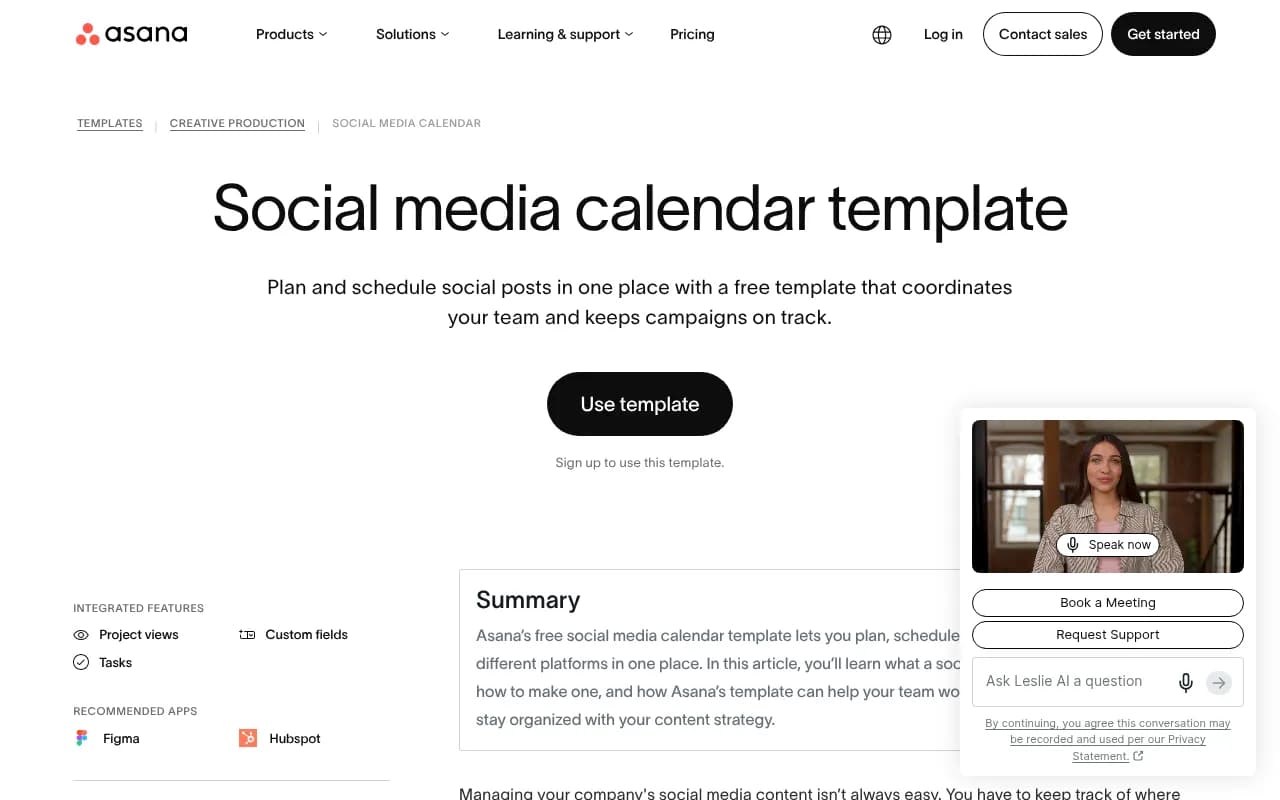
It doesn't schedule or publish posts natively, so pair it with a scheduling tool like Buffer or Hootsuite if you want the calendar to also trigger the posts.
Other free options worth knowing
Google Sheets, Notion, Canva Sheets, and Trello all have free, well-regarded templates. Google Sheets is the most minimal and the easiest to hand to someone with zero onboarding. Notion's database structure lets you flip between list, board, and calendar views, which works well if your team also plans blog posts or newsletters in the same workspace. Canva's version is strongest if design lives at the center of your process, since you can build the actual graphics next to the schedule.
Dedicated scheduling and collaboration tools: how they actually compare
Once a team outgrows a spreadsheet, usually because someone forgot to actually post something that was "scheduled," a dedicated tool earns its cost. Here's how the main options stack up on pricing and collaboration depth.
| Tool | Starting price | Free plan | Approval workflows | Best for |
|---|---|---|---|---|
| Buffer | $6/channel/mo | Yes (3 channels, 10 posts/channel) | Yes, on Team plan | Solo creators and small teams watching cost |
| Planable | $33/workspace/mo | Yes (first 50 posts) | Yes, pixel-perfect previews | Agencies and teams with multi-step client review |
| Hootsuite | $99/mo | No (30-day trial) | Yes, granular permissions | Teams that live and die by publishing volume |
| Sprout Social | $99/seat/mo (approvals need $399+ tier) | No | Yes, gated to higher tiers | Larger teams that also need analytics and listening |
| Later | $25/mo | Yes, limited | Yes | Visual-first brands, especially Instagram/TikTok |
| Metricool | $25/mo | Yes (20 posts/mo) | Yes | Budget-conscious teams needing competitor tracking |
| Airtable + a scheduler | $20/seat/mo + scheduler cost | Yes | Build your own | Teams wanting a custom data model, not a fixed tool |
A few things stand out when you actually run the numbers. Buffer's per-channel pricing means a 5-person team managing 8 channels pays around $96/month on the Team plan with unlimited seats, while the same setup on Sprout Social runs closer to $2,000-$2,500/month once you add the seats needed for approval workflows. That's not a knock on Sprout, its analytics and social listening are genuinely deeper, but it's a different budget category entirely.
Planable's standout feature is showing exactly how a post will render on each platform before it goes live, link previews, image crops, the works, which cuts down on the "wait, that's not how I imagined it" messages that eat up review cycles. It also now ships an MCP Connector that lets you hook an AI assistant directly into the workspace, included even on the entry-level plan.
Approval workflows: the feature that actually matters
I'd argue approval workflows are more important than scheduling itself, because a bad post that gets published is far more expensive than a good post that goes out an hour late. The infamous case here is the 2014 US Airways tweet that stayed live for roughly an hour before deletion, by which point it had already gone viral. That's the kind of thing a basic review step catches.
Sprout Social's own guidance on this is worth repeating: design approval steps for speed, not as a bottleneck. Tie the review intensity to the risk level of the post. A routine product update doesn't need the same sign-off chain as anything touching health claims, legal disclaimers, or a crisis response. Sprout even supports an "external approver" role, useful for bringing in legal or compliance reviewers without giving them full access to your social accounts.
Whichever tool you pick, build the workflow around these principles:
- Decide upfront who can post without review and who can't. Not everyone needs the same gate.
- Separate the "owner" of a post from the "approver." If they're the same person, it's not really review.
- Document the SOP somewhere outside the tool too. Tools change; the process should survive a migration.
- Revisit the workflow whenever you add a new platform or a new team member. Permissions drift is the most common reason approval steps quietly stop working.
Timing: what the 2026 data actually says
Sprout Social's 2026 benchmark report puts the overall best posting window at Tuesday and Wednesday, 11am-6pm local time, with Sundays underperforming almost everywhere. Platform specifics shift a bit: Instagram peaks around midweek afternoons, LinkedIn drops off hard on weekends, and weekend late evenings (9pm-midnight) can outperform for Instagram, Facebook, and YouTube depending on audience.
Treat these as a starting point, not gospel. Every major platform now weights engagement in the first 30-60 minutes after publishing heavily in its distribution algorithm, which means the "right" time is really whenever your specific audience is most likely to engage immediately, not a universal slot copied from a benchmark report. Build a "best times" field into your calendar and update it quarterly against your own analytics rather than setting it once and forgetting it.
What content types are actually worth scheduling
This is where a content calendar and AI search visibility start to overlap, and it's worth building your calendar with this in mind even if AI visibility isn't your main goal.
Promptwatch's citation-type data for ChatGPT shows product pages and landing pages together account for close to 39% of all citations ChatGPT gives when it links out to sources, with listicles, how-to guides, and comparisons making up most of the remainder (https://promptwatch.com/data/chatgpt-citation-share-by-content-type). That's a strong argument for treating listicles, comparisons, and how-tos as deliberate calendar items with their own cadence, not something you throw together when you run out of other ideas.
The social-platform side of that picture has shifted sharply too. Promptwatch's data on social citations by AI model shows ChatGPT citing social platforms in under half a percent of its answers as of early October 2026, down from nearly 6% a few months earlier, with Reddit's share collapsing from over 5% to essentially nothing (https://promptwatch.com/data/social-media-citations-by-ai-model-october-2026). Google AI Overviews behaves completely differently, pulling social sources into roughly 12% of its citations, led by YouTube, Facebook, and Instagram. If part of your calendar's job is feeding AI search visibility, that data says: don't bank on Reddit influencing what ChatGPT says about your brand anymore, but YouTube and Facebook still carry weight with Google's AI surfaces.

If tracking how your brand shows up across these AI answers is part of your job, a monitoring layer on top of your content calendar helps close the loop between "we published it" and "it actually got cited." You can read more on how this kind of AI visibility tracking works at the bestgeosoftware.com directory of GEO platforms.
Choosing between a spreadsheet and a paid tool
Here's the honest framework. A free spreadsheet or Airtable base is fine if:
- Your team is three people or fewer
- You're manually scheduling posts anyway (no native publishing needed)
- Nobody outside the immediate team needs to review content before it goes live
A paid, dedicated tool earns its cost once you have:
- Multiple approvers, especially external ones like legal or a client
- More than 5-6 channels, where manual publishing starts eating real hours
- A need to prove ROI, since tools like Sprout Social and CoSchedule tie scheduling directly to analytics
If you're building out a broader stack beyond scheduling, for AI-powered writing assistance, scraping tools for research, or technical SEO support, it's worth browsing a wider software directory like surferstack.com before committing to a single vendor's ecosystem.
A simple starting setup
If none of this feels decisive yet, here's the boring but reliable path: start with Google Sheets or Airtable, free, for the first 60-90 days. Track what actually gets used, which fields people ignore, where posts fall through the cracks. Then migrate to a paid tool once you know exactly which features you need, rather than paying for Sprout Social's full analytics suite from day one and discovering six months in that your team only ever used the basic scheduler.
The calendar itself is never the hard part. The hard part is the habit of opening it every day. Pick whatever format makes that habit easiest for your specific team, and don't be afraid to switch tools once a year if the first pick isn't sticking.