Key takeaways
- AI search engines reward content that is structured, authoritative, and directly answers specific questions -- not content optimized purely for keyword density
- Retrofitting existing posts is often more valuable than writing new ones; your high-traffic pages already have authority signals worth building on
- The biggest wins come from adding FAQ sections, improving heading structure, adding schema markup, and making your content "extractable" for AI summarization
- Tracking whether AI models actually cite your pages requires dedicated tooling -- traditional rank trackers won't show you this
- The goal has shifted from ranking #1 to being the source AI models trust and quote
There's a specific kind of confusion that hits when you check your analytics and the numbers just don't add up. Traffic is down, but your rankings look fine. Or you're ranking well but getting fewer clicks than a year ago. If that's you, you're not imagining things. AI search engines are intercepting queries that used to send people to your site.
The good news: you don't have to start from scratch. Your existing blog posts -- the ones that already have backlinks, traffic history, and topical depth -- are your best asset right now. The question is how to retrofit them so AI models actually use them as sources.
This guide covers exactly that.
Why AI search engines behave differently from Google
Traditional Google search ranks pages and shows a list. Users click through. AI search engines like Perplexity, ChatGPT, Google AI Overviews, and Claude do something different: they read your content, synthesize an answer, and sometimes cite you as a source. Sometimes they don't cite anyone.
The implication is significant. Getting cited in an AI response is the new "ranking." And the criteria for getting cited are different from what got you to page one of Google.
AI models tend to cite content that:
- Directly and clearly answers a specific question
- Is structured so key facts are easy to extract
- Comes from a domain with demonstrated topical authority
- Uses language that matches how people actually phrase queries
- Has been recently updated (freshness still matters)
A post stuffed with keywords but written in a meandering, hard-to-parse style is easy for Google to rank and hard for an AI to cite. That's the gap you need to close.
Step 1: Audit which posts are worth optimizing first
Not every post deserves the same attention. Start with posts that already have some authority -- they're the easiest to push into AI citation territory.
Prioritize posts that:
- Currently rank on page one or two for their target keyword
- Have earned backlinks from other sites
- Cover topics that people actively ask AI assistants about (how-to questions, comparisons, definitions, recommendations)
- Are at least 800 words but lack clear structure
Avoid spending time on posts that target extremely niche long-tail terms with near-zero search volume, or posts that are purely promotional with no informational value. AI models are looking for answers, not ads.
Once you have your shortlist, the actual optimization work breaks into a few distinct areas.
Step 2: Restructure your headings to match how people ask questions
This is the single highest-leverage change you can make. AI models parse heading structure to understand what a page covers and to extract specific answers. If your H2s and H3s are vague or keyword-stuffed, you're making the AI's job harder.
Compare these two heading structures for a post about email marketing:
Before:
- Email Marketing Tips
- Best Practices
- Tools You Should Use
After:
- What is email marketing and how does it work?
- How often should you send marketing emails?
- Which email marketing tools are best for small businesses?
The second version maps directly to the kinds of questions people type into ChatGPT or Perplexity. When an AI sees a heading that matches the user's query, it's much more likely to pull content from that section.
Go through your target posts and rewrite headings as questions or clear declarative statements. You don't need to rewrite the body copy -- just the headings, and sometimes the first sentence under each heading to make the answer more direct.
Step 3: Add a FAQ section at the bottom of every post
FAQ sections are one of the most consistently cited elements in AI responses. They're pre-formatted as question-answer pairs, which is exactly the structure AI models are trained to recognize and extract.
For each post you're optimizing, add 4-6 questions at the bottom. These should be:
- Questions people actually ask (check "People Also Ask" on Google, or look at what comes up when you type your topic into Perplexity)
- Answered in 2-5 sentences -- concise enough to be cited directly
- Genuinely useful, not filler
A good FAQ entry for a post about content marketing might look like:
How long does it take for content marketing to show results? Most content marketing programs take 6-12 months to show meaningful traffic growth. The timeline depends on your domain authority, publishing frequency, and how competitive your target keywords are. Consistency matters more than volume.
That's a citable answer. It's specific, it's direct, and it fits naturally into an AI-generated response.
Step 4: Make your content "extractable"
AI models don't read your post the way a human does. They scan for structured, self-contained information. Content that's buried in long paragraphs without clear context is hard to extract and rarely gets cited.
A few practical changes that improve extractability:
- Use numbered lists for processes and steps
- Use bullet points for features, benefits, or comparisons
- Put the most important sentence first in each paragraph (inverted pyramid style)
- Define key terms explicitly: "Content pruning is the process of removing or consolidating underperforming pages to improve a site's overall quality signals"
- Include specific data points, statistics, or dates where relevant -- AI models love citing concrete numbers
One thing worth noting: AI models often pull the first 1-3 sentences of a section when generating a response. If your opening sentence is "In this section, we'll explore..." you've wasted your best real estate. Start with the answer, then explain it.
Step 5: Add and update schema markup
Schema markup (structured data) tells search engines and AI crawlers exactly what type of content is on your page. For blog posts, the most useful schema types are:
ArticleorBlogPosting-- basic metadata about the postFAQPage-- marks up your FAQ section so it's machine-readableHowTo-- for step-by-step guidesBreadcrumbList-- helps AI understand your site's content hierarchy
If you're on WordPress, plugins like Yoast SEO or Rank Math can add most of this automatically. If you're on a custom stack, you'll need to add JSON-LD manually.
The FAQPage schema is particularly worth implementing. It directly feeds into Google's AI Overviews and has been shown to improve citation rates in other AI models as well.
Here's a minimal example of what FAQPage schema looks like:
{
  "@context": "https://schema.org",
  "@type": "FAQPage",
  "mainEntity": [
    {
      "@type": "Question",
      "name": "How long does content marketing take to show results?",
      "acceptedAnswer": {
        "@type": "Answer",
        "text": "Most content marketing programs take 6-12 months to show meaningful traffic growth."
      }
    }
  ]
}
Add this to every post that has a FAQ section. It takes 10-15 minutes per post and the payoff is real.
Step 6: Update your content for freshness and accuracy
AI models have training cutoffs, but the ones with web access (Perplexity, ChatGPT with browsing, Google AI Overviews) actively crawl and prefer fresh content. A post last updated in 2022 is at a disadvantage against one updated in 2025 or 2026.
For each post you're optimizing:
- Update any statistics or data points to the most recent available
- Add a "Last updated" date that's visible on the page
- Revise any recommendations that have changed (tools that no longer exist, strategies that no longer work)
- Add a short section covering what's changed since the post was originally published
That last point is underrated. A section titled "What's changed in 2026" signals to both readers and AI crawlers that this content is actively maintained. It also gives you a natural place to add new information without rewriting the whole post.
Step 7: Improve your internal linking structure
AI crawlers follow links. When a crawler lands on one of your posts, it will often follow internal links to understand the broader context of your site. A well-linked site signals topical authority -- the AI can see that you've written extensively about a subject, not just published one post.
For each post you optimize:
- Link to at least 3-5 other relevant posts on your site
- Make sure those posts link back to this one where relevant
- Use descriptive anchor text that explains what the linked page covers (not "click here")
If you have a cluster of posts covering related topics, make sure they're all interconnected. AI models are increasingly good at recognizing topical depth, and a site with 10 well-linked posts on email marketing will outperform a site with 1 post on the same topic, even if that single post is longer.
Step 8: Strengthen your E-E-A-T signals
E-E-A-T (Experience, Expertise, Authoritativeness, Trustworthiness) was originally a Google quality framework, but it's become relevant for AI citation too. AI models are trained to prefer content from credible sources, and the signals that indicate credibility are largely the same ones Google uses.
For blog posts, this means:
- Add a clear author bio with credentials relevant to the topic
- Link to primary sources (studies, official documentation, reputable publications) rather than just other blog posts
- Include first-person experience where relevant ("When I tested this tool..." or "In our analysis of 50 campaigns...")
- Display a publication date and last-updated date
- Make your About page and author pages detailed and credible
This won't transform a weak post overnight, but it does matter at the margin -- especially for topics where AI models are cautious about citing unverified claims (health, finance, legal, etc.).
Step 9: Track whether AI models are actually citing you
Here's the part most guides skip: you need to actually measure whether any of this is working. Traditional SEO tools track keyword rankings and organic traffic. They don't tell you whether ChatGPT cited your post when someone asked about your topic.
For that, you need dedicated AI visibility tooling. Promptwatch is one of the more complete options here -- it tracks citations across 10+ AI models (ChatGPT, Perplexity, Claude, Gemini, Google AI Overviews, and others), shows you which specific pages are being cited and how often, and includes crawler logs so you can see when AI bots are actually visiting your site.

The crawler log feature is particularly useful when you're in the middle of an optimization project. You can see when Perplexity or ChatGPT's crawler hits a page you've just updated, and then track whether that page starts appearing in citations afterward. That feedback loop -- update, crawl, cite -- is what you're trying to accelerate.
Other tools worth knowing about:

Surfer SEO is useful for the content optimization side -- it analyzes top-ranking pages and tells you what topics and terms your post is missing.

Clearscope does similar work, with a focus on semantic coverage and readability.
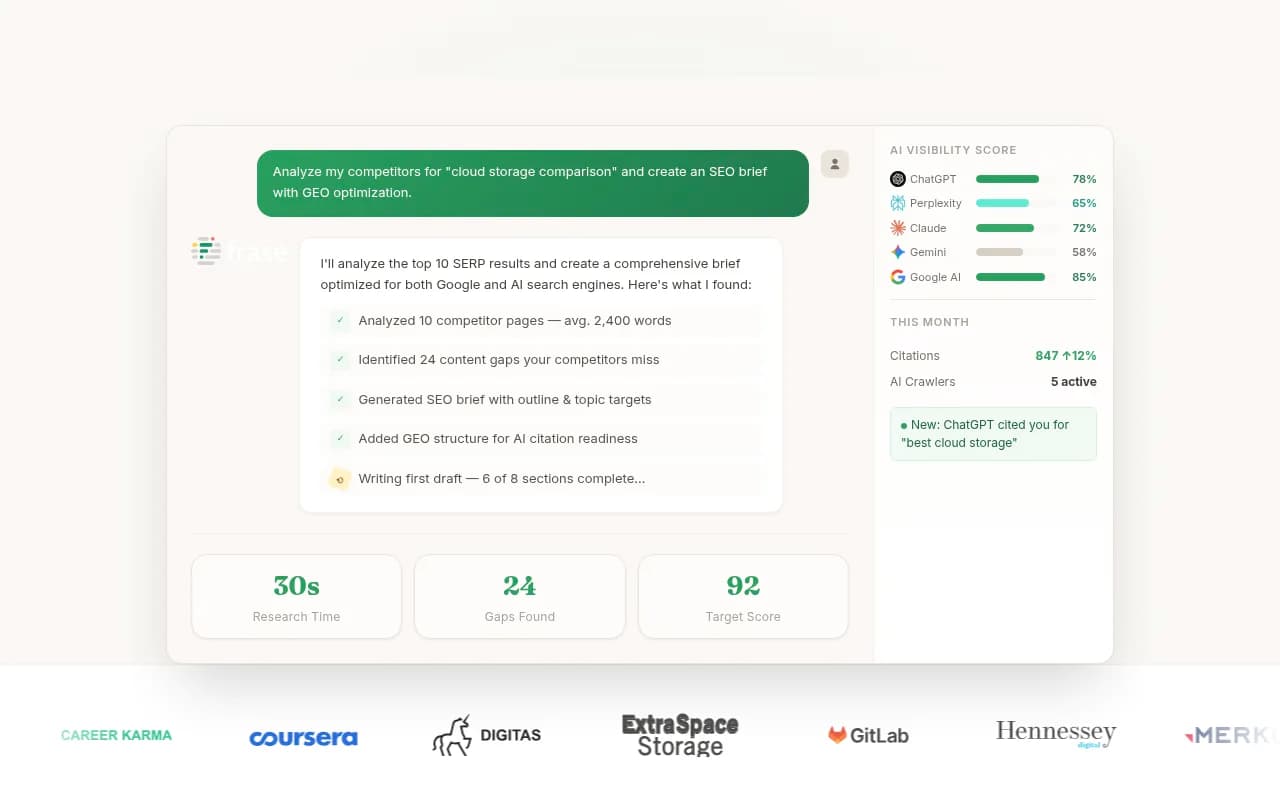
Frase is good for identifying the questions your content should be answering, which feeds directly into the FAQ and heading restructuring work above.
Comparison: what each optimization step targets
| Optimization | Helps with Google | Helps with AI citations | Difficulty |
|---|---|---|---|
| Restructure headings as questions | Moderate | High | Low |
| Add FAQ section | Moderate | High | Low |
| Add FAQPage schema | Moderate | High | Low |
| Improve extractability (lists, structure) | Low | High | Medium |
| Update for freshness | Moderate | High | Low |
| Strengthen E-E-A-T signals | High | Moderate | Medium |
| Improve internal linking | High | Moderate | Medium |
| Track AI citations | N/A | High | Low (with right tool) |
The pattern is clear: the changes that help most with AI citations are also relatively low-effort. Heading restructuring, FAQ sections, and schema markup are all things you can do in an afternoon per post.
A realistic timeline and prioritization
If you have 50 blog posts and limited time, here's a sensible order of operations:
- Identify your top 10 posts by existing traffic and backlinks
- Add FAQ sections and FAQPage schema to all 10 (1-2 hours per post)
- Restructure headings on those same posts (30 minutes per post)
- Update statistics and add "last updated" dates (30 minutes per post)
- Set up AI citation tracking so you can measure results
- Work through the next tier of posts once you've seen what's working
Don't try to optimize everything at once. The posts with existing authority will respond fastest, and seeing results on those will tell you which specific changes are driving citations -- which makes the rest of the work more targeted.
What not to do
A few things that sound reasonable but don't actually help:
- Stuffing more keywords into existing posts. AI models don't respond to keyword density the way old-school SEO did.
- Making posts longer for the sake of it. A 3,000-word post that meanders is harder to cite than a 1,200-word post that's tightly structured.
- Chasing every AI model separately. The structural changes described here work across ChatGPT, Perplexity, Claude, and Google AI Overviews. You don't need a different strategy for each.
- Ignoring your existing content in favor of writing new posts. New posts have no authority signals. Your existing posts do. Retrofit first.
The shift to AI search is real and it's not reversing. But the response isn't to panic and rebuild everything from scratch. It's to take what you've already built, make it more structured, more direct, and more credible -- and then actually measure whether AI models are picking it up.
That's the work. It's less glamorous than launching a new content strategy, but it's where the leverage is right now.