Key takeaways
- "Prompt tracking" means two different things: tracking how AI engines answer prompts about your brand (AI visibility), and versioning the prompts you write for your own LLM app. Different tools, different buyers.
- For AI visibility, Elmo is the most active open-source option on GitHub (462 stars, 374 commits in the last 90 days, MIT license, per its own page). Canonry and Ansvisor are the other projects with real momentum.
- I could not find an AI visibility tool called Voyage. It may be a different product, or a mix-up with Voyage AI's embedding models. Details below.
- A DIY script works for a weekend experiment. It breaks down once you need fan-out data, multiple engines, history and sentiment.
- Free to self-host is not free to run. You pay for model API keys and infrastructure, and open-source projects can still go closed.
What people mean by prompt tracking
The phrase gets used for two jobs, and most comparison articles mix them up.
The first job is AI visibility tracking. You pick a set of prompts your buyers might type into ChatGPT, Gemini or Perplexity, run them on a schedule, and record whether your brand is mentioned, where, with what sentiment and which sources get cited. Elmo, Canonry, Gego and Ansvisor live here.
The second job is prompt management. You write prompts inside your own product, and you need versions, diffs, rollbacks and evaluations. Langfuse, Agenta, MLflow, Promptfoo and Phoenix live here. The research I pulled for this guide (Braintrust, Confident AI, MLflow and Agenta write-ups) is almost entirely about this second job.
This guide focuses on the first, with a short section on the second so you can tell which one you actually need.
About Voyage
The request mentioned Voyage. I searched for an open-source AI visibility or prompt tracking tool by that name and found nothing. The closest match I know of is Voyage AI, which makes embedding and reranking models. Those are useful if you build a semantic search layer on top of your tracking data, for example clustering thousands of tracked responses, but it is not a tracker.
If you have a specific Voyage repository in mind, check its README and license before you compare it with the tools below. I am not going to invent features for a product I could not verify.
The open-source AI visibility trackers
The data in this section comes from Elmo's own open-source landscape page, with GitHub numbers dated 17 October 2026. Elmo wrote it, so it favors Elmo. I have cross-read the numbers rather than the verdicts, and you should check the repositories yourself before committing.
Elmo

Elmo is MIT licensed and runs on Docker and PostgreSQL. It covers ChatGPT, Google AI Mode, Google AI Overviews, Gemini, Perplexity, Claude and any OpenRouter model. It reports visibility, share of voice, sentiment and position scores, plus citation and query fan-out analytics and ranked recommendations. There is a REST API with TypeScript and Python SDKs, an MCP server, and an agent skill for Claude Code, Cursor and Codex.
What it lacks, according to its own page: prompt-volume estimates, content generation, shopping-result tracking and geographic breakdowns. You bring your own model API keys. The page lists managed cloud from $29/month, a figure I could not confirm on a separate pricing page, so verify it before budgeting.
The rest of the field
Here is how the nine projects on that page stack up on GitHub activity.
| Project | Stars | Contributors | Releases | First commit | Commits, last 90 days | License |
|---|---|---|---|---|---|---|
| Elmo | 462 | 14 | 36 | Jul 2025 | 374 | MIT |
| GEO/AEO Tracker | 295 | 1 | 9 | Feb 2026 | 10 | MIT |
| OneGlanse | 220 | 2 | 0 | Apr 2026 | 27 | MIT |
| Limelit | 192 | 2 | 13 | Sep 2026 | 79 | Apache-2.0 |
| Canonry | 186 | 8 | 12 | Mar 2026 | 472 | MIT |
| Ansvisor | 141 | 65 | 10 | Mar 2026 | 503 | MIT |
| Cited | 126 | 1 | 1 | Sep 2026 | 21 | AGPL-3.0 |
| Gego | 106 | 2 | 12 | Oct 2025 | 9 | GPL-3.0 |
| Lettertrace | 75 | 5 | 1 | Jul 2026 | 323 | not listed |
A few things jump out. Stars and activity do not line up: GEO/AEO Tracker has the second most stars but 10 commits in 90 days and one contributor. Ansvisor has 65 contributors and 503 recent commits, which is a healthier bus factor than most of the list. Canonry and Ansvisor are younger than Elmo but are moving fast.
Short notes on the others, from the same page:
- OneGlanse is fully free but you run the scrapers yourself, there is no managed cloud, and because it drives the chat UIs, scrapers can break.
- GEO/AEO Tracker is built for a quick check from a single browser, and its CLI prints a per-engine score, mention, sentiment, citation and competitor view.
- Gego is bare-bones scheduled checks from a CLI, with a cloud waitlist.
- Limelit ships as a single self-hosted binary, with a credit pack from $19.99.
- Hosted options listed: Ansvisor from $49/month, Cited from $19/month, and OpenSight (MIT, free hosted tier, from $49/month).
There is also a free open-source brand mention tracker for AI answers in our catalog:
Licenses matter more than they look
MIT and Apache-2.0 let you do almost anything. AGPL-3.0 (Cited) and GPL-3.0 (Gego) add conditions on modified versions, which matters if you want to white-label a tracker for clients or fold it into a product.
The Elmo page also names two cautionary tales. Notra took its AGPL repository private in October 2026. And GetCito went from a minimal tracker to a fork of Elmo to a from-scratch rewrite merged in one 923,787-line commit, with a fork count that jumped suspiciously in September 2026. Elmo left it off its list, and I would too. The lesson is simple: prefer permissive licenses and projects with more than one active contributor.
The DIY route
Tim Soulo of Ahrefs has argued that you can vibe-code your own AI visibility tracker over a weekend: send prompts to an LLM through an API and save the output in a spreadsheet. I only saw the snippet of that LinkedIn post, not the whole thing, but the idea is sound for a first pass.
A minimal version looks like this. Adjust the model name and SDK calls to your provider.
import csv, datetime, re
from openai import OpenAI

client = OpenAI()
BRAND = 'Acme'
PROMPTS = ['best CRM for small teams', 'top open source analytics tools']

rows = []
for p in PROMPTS:
    r = client.responses.create(model='YOUR_MODEL', input=p, tools=[{'type': 'web_search'}])
    text = r.output_text
    mentioned = BRAND.lower() in text.lower()
    links = len(re.findall(r'https?://', text))
    rows.append([datetime.date.today(), p, mentioned, links])

with open('log.csv', 'a', newline='') as f:
    csv.writer(f).writerows(rows)
Run it from cron, open the CSV in a spreadsheet, and you have a trend line. That is genuinely useful for a handful of prompts.
Where DIY scripts fall short
Three problems show up quickly.
First, API output is not what users see. Promptwatch's data collection pulls from the actual interfaces of ChatGPT, Gemini, Perplexity and others, and a script calling an API may differ from the UI answer. That is my inference rather than a published finding, but it is why UI-based collection exists at all.
Second, one prompt triggers hidden searches. Promptwatch Data's ChatGPT query fan-out report shows ChatGPT averaging about 2.15 distinct web searches per response in early December 2025 and about 1.84 by early March 2026, then exactly 1.0 when fan-outs returned in April. Average query length dropped from about 117 characters to about 53 over the same stretch. A script that logs only the user prompt misses all of that, and the behavior shifts with model updates.
Third, citation counts vary by engine. The average sources per response report puts ChatGPT at about 5 sources per web-search answer, Google AI Overviews at about 10, and Perplexity at almost exactly 10 per day. Copilot swung from under 2 to nearly 17 within weeks. Perplexity's steadiness makes it a decent test bench: if your results move there, it is probably your content and not engine noise.
If you do go DIY and need the web data side, scraping and browser automation tools help. Apify, Firecrawl and Skyvern (open source) are the ones in our catalog that fit.


Side-by-side: self-host, DIY or hosted
| Approach | Upfront effort | Running cost | History and trends | Fan-out and citation data | Best for |
|---|---|---|---|---|---|
| DIY script | Hours | API calls only | Whatever you log | Only if you build it | Testing a few prompts |
| Elmo or similar, self-hosted | Docker and Postgres setup | API keys plus hosting | Built in | Elmo reports fan-outs and citations | Teams with an engineer and data-control needs |
| Hosted open-source cloud | Minutes | From about $19 to $49/month | Built in | Varies by project | Small teams that want OSS without ops |
| Commercial platform | Minutes | Paid plans | Built in | Deeper, often UI-sourced | Teams that need action, not just reporting |
The hidden costs of free
"Free to self-host" is not free to run. You pay for LLM API keys for every prompt on every engine, every day, and for the database and server. Scale prompts times engines times days and the bill is no longer trivial.
You also own the maintenance. OneGlanse is the clearest example: it drives chat UIs, so when a UI changes, your scraper breaks and nobody ships a fix on your schedule. And there is project risk. A repo with one contributor and 10 commits in 90 days (GEO/AEO Tracker) is a different bet from one with 65 contributors (Ansvisor).
Self-hosting does buy you something real: your prompts, competitor lists and results stay on your infrastructure, and you can hack the code. If that matters to you, it is worth the work.
The other kind of prompt tracking: prompt management
If you were actually after versioning prompts inside your own app, the AI visibility trackers above are the wrong shelf. The tools people compare for that job include Langfuse (open-source prompt management with versioning), Agenta (open source with built-in evaluation), Arize Phoenix, Promptfoo for CLI testing and red teaming, MLflow (open source, framework-agnostic, with OpenTelemetry tracing), and commercial options like Braintrust, PromptLayer and PromptHub.
Braintrust's own article frames the problem well: without a system, teams store prompts in code but coordinate changes through Notion docs and Slack threads, and nobody knows which version is running. It is a vendor piece that names Braintrust best overall, so weigh it accordingly.
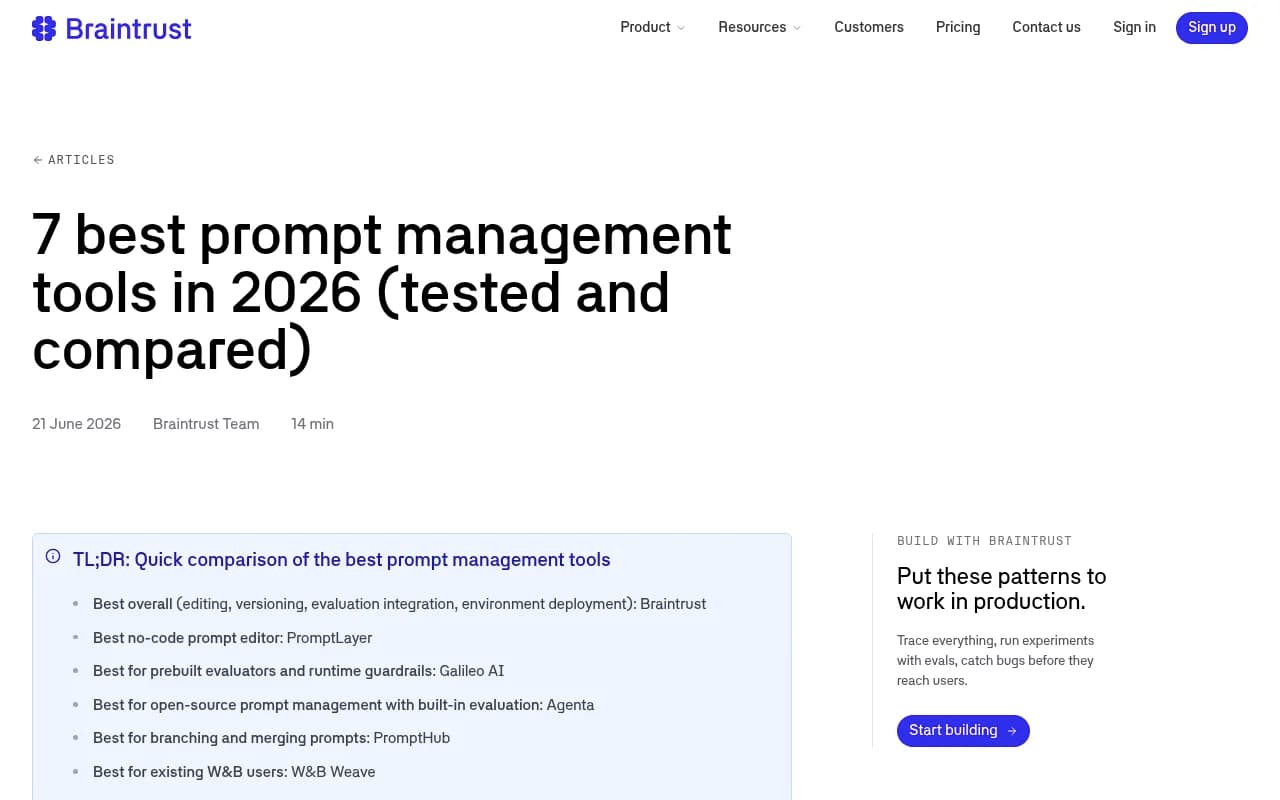
The screenshot is a useful starting point for scoping that decision. For this guide's purposes, the point is that none of those tools tell you whether ChatGPT recommends your brand.
When open source stops being enough
Open-source trackers report. Most of them stop at a score. Elmo itself lists no content generation, no prompt volume estimates and no shopping tracking. If your question is "what do I do about this gap, and did it work?", you need more than a dashboard.
That is the gap platforms like Promptwatch fill. It tracks from the real interfaces of ChatGPT, Gemini, Perplexity, AI Overviews and others, adds IP-verified AI crawler logs and visitor analytics so you can see whether bots read a page and whether AI traffic converts, and its Content Agent writes and publishes pages against the gaps it finds. Pricing starts at $95/month for Essential, with a 7-day free trial; confirm current plans at promptwatch.com/pricing. You can also run the free AI visibility report to see where you stand before deciding.

Other trackers worth a look if you want hosted rather than self-run:


For a wider survey of options, the GEO software directory at bestgeosoftware.com and the rank tracker listings at ai-rank-tools.com cover far more tools than fit here.
How to choose
- Under 20 prompts, one person, no budget: write the script, log to a CSV, and revisit in a month.
- You have an engineer and data-control needs: self-host Elmo or Canonry, and budget for API keys. Check that the project has several contributors and a permissive license.
- You want open source without running servers: use a hosted tier from Ansvisor, Cited or OpenSight, or Elmo's managed cloud.
- You need to fix visibility, not just watch it: use a platform that connects tracking to crawler data, content and traffic.
- You are versioning prompts in your own LLM app: ignore all of the above and look at Langfuse, Agenta, Promptfoo or MLflow.
Whichever you pick, track the same prompts for at least a few weeks before reading anything into the numbers. Fan-out behavior and citation counts move with model updates, so a single week's change tells you less than you think.