Key takeaways
- A mention means ChatGPT knows your name. A recommendation means it trusts you enough to put you in a shortlist. Different problems, different fixes.
- Most mention-without-recommendation cases trace back to six places: crawl access, page types, comparison content, third-party validation, docs and GitHub, and the claims ChatGPT makes about you.
- According to Promptwatch Data (Sep 28 to Oct 4, 2026), product pages and landing pages together earn 39% of ChatGPT citations. Listicles add another 13.6%.
- For software prompts, vendor sites plus docs earn about 3x as much citation share as review sites and analysts, but you need both.
- Diagnose first, then fix. Run the checklist below in order, because the early items are cheap and block everything after them.
Mentioned versus recommended: what is the actual difference?
You ask ChatGPT "what are the best tools for X" and your product shows up in a sentence like "other options include..." Or it appears in a branded prompt ("what is [YourTool]?") but vanishes the moment a buyer asks a commercial question. That is the pattern this guide is about.
A mention is recall. The model has seen your name enough times to produce it. A recommendation is selection. The model, or the web searches it runs, found enough evidence to rank you against alternatives and say you fit a particular use case. Recall comes mostly from training data. Selection, in ChatGPT Search, comes mostly from what it retrieves and cites at answer time.
That distinction matters because the fixes differ. If you are only mentioned, adding more press coverage rarely helps. You usually have an evidence problem: ChatGPT cannot find pages that say who your tool is for, what it costs, and how it compares.
One caveat before we start. Answers vary by user, by model, by location and by chat history. Treat any single response as an anecdote. You want patterns across dozens of prompts, which I cover in the first step.
Step 0: build a prompt set that separates the failure types
Do not test with one prompt. Build around 30 to 50 and sort them into three buckets:
- Branded: "is [YourTool] good for startups", "[YourTool] pricing", "[YourTool] vs [Competitor]"
- Commercial: "best API monitoring tool for small teams", "top feature flag SDKs"
- Informational or task-based: "how do I add rate limiting to a Node API", where your tool could be the answer
The diagnostic value is in the gaps between buckets. Strong branded results with weak commercial results is the classic mentioned-but-not-recommended shape. Weak task-based results suggest your docs and tutorials are not getting retrieved. Weak everywhere suggests a crawl or entity problem.
You can run these by hand in a clean ChatGPT session, logged out or in a temporary chat, and record the results in a spreadsheet. That works for a week. After that, a tracker saves you real time. Tools like Promptwatch run prompts across the real interfaces of ChatGPT and other engines, in the countries and languages you pick, and score visibility, position and sentiment per prompt.

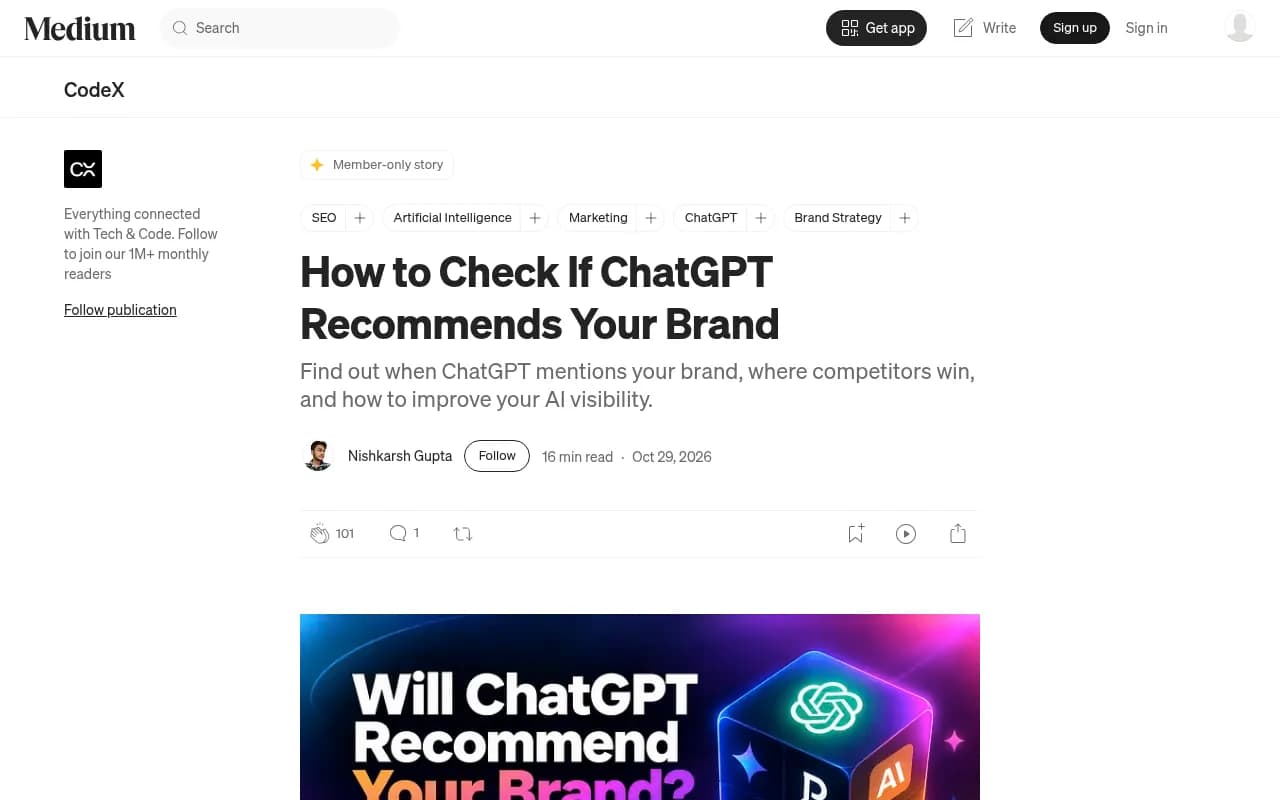
The CodeX walkthrough on checking whether ChatGPT recommends your brand is a reasonable starting point for the manual version of this audit.
Checklist item 1: can ChatGPT actually read your site?
This is the cheapest check and the one that quietly invalidates everything else. If OpenAI's crawlers get blocked, or your pages render nothing without JavaScript, ChatGPT falls back on whatever third parties say about you. Third parties are often your competitors' comparison pages.
Check these:
- robots.txt rules for GPTBot, OAI-SearchBot and ChatGPT-User. Blocking all three is common after a blanket "block AI" decision made by legal or security years ago.
- CDN or WAF bot rules. Cloudflare and similar services can challenge or block bots even when robots.txt allows them.
- Client-side rendering. If your pricing page is an empty shell until JavaScript runs, a crawler may see nothing.
- Login walls and cookie gates on docs, changelogs or pricing.
- 4xx and 5xx errors on the pages you most want cited.
The robots.txt part is easy to test. The CDN part is not, because a block can look like a success from your side. IP-verified crawler logs show whether the bots actually reached the page and what status they got back. Promptwatch's AI crawler logs do this, and there is a free Agentic Readiness Check and an AI crawler URL inspector if you just want a quick look. The robots.txt generator for AI helps you write clean rules afterward.
If you want to know which bots to expect, the AI bots directory lists 400+ crawlers with robots.txt guidance.
Checklist item 2: do you have the page types ChatGPT cites?
Here is where many developer-tool sites fall down. They have excellent docs and a blog full of engineering posts, but thin product and landing pages. ChatGPT, when answering a commercial question, mostly cites pages that describe what a company sells.
Promptwatch Data for Sep 28 to Oct 4, 2026 (content type citation share) puts numbers on this:
| Content type | Share of all ChatGPT citations |
|---|---|
| Product pages | 22.4% |
| Landing pages | 16.8% |
| Listicles | 13.6% |
| How-to guides | 8.7% |
| Documentation | 7.5% |
| General articles | 6.1% |
| Comparisons | 5.9% |
| News | 5.7% |
| FAQ pages | 3.3% |
| Reviews | 1.7% |
For commercial prompts like "best CRM for small businesses", product pages rise to 26.0%, landing pages to 20.6%, listicles to 15.0% and comparisons to 7.9%. Those four types make up almost 70% of commercial citations.
So ask yourself, honestly: if ChatGPT searched for your category and landed on your site, would it find a page that states who the tool is for, what it costs, what it integrates with, and what it does not do? A homepage with a slogan and a "Book a demo" button does not count. Neither does a pricing page that says "Contact us" with nothing else.
Practical fixes:
- One clear product page per major use case, with a plain statement of the ideal customer.
- Visible pricing or at least pricing ranges and what changes between tiers.
- Specs a model can lift: languages and SDKs supported, deployment options, compliance, limits.
- An FAQ page answering the questions buyers type into chat. FAQ pages take only 3.3% of citations overall, but 4.8% for branded prompts.
Checklist item 3: are you in the comparison and roundup content?
Ask the commercial prompts in your set and look at which URLs ChatGPT cites. You will usually see the same handful of listicles and comparison posts. If you are missing from them, you are missing from the answer. This is the most common reason a tool is known but not recommended: the shortlist is assembled from third-party roundups, and you are not in them.
There are two plays here.
- Get listed in the "best of" roundups already being cited for your category. This is outreach and sometimes paid placement, so be honest about what you are doing and keep it white-hat.
- Publish your own comparison pages. Comparisons are only 5.9% of citations overall but 7.9% on commercial prompts, and a fair, specific "[You] vs [Competitor]" page gives the model something to quote. Be straight about where the competitor wins. Pages that read like ads are less useful to retrieval and to humans.
A tracker that shows cited URLs per prompt makes this much faster than scrolling through chats. Promptwatch's Page Tracker and citation reports show which pages are cited and where yours lands in the source list. Other options with citation analysis include Profound and Peec AI for monitoring-focused setups.

Checklist item 4: what do third parties say about you?
For software prompts, the citation pool is different from consumer topics. Promptwatch Data on software-related prompts (Sep 28 to Oct 4, 2026) shows the leading domains as a share of all software citations:
| Domain | Share of software citations |
|---|---|
| github.com | 1.2% |
| learn.microsoft.com | 0.98% |
| g2.com | 0.73% |
| AWS docs | 0.41% |
| Google Cloud docs | 0.35% |
| gartner.com | 0.34% |
| capterra.com | 0.32% |
| intercom.com | 0.28% |
| zapier.com | 0.24% |
By source type, docs and help centers earn 2.64%, vendor sites 2.01%, review sites and analysts 1.57%, GitHub 1.2% and app stores 0.47%. Vendor sites plus docs together earn about 3x what review sites and analysts do. These shares look small because the long tail of domains is huge, so read them as relative weights, not absolute odds.
What this means for a dev tool:
- Claim and complete your G2 and Capterra profiles. An empty or stale listing is a weak signal, and a pile of old negative reviews is a strong one.
- Reviews matter more on branded prompts. Reviews make up 5.6% of citations there, over 3x their overall share, and social posts 3.0%, almost 4x.
- Check your Reddit and community footprint, but do not build a strategy on it. Promptwatch's data on Reddit citations dropping in ChatGPT shows reddit.com's share fell from roughly 4% to 0.5% on August 14, 2026, and its social media citations by model report puts ChatGPT at 0.46% social citations versus 12.2% for Google AI Overviews. Community still shapes AI Overviews more than ChatGPT.
Checklist item 5: are your docs and GitHub doing their job?
Developers ask ChatGPT task questions, not just category questions. "How do I add feature flags to a Next.js app" is a recommendation opportunity, and your docs are the page that answers it. Docs earn 7.5% of ChatGPT citations overall and 8.5% on informational prompts, and according to Promptwatch's content half-life data, docs and landing pages stay cited longest while news loses half its pages within about 36 days.
That is good news. Docs are durable. But only if they are reachable.
- Keep docs public, indexable and fast. No login, no JS-only navigation.
- Write quickstarts that name the framework and the problem in the heading, not just "Getting started".
- Keep a public, active GitHub repo with a readable README. GitHub is the single largest domain in software citations.
- Do not bury key facts in PDFs or videos without transcripts.
- Skip the idea of shipping special markdown files as a citation hack. Promptwatch's markdown data shows markdown files are just 0.05% of AI search citations. They serve agents, not search.
A free llms.txt generator exists if you want one for agent readability, just do not expect it to move recommendations by itself.
A side note on testing: prompts that give ChatGPT no persona or constraints produce the most average answer. When you audit, vary the buyer context ("I'm a solo developer on a budget" versus "I'm a platform lead at a 500-person company"), because recommendations shift with it. Persona-based tracking, such as in Promptwatch or Gumshoe AI, makes that systematic.

Checklist item 6: what claims does ChatGPT make about you?
Sometimes the model finds you, reads you, and still hedges. Read the actual sentences. Typical patterns:
- "Good for hobby projects, less suited to enterprise." That is a positioning problem, maybe from an old pricing page.
- "Lacks [feature] support." Either it is outdated or it is true, and a blog post will not fix a true claim.
- "Pricing is unclear." Fixable in a day.
- Confusion with a similarly named product. An entity problem. Consistent naming, schema markup and an About page that states what you are help here.
Extract these claims across all responses rather than eyeballing five chats. Promptwatch's Brand Narrative groups repeated claims by theme (pricing, features, support, reputation) and scores each, and its Fact Check on Business plans traces an inaccurate claim back to the page on your site that seems to teach it. Alternatives with sentiment or perception angles include Waikay and Evertune.


Checklist item 7: is the shortlist built from searches you cannot see?
ChatGPT Search does not just answer from memory. It runs web queries, often several per response, and those queries decide which pages get retrieved. Promptwatch's data on ChatGPT's site: operator found that on August 8, 2026 site: queries jumped from about 0.4% to about 17% of fan-out queries, with searches per response nearly doubling. And per the unique domains report, almost half of ChatGPT responses cite 10 or more unique domains.
Translated: the answer is stitched from many sources, and a single strong page rarely carries you. Look at the fan-outs for your commercial prompts. If the searches include terms like "[category] pricing comparison" or "best [category] for startups" and you have no page that matches, you have found a gap. The free ChatGPT query fan-out generator gives you a quick estimate, and the free GEO Inspector Chrome extension shows actual fan-outs in your own sessions.
Quick diagnostic table
| Symptom | Likely cause | First fix |
|---|---|---|
| Known in branded prompts, absent in commercial ones | Not in roundups, thin product pages | Outreach for listicle inclusion, product pages per use case |
| Absent everywhere, even branded | Crawler blocked or JS-only rendering | Check robots.txt, CDN rules, crawler logs |
| Mentioned with caveats | Inaccurate or outdated claims | Fact-check, update pricing and feature pages |
| Missing on task-based prompts | Docs not retrieved or too generic | Public docs, framework-specific quickstarts |
| Mentioned late in the list | Weak third-party validation | Complete G2 and Capterra profiles, collect reviews |
| Confused with another product | Entity ambiguity | Consistent naming, schema, clear About page |
Fix order, and how to know it worked
I would work in this order: crawl access, product and pricing clarity, docs, third-party profiles, comparison pages, then outreach. Early items are cheap and unblock the later ones. Outreach comes last because it is the most expensive and wastes effort if the destination page is weak.
After each change, rerun the same prompt set and compare against your baseline. Watch share of voice and position rather than a single mention, and give pages a few weeks. Remember that news-type content decays fast, while landing pages and docs hold their citations for months.
If you want a managed setup, tools differ in how far they go. Monitoring-first tools such as Otterly.AI and Scrunch AI report where you stand. Promptwatch goes further with a content gap analysis, a Content Agent that writes and publishes to WordPress, Webflow or Framer, and visitor analytics to see whether AI traffic converts. See its pricing page for current plans, or start with the free AI visibility report. For a wider shortlist of options, the directory at bestgeosoftware.com is a decent place to browse.

What I would do this week
Pick 30 prompts. Run them. Sort the results into branded, commercial and task-based. Then check robots.txt and your CDN before anything else, because I have seen teams spend a quarter writing content that a firewall rule was hiding from crawlers. If the crawl is fine, the likely culprit is that your product and comparison pages say less than your competitors' pages do. Fix that first.