Key takeaways
- A brand book for AI is two jobs, not one: a structured text file your internal AI tools read, and public HTML pages that AI search engines can crawl and cite.
- Subjective language like "feel premium" fails with models. Use quantified rules, exact HEX values, banned word lists, and "we write this / we don't write this" pairs.
- Public pages matter more than markdown mirrors. In Promptwatch Data, HTML makes up 99.94% of AI search citations and markdown just 0.05%.
- Product and landing pages earn about 39% of ChatGPT citations, so your public brand facts belong there, not buried in a PDF.
- Test the result: run the same prompts with and without the brand file, then track what AI says about you over time.
Why your current brand book doesn't work for AI
Most brand books are written to inspire. They talk about being warm, confident, and human. A designer who has soaked up your company for two years knows what that means. A language model doesn't.
Monigle puts it bluntly in its post on converting brand guidelines into AI-ready systems: your guidelines were built for humans, and that is the problem. ChatGPT and Claude can't interpret "make it feel welcoming." They need explicit, quantified instructions.
Without rules in context, a model guesses your brand differently every time. You get output that is almost right. A slightly off blue, the wrong typeface, a tone that is one exclamation mark too excited. That near-miss is worse than an obvious failure because it slips through review.
There is a second audience too, and people mix it up with the first. Your brand also has to be understood by AI search engines that never see your internal files. They only see what is on the public web. So you need to build two things.
| Asset | Audience | Format | Where it lives |
|---|---|---|---|
| AI-ready brand file | Your own AI tools (assistants, content tools, image generators) | Structured text or markdown | System instructions, context files, internal docs |
| Public brand presence | ChatGPT, Gemini, Perplexity, AI Overviews | Crawlable HTML pages | Your website, review sites, docs |
| Classic PDF brand book | Designers, agencies, vendors | PDF or Figma | Shared drive, brand portal |
The PDF stays. The other two sit beside it.
Part one: the AI-ready brand file for internal tools
Sweet Lava's write-up on the AI-ready brand book defines it well: your guidelines in a format AI tools read directly. Sweet Lava is a design studio that sells this service, so take the sales framing with some salt. The structure it recommends is still sound, and it matches what Monigle describes independently.
Start with identity in one paragraph
Write a single paragraph that says who you are, who you serve, and what you do. No slogans. Think of it as the paragraph you'd give a new freelancer on day one. Every other rule hangs off it.
Give colors as values with roles
Don't write "a deep, trustworthy navy." Write the HEX and RGB values and the role each plays.
Colors
- Primary: #0B2545 (RGB 11, 37, 69). Headlines, logo, primary buttons.
- Accent: #F4A259 (RGB 244, 162, 89). Single highlight per layout.
- Background: #FFFFFF and #F5F7FA.
- Text: #1A1A1A on light backgrounds only.
- Contrast: body text must meet WCAG AA (4.5:1).
The values above are placeholders. Use your own, but keep this shape: value, role, constraint.
Write typography as plain rules
Sweet Lava's example is a good model: "headings: typeface X, sentence case; never more than two typefaces." That is a rule a model can follow and a reviewer can check. Add sizes, weights, and line length if your tools output layouts.
Turn tone into pairs and numbers
This section does the most work. Monigle's example contrasts a human instruction with a machine one.
Human version: "Speak as a calm, evidence-led partner. Emphasize clarity over hype."
Machine version: "Tone = calm, direct, professional. Use 'adviser' (preferred); never 'clients.' Banned phrases: 'game-changing,' 'revolutionary,' 'synergy.' Headline: 8 words or fewer. Bullets: 2 to 3, each 18 words or fewer."
See the difference? The second version is closer to a formula than to prose. It also gives you something you can test. Either the headline is 8 words or it isn't.
Add pairs under each rule:
We write: "Reports are ready every Monday."
We don't write: "Unlock game-changing insights with our revolutionary reports!"

We write: "Our adviser will call you within one business day."
We don't write: "Our team of experts will leverage synergies to delight you."
Sweet Lava says models apply examples more reliably than descriptions. That matches how these systems behave in practice. Three good pairs often beat a page of adjectives.
Add a banned list
Sweet Lava calls this the fastest-acting part of the document, and I agree. List the words, clichés, and visual tricks you never want. Gradients if you don't use them. Stock handshake photos. "Leverage." "Unlock." It takes ten minutes and changes output immediately.
Describe logo and mark usage
State clear space, minimum size, approved backgrounds, and forbidden changes. If a tool can't place a logo, it should still know not to invent one.
Handle imagery with structured prompts
Visual guidance needs the same translation. Monigle's example: instead of "convey accessible, trustworthy, and caring with warm human presence," give the image tool something like a subject, a style, and a composition rule. For instance: subject is a couple meeting a financial advisor in an office, neutral colors, laptop in frame; style is clean and realistic; composition follows rule of thirds with empty space on one side.
If you train or configure custom image models, Adobe's guide on training custom AI models with brand assets covers how approved asset libraries feed that process. Treat approved assets as the training signal and the text rules as the guardrail.
Where to deploy the file
Load it once and reuse it. Sweet Lava lists three common spots: system instructions in company assistants, context files in content tools, and documentation for internal AI integrations. A human still approves the output.
| Deployment | What to load | Watch out for |
|---|---|---|
| Company chat assistant | Full file as system instructions | Long files get diluted, so keep it tight |
| Content or writing tool | Voice rules, banned list, example pairs | Tools with built-in brand controls may override you |
| Image generation | Color values, style and composition rules | Models drift on exact colors, so check by eye |
| Internal AI integrations | File plus approval workflow | Version control, so everyone uses the current file |
Some writing tools build this in. Writer is an enterprise writing platform with brand controls, and Jasper lets marketing teams store voice settings. If you already use one, put your structured rules there rather than running a separate file. Grammarly's tone checks can serve as a lightweight reviewer after generation.

Using a generator as a starting point
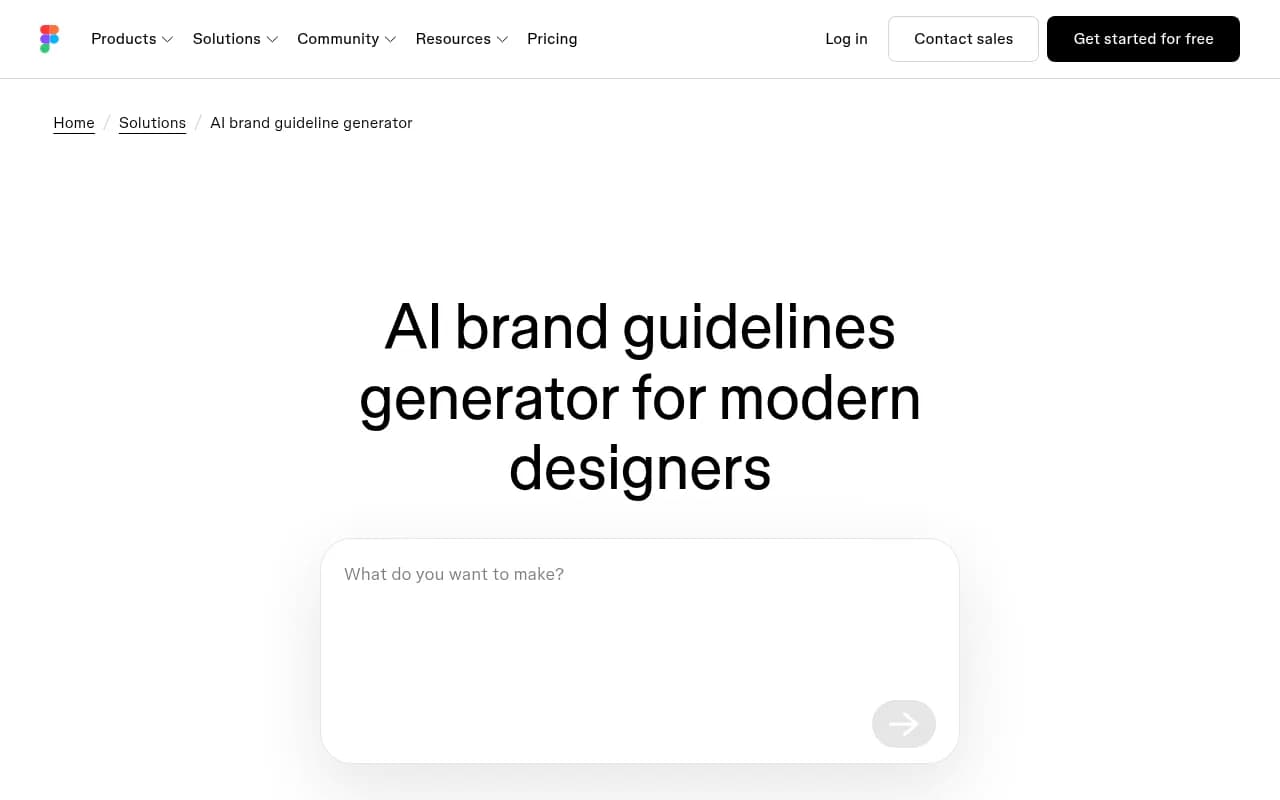
If you have no guidelines at all, Figma's AI brand guidelines generator can turn a natural-language description of your personality and visual direction into rules for color, type, layout, imagery, and voice. It connects to existing Figma libraries and tokens. That is useful for visual systems.
One caveat from my reading. A generator produces plausible guidelines, not your guidelines. Anything it drafts should be checked against what you actually do, then rewritten into the quantified format above.
Part two: the public brand presence AI search can learn from
The internal file helps your own tools. It does nothing for what ChatGPT says about you when a buyer asks. That depends on what is public and crawlable.
Skip the markdown mirrors
It is tempting to publish your brand book as .md files so AI can "read it easily." The data says don't. In Promptwatch Data on markdown in AI search (7 days to Feb 19, 2026), HTML made up 99.94% of citations across ChatGPT, Claude, Perplexity, and AI Overviews. Markdown made up 0.05%. That is roughly 2,000 to 1 in favor of HTML.
The advice from that report: put the effort into HTML pages with a clear heading hierarchy, semantic markup, and direct answers, fix client-side JavaScript rendering first, and reserve .md for developer docs. AI coding agents do fetch .md docs, but that is a separate use case.
So a machine-readable brand file is an internal asset. Don't confuse it with a public page.
Put brand facts on pages AI actually cites
Which pages get cited? Promptwatch's ChatGPT citation data by content type (Sep 28 to Oct 4, 2026) shows product pages at 22.4% of classified citations and landing pages at 16.8%. Together that is about 39% of citations going to pages describing what a company sells.
For branded prompts, the ones that name your company, the picture shifts:
| Content type | Share of branded-prompt citations |
|---|---|
| Product pages | 23.3% |
| Landing pages | 22.8% |
| Reviews | 5.6% |
| FAQ pages | 4.8% |
| Social posts | 3.0% |
| Press releases | 2.1% |
Reviews at 5.6% are more than three times their share across all prompts. People who ask about you by name get shown what others say about you.
The practical read from the report: your homepage, product pages, and docs should answer pricing, features, and who it's for in plain language. Collect reviews on trusted third-party sites. Add a plain-language brand FAQ.
Write a public brand page like you wrote the AI file
The discipline from part one carries over. Be explicit. State your name, what you do, who you serve, and what you cost, in sentences that stand alone. If your company shares a name with a common word, say clearly what you are. Avoid vague claims AI can't verify.
Then keep it consistent. If your pricing page says one thing, your docs another, and a review site a third, models will repeat whichever they find. Audit your own pages for contradictions before blaming the model.
Check what AI actually says about you
A brand file you never test is a guess. Two checks are worth running.
First, an internal test. Take five real tasks (a product description, a social post, an email, an image brief, a customer reply). Run each with and without the brand file loaded. Score them against your rules. Banned words slipping through is the clearest signal the file needs tightening.
Second, an external check on public AI answers. This is where a visibility platform helps. Promptwatch tracks how ChatGPT, Gemini, Perplexity, Claude, and Google AI Overviews describe your brand, and its Brand Narrative feature pulls out the individual claims AI makes about you, grouped under themes like pricing, features, and reputation. Fact Check, on Business plans and above, lets you mark a claim inaccurate and finds the pages on your site that state it. That tells you which page AI is learning the wrong thing from.

Other tools in this space include Profound, Peec AI, and Scrunch, and the GEO software directory at bestgeosoftware.com lists many more. Pick based on whether you only want monitoring or also want help fixing what you find.

A step-by-step build plan
- Audit the existing book. Highlight every adjective-only instruction ("bold," "friendly," "premium"). Each one needs a number, a value, or an example.
- Draft the AI file. Identity paragraph, colors with values and roles, typography rules, tone pairs, banned list, logo rules. Aim for two to four pages, not forty.
- Add 5 to 10 example pairs. Pull real good and bad copy from your own archive. Real examples beat invented ones.
- Deploy once, in one place. Load it as system instructions or a context file. Keep a single version number.
- Test with real tasks. Compare output with and without the file. Fix the rules that fail.
- Fix the public pages. Make sure pricing, features, and audience are stated plainly in HTML on your homepage, product pages, and docs. Add a brand FAQ.
- Collect reviews on trusted sites. Branded prompts lean on them more than other prompt types.
- Monitor and iterate. Re-run the public AI answers monthly. Update both the file and the pages when something is wrong.
Common mistakes
Writing too much is the first one. A forty-page file loaded into a prompt gets diluted. Cut it down to the rules that change output.
The second is treating the AI file as a replacement for the PDF. It isn't. Sweet Lava is clear that it complements the classic brand book. Designers still need the visual detail.
Third, publishing the machine file publicly and expecting AI search to reward it. The markdown data says otherwise.
Fourth, trusting a generated brand book without review. Monigle's own stat that up to 96% of marketing departments have deployed AI for at least one project comes from an Infosys press release, and I haven't verified it. Wide adoption doesn't mean the output is on brand. Plenty of teams are shipping near-misses.
Who should do this first
If you have a fresh identity and a solid brand book, rewriting it into an AI format is a small project, an afternoon or two. If the identity itself is dated, refresh it and write the AI version at the same time, because rewriting twice is wasteful.
If you also need help making your public brand show up in AI answers, that is a GEO and content job. An agency like 1001 SEO Media, which publishes this site, handles that work alongside technical SEO, and its team uses Promptwatch for AI visibility tracking.
The short version
Build the internal file with numbers, values, example pairs, and a banned list. Keep the public side in plain, consistent HTML on the pages AI already cites. Test both. Start with the banned list today, since it changes output faster than anything else in the document.