Key takeaways
- A perception gap is the distance between what is true about your brand and what AI models say. Closing it is a repeatable weekly job, not a one-off audit.
- Fix your own product, landing, pricing, FAQ and docs pages first. Then go after third-party listicles and comparisons that repeat the wrong claim.
- Promptwatch Data shows landing pages and docs stay cited the longest (78% and 76% still cited after 30 days), so a published fix should keep working, and an old wrong claim can persist for months.
- Add a weekly check for platform behavior changes before you rewrite anything. ChatGPT's retrieval behavior shifted overnight on August 8, 2026.
- Close the loop every week: re-run the prompts, check crawler access, and send failed fixes back to the queue.
What a narrative correction workflow is
AI models say things about your brand. Some are right. Some are stale. A few are flatly wrong: a price from two years ago, a feature you never had, a customer segment you do not serve. The gap between that and reality is what I will call the perception gap.
Most teams find out about it by accident. Someone in sales pastes a ChatGPT answer into Slack and everyone winces. Then nothing happens, because nobody owns the fix.
A narrative correction workflow gives it an owner and a rhythm. Once a week you do the same five things: collect claims, rank them, trace the sources, publish fixes, and verify. The research on audit-and-feedback loops in other fields, including a 2024 review of implementation strategies in nursing practice, points the same way. Findings only change behavior when someone turns them into a specific action with a person attached. Audits without that step just produce reports.
I would not over-read that parallel. It is a healthcare study, not a marketing one. But the lesson transfers: the loop, not the dashboard, is what produces change.
The weekly cadence at a glance
| Day | Step | Output |
|---|---|---|
| Monday | Collect and triage claims | Ranked list of wrong or risky claims |
| Tuesday | Trace sources | Which of your pages and which third-party pages carry each claim |
| Wednesday | Check platform shifts and crawler access | Confirmation that AI bots can read the fix targets |
| Thursday | Write and publish fixes | Updated pages live |
| Friday | Verify and log | Re-run prompts, mark fixed or reopen |
The exact days do not matter. The order does. Triage before tracing, tracing before writing, and writing before you declare anything fixed.
Step 1: Collect the claims, not just the scores
A visibility score tells you how often you show up. It does not tell you that Perplexity thinks your plan starts at $99 when it starts at $199. For narrative work you need the individual claims, with the exact quote and the model that said it.
Collect from a fixed set of prompts so week-over-week comparisons mean something. Build the set around the questions buyers actually ask:
- Branded prompts: "What does [brand] cost?", "Is [brand] good for small teams?"
- Competitor comparisons: "[brand] vs [competitor]"
- Category prompts where you should appear: "best [category] tools for [persona]"
Promptwatch Data on ChatGPT citation share by content type is useful here. For branded prompts, product pages and landing pages account for 23.3% and 22.8% of citations (Sep 28 to Oct 4, 2026), with reviews at 5.6% and FAQ pages at 4.8%. So when someone asks about you by name, the answer is built mostly from your own pages. That is good news. It means most wrong claims are fixable at the source.
Tools for claim collection
You can do this by hand with a spreadsheet and a lot of patience. For anything past a few dozen prompts you want a tool that keeps the quotes.
Promptwatch has a Fact Check feature built for this step: it pulls the claims AI models make about your brand, keeps the exact quote and source, and groups claims that mean the same thing even when worded differently. Each claim gets a status (Confirmed, Leans confirmed, Conflicting, Leans conflicting, Inconclusive) and shows how many prompts, responses and models it appeared in. Brand Narrative, which is on every plan, groups claims by theme such as Pricing, Features, Support and Reputation. Fact Check itself needs the Business plan or above, so confirm current plans at promptwatch.com/pricing.

Other monitors in the same space capture brand perception to varying degrees. Waikay positions itself around brand perception, and LLM Pulse covers reputation alongside visibility.


For a wider list, the GEO software directory at bestgeosoftware.com is a reasonable place to compare options.
Step 2: Triage by risk, not volume
A claim repeated across five models is not automatically more urgent than a claim in one. Rank on two axes: how much damage it does, and how many models say it.
A simple scoring approach:
- Revenue risk. Wrong price, wrong feature set, wrong audience. These cost you deals.
- Trust risk. Safety, security, compliance or reputation claims. These cost you more than deals.
- Spread. Number of models and prompts repeating it.
- Fixability. Can you change the source this week?
Put anything with high revenue or trust risk at the top regardless of spread. Put low-risk, low-spread claims in a backlog and leave them there. Not every inaccuracy deserves a ticket. A model calling your office "Amsterdam-based" when you have a New York branch too is a footnote, not a crisis.
One rule that saves time: cap the weekly fix list at five items. Teams that try to fix thirty claims in a week fix none properly.
Step 3: Trace where the claim comes from
This is the step most people skip. They rewrite their pricing page without checking whether the wrong price even came from their pricing page.
For each claim on your list, ask three questions:
- Does any page on your own site state it, or state something that could be misread as it?
- Which cited sources repeat it? Competitor comparison pages and old listicles are common culprits.
- Is the claim coming from training data rather than live retrieval? If so, no single page is responsible, and the fix takes longer.
The Fact Check page from Promptwatch walks through exactly this with a worked example: the claim "Valley pricing starts at $99/month" shows as Conflicting across OpenAI, Perplexity and Gemini, a competitor comparison page spreads the wrong price, and the brand's own pricing page says $199 per seat per month. Each piece of evidence is labeled "States the opposite", "Spreads the claim" or "Backs your site". That labeling is the useful idea, whatever tool you use. Sort every page into those three buckets and you know where to work.
Two things to keep in mind. First, that page is a vendor demo, so treat the UI numbers as illustration, not benchmarks. Second, tracing is detective work, and a tool narrows the search but does not replace judgment.
Promptwatch's Page Tracker and citation reports let you watch a specific URL and see which prompts and responses cite it, which helps when the source is a third-party page you do not control.
Which pages to fix first
| Page type | Priority | Why |
|---|---|---|
| Pricing and product pages | First | Most cited type for branded prompts (about 23%) |
| Landing pages and homepage | First | About 23% of branded citations, and they stay cited longest |
| Documentation | First | 76% still cited after 30 days; smallest drop after day 0 |
| Brand FAQ | Second | 4.8% of branded citations, cheap to write and easy for models to quote |
| Comparison pages you own | Second | Often the source of competitor-framed claims |
| Third-party listicles and reviews | Third | Slower, requires outreach, lower control |
| News and press | Last | Short-lived; about half of cited news pages are gone within 36 days |
The half-life numbers come from Promptwatch Data's content half-life report, which tracked every page ChatGPT cited on July 6, 2026 for 90 days. Landing pages kept 78% after 30 days and 69% after 60. Docs kept 76% and 67%. News kept 41% at day 60, and almost a quarter of news pages were never cited again after day 0.
The practical read: a correction on a landing page or doc is a long-term asset. A press release correction is a short burst.
It also cuts the other way. If a wrong claim lives on a stable page type, it can stay cited for months. Do not assume an old error will fade on its own.
Step 4: Check platform behavior and crawler access before you write
Before rewriting anything, spend ten minutes on two checks.
Did the platform change?
AI engines change how they retrieve without announcing it. Promptwatch Data recorded that on August 8, 2026, ChatGPT Search began using the site: operator at scale. Site-scoped fanout queries went from 0.37% to 16.8% of all fanouts overnight, and average fanout queries per response rose from about 1.08 to about 1.83.
Why does that matter for correction work? Because your own domain became a retrieval surface. If ChatGPT is now running searches scoped to your site, then thin pages, broken internal search and unindexed content directly shape the answers it gives about you. A claim that looked like a content problem last month might be a findability problem this month.
So add one line to the weekly checklist: has anything about how the major engines retrieve changed since last week? If your tracking shows a sudden shift in citations or fanouts, investigate that before you rewrite pages. The same logic applies to events like the Reddit citation drop in ChatGPT, where a claim sourced from Reddit threads can disappear from answers without anyone fixing anything.
Can AI bots read the page you are about to fix?
A perfect rewrite on a page that AI crawlers cannot fetch fixes nothing. Check your server or CDN logs for GPTBot, OAI-SearchBot, ClaudeBot, PerplexityBot and similar. If a bot hits errors on the page, solve that first.
Promptwatch's AI crawler logs are IP-verified and show which pages bots read and what errors they hit, which helps you tell an access problem from a content problem. The free Agentic Readiness Check and AI Crawler URL Inspector cover a quick one-off look if you have no logging yet. Botify is another option for technical teams that already live in crawl data.
Step 5: Write and publish the fix
Now the writing. Keep the fixes boring and specific.
Rewrite the sentence, not the page
Find the exact conflicting sentence and replace it with a clear, quotable statement of the truth. "Plans start at $199 per seat per month, or $149 per month billed quarterly" is better than a pricing page that makes the reader do arithmetic. Models quote what is easy to quote.
A few habits that help:
- State the fact in plain text near the top, not only inside an image, a toggle or a calculator.
- Put the date or version where it matters ("As of this release..." style hedging aside, an updated date on a pricing or spec page is fine).
- Add a short brand FAQ answering the questions your claim list keeps surfacing. Promptwatch's branded-prompt data recommends exactly this, along with making the homepage, product pages and docs answer pricing, features and audience.
- Keep terminology consistent across pages. If your site calls the same plan three different names, models will happily repeat all three.
Use a short brief per fix
Each item on the weekly list gets a four-line brief:
- The wrong claim, quoted.
- What is true, with the source of truth (internal doc, pricing sheet).
- Pages to change, in priority order.
- How you will verify.
The brief is what keeps a Thursday publish from turning into a Thursday debate.
Tools that help with the publishing step
Promptwatch's Fact Check connects to a fix flow: a Conflicting pages list, a "What's true" diff, then three steps of rewrite, review and publish to Webflow. A Content Agent handles the rewriting and publishes to WordPress, Webflow or Framer on a schedule, with a review inbox if you want a human in the loop. The Content Agent is on Business and Enterprise plans. Content Refresh gives git-diff-style updates for existing pages, which suits the "rewrite the sentence" approach well.
If you would rather keep writing in-house, general content tools can do the job, though they will not know which pages are the problem.


For entity and schema cleanup on the pages you fix, InLinks and WordLift handle structured data and entity tagging.

Third-party sources
After your own pages are fixed, deal with outside pages that repeat the claim. This is slower, and I have no tested data on how often outreach succeeds, so treat the following as ordinary practice, not a guarantee:
- Email the publisher with the correct fact and a link to your canonical page.
- Update your listings on review and directory sites you control.
- For competitor comparison pages, there is rarely much to do directly. Publish your own accurate comparison page and keep it current.
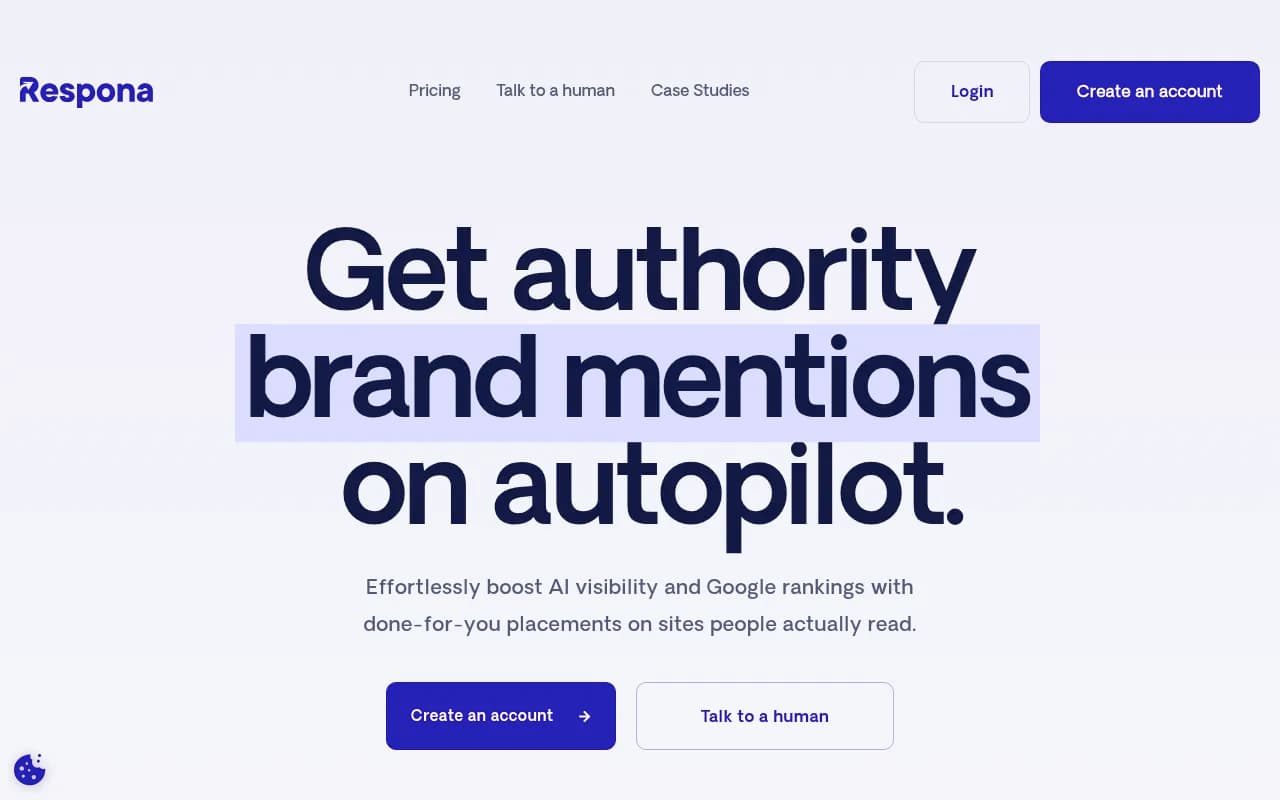
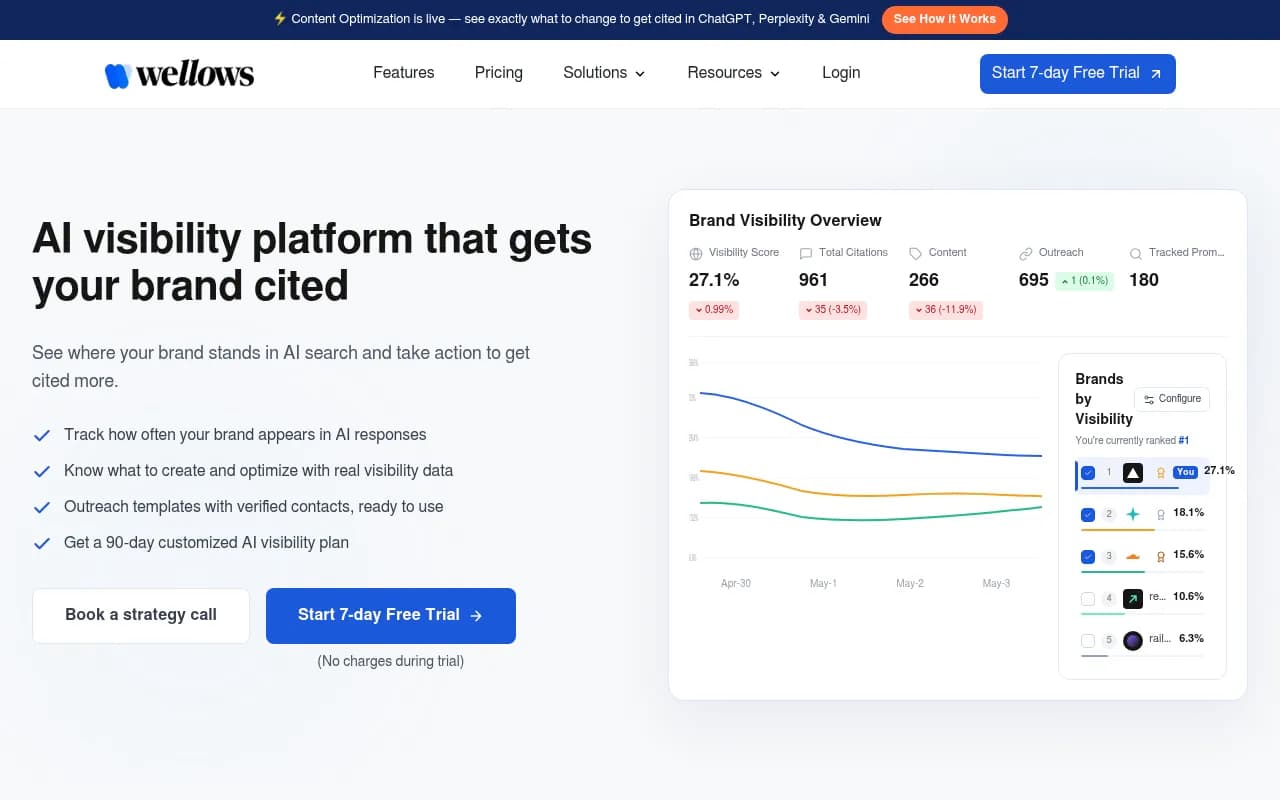
Tools such as Respona and Wellows can support outreach.
Step 6: Verify and close the loop
Friday is for checking whether the week's work did anything. Be realistic here. Nobody has published data on how fast a published fix changes AI answers. The half-life report measures how long pages stay cited, not how quickly corrections propagate. So your own re-runs are the only evidence you have.
A workable verification routine:
- Re-run the exact prompts that produced the wrong claim.
- Check whether the claim still appears and in how many models.
- Check whether the fixed page was crawled since you published it.
- Check whether the page is being cited for those prompts.
- Mark each claim Fixed, Pending (page live, not yet crawled or cited), or Reopened.
Do not mark things Fixed on the same day you publish. Models that rely on live retrieval may update within days. Models answering from training data may take far longer, or never. Track those separately, and do not blame your content for answers it cannot reach.
When a fix fails, ask which of three things went wrong: the bot never read the page, the bot read it but another source outweighs it, or the model is answering from training data. Each has a different next step. This is why a connected view of crawls, citations and traffic matters. Promptwatch ties crawler logs, Page Tracker and visitor analytics together, and sends underperforming pages back as actions and refresh suggestions.
Choosing tooling for the workflow
You need four capabilities: claim-level monitoring, source tracing, a publishing path, and verification. Few tools cover all four.
| Tool | Claim-level monitoring | Source tracing | Content and publishing | Crawler and traffic checks |
|---|---|---|---|---|
| Promptwatch | Yes (Brand Narrative, Fact Check) | Yes (citations, Page Tracker, offsite mentions) | Yes (Content Agent, CMS publishing) | Yes (crawler logs, visitor analytics) |
| Profound | Monitoring and analytics | Citation data | Limited | Limited |
| Peec AI | Prompt tracking | Citation sources | No | No |
| Otterly.AI | Prompt tracking | Basic | No | No |
| Waikay | Brand perception focus | Basic | No | No |
That table reflects the positioning each vendor describes publicly and my own read, so confirm specifics on their sites. The pattern holds, though: most tools stop at monitoring. If you only have a monitor, you can run steps 1 to 3 and the verification, and you will need a separate content workflow for step 5.


For agencies running this across clients, the Promptwatch agencies page covers multi-project setups, and the broader directory at ai-rank-tools.com lists other trackers.
If you would rather hand the whole routine to specialists, an SEO and GEO agency such as 1001 SEO Media runs this kind of ongoing work for brands, and it uses Promptwatch as its AI visibility platform.
A starter template
Copy this into your project tool. One card per claim.
Claim: "[exact quote]"
Models: [which models, how many prompts]
Risk: revenue / trust / low
Sources: own pages [URLs] | third-party [URLs] | training data?
Truth: [fact + internal source]
Fix: [pages, owner, due date]
Crawl check: [bot, date, status]
Verify: [re-run date, result: fixed / pending / reopened]
And the weekly meeting, fifteen minutes, standing:
- What got fixed last week and did it hold?
- What reopened?
- What are this week's five?
- Did any platform behavior change?
Common mistakes
- Fixing the page that is easiest to edit instead of the page that spreads the claim.
- Declaring victory on publish day.
- Treating a one-off audit as a workflow. Promptwatch's own advice on the site: operator shift was to monitor continuously, because behavior can change overnight.
- Ignoring page type. A correction in a press release will fade; a correction on a docs page will not.
- Letting the claim list grow without a cap.
Where to start this week
Pick the five prompts a buyer is most likely to ask about you by name. Run them in ChatGPT, Perplexity and Gemini. Write down every claim that is wrong. Trace the worst one to its source, fix that page, and put a re-run on the calendar for next Friday. If you want a no-login baseline first, Promptwatch's free AI visibility report scans how ChatGPT, Gemini and Perplexity describe your brand, and there is a 7-day free trial at app.promptwatch.com if you want claim-level tracking. Then do it again the week after. The workflow only works because it repeats.