Key takeaways
- A good prompt list mirrors how people talk to assistants: messy, conversational, location-aware and often spoken. Keyword lists copied from SEO tools miss most of that.
- Sort every prompt by intent (commercial, informational, branded) and by style (typed, conversational, voice, local). Results differ by tag, so one blended score hides the problem.
- AI assistants usually rewrite a long question into short search queries before retrieving anything. Test the natural wording and the likely rewritten queries.
- Start with 40 to 60 prompts, run them on a schedule, and review monthly. Do not try to cover everything on day one.
- If you build your own assistant, the same list doubles as a test set for prompts, tool calls and edge cases.
What a prompt list is (and who needs one)
A prompt list is a structured set of questions you run against AI assistants repeatedly. It can serve two different jobs, and people mix them up.
The first job is visibility. You are a brand, a local business or a publisher, and you want to know whether ChatGPT, Gemini, Perplexity or a voice assistant mentions you when someone asks a relevant question.
The second job is building. You are making a personal assistant, a Home Assistant voice agent, or a support bot, and you need a set of realistic user requests to test it against. The Reddit thread on r/LocalLLaMA, "What do you want to ask your AI personal assistant?", is basically a crowd-sourced version of this: people dumping the actual things they want an assistant to do.
The method below works for both. The tags and the test routine are the same. Only what you measure at the end changes.
Step 1: Collect raw material from real language
Do not start in a keyword tool. Start where people already phrase things the way they speak.
- Customer emails, chat logs and support tickets
- Sales call transcripts and voicemail
- Search Console queries that are four or more words long
- People Also Ask boxes
- Reddit and forum threads in your niche
- Your own voice dictation: literally say the question out loud to your phone and see what the transcript looks like
That last one is underrated. Spoken questions are longer, looser and full of filler. Compare:
| Typed | Conversational | Voice-style |
|---|---|---|
| best plumber austin | Who is a good plumber in Austin who does emergency work? | Hey, who can fix a burst pipe in Austin right now? |
| crm small business | What CRM should a five-person agency use? | What's the easiest CRM for a tiny agency, I don't want anything complicated |
| weather paris | Do I need an umbrella in Paris this weekend? | What's the weather like in Paris on Saturday |
The Substack tutorial on building a personal assistant with Claude Code starts with the simplest voice-style prompt there is: "What's the weather in [your city]?" Simple, but it is a valid test case, because it checks whether the assistant can pull live data at all.
Step 2: Tag every prompt twice
Each prompt gets two tags. One for intent, one for style.
Intent tags
Promptwatch Data looked at ChatGPT citations by content type from Sep 28 to Oct 4, 2026, and the mix changes with prompt intent. That is the reason to tag.
- Commercial prompts ("best CRM for small businesses"): product pages were 26.0% of citations, landing pages 20.6%, listicles 15.0%, comparisons 7.9%.
- Informational prompts ("how does X work"): product pages 19.1%, landing pages 13.9%, listicles 13.6%, how-tos 10.7%, docs 8.5%.
- Branded prompts ("is HubSpot good for startups"): product pages 23.3%, landing pages 22.8%, reviews 5.6%, FAQ 4.8%.
See the full breakdown in Promptwatch's ChatGPT citation share by content type. The practical point: a single blended visibility score mixes three different source ecosystems. Track per tag.
Style tags
Four is enough:
- Typed short (keyword-ish)
- Conversational (full sentence, context included)
- Voice-style (spoken cadence, filler, follow-ups)
- Local (a place, "near me", or a time-and-place constraint)
A spreadsheet with columns for prompt, intent, style, topic, country, language and persona is all you need to begin.
Step 3: Write conversational prompts that carry context
Conversational prompts include who is asking and why. That context is what makes the answer personal.
Weak: "project management software"
Better: "I run a six-person design studio and we keep missing deadlines. What project management tool would you pick, and why?"
A few rules that hold up:
- Include a constraint (budget, team size, deadline, skill level)
- Include a goal, not just a category
- Write some prompts as follow-ups ("What about something cheaper?") because real sessions continue
- Mix in a few that are slightly wrong or vague. Real users are.
If you want to use personas, write the same question from two or three different people. A freelancer and a procurement manager asking about invoicing software get different answers.
Step 4: Plan for query fan-out
This is where most prompt lists fall short. When you ask an assistant with web search a long, chatty question, it rarely searches with that exact sentence. It rewrites it into shorter queries.
Promptwatch Data's ChatGPT query fanouts report shows how this has moved. Average fanouts per response were 2.15 in early December 2025 and eased to about 1.84 by early March 2026. After a gap in the data they came back in April at 1.0 per response. Average fanout query length fell from about 117 characters in December to the high 80s in February and March, then to around 53 characters in April. That is six to eight words, closer to keywords than to full sentences. The report's own text says a prompt can trigger 3 to 8 or more searches, which does not match its chart, so treat any single number with caution and re-check after big model updates.
Another shift worth knowing about: ChatGPT started using the site: operator at scale on August 8, 2026, moving from about 0.4% to about 17% of fanout queries overnight.
What this means for your list:
- For each conversational or voice prompt, write 2 to 4 likely rewritten queries beside it: a comparison, a pricing query, an alternatives query, a how-to.
- Check whether your content (or your assistant's knowledge base) answers those short queries, not just the long original.
- Headings that read like search queries, with the entity and category up front, tend to match fanouts better.
Example:
Prompt: Hey, who can fix a burst pipe in Austin right now?
Likely fanouts:
- emergency plumber Austin TX
- 24 hour plumber Austin reviews
- burst pipe repair cost Austin
If the prompt is the question, the fanouts are what actually gets searched. Test both.
Step 5: Add local prompts properly
Local prompts are the ones where the answer depends on where you are standing. "Near me", a neighbourhood name, "open now", "on my way home".
Good local coverage means:
- Naming the place in several ways: city, district, landmark, postcode
- Including time constraints ("open Sunday", "tonight")
- Writing multi-location variants if you run several branches
- Running the same prompt from different countries or cities, since answers shift with location
I could not find Promptwatch reports that cover local-intent prompts specifically, so I will not quote numbers there. What I can say from practice: local prompts are where a generic list breaks down fastest, because one prompt is really dozens once you multiply by location. Keep them in their own tag so they don't drown out everything else.
If you track local visibility seriously, platforms with location-level tracking exist. Promptwatch can pin a monitor to exact coordinates so ChatGPT and Google's AI surfaces answer as if asked from that spot, and Birdeye Search AI is another option aimed at local brands.

For a broader look at local listing and review tools, BrightLocal and Synup are in the catalog too.
Step 6: Write voice-style prompts that behave like speech
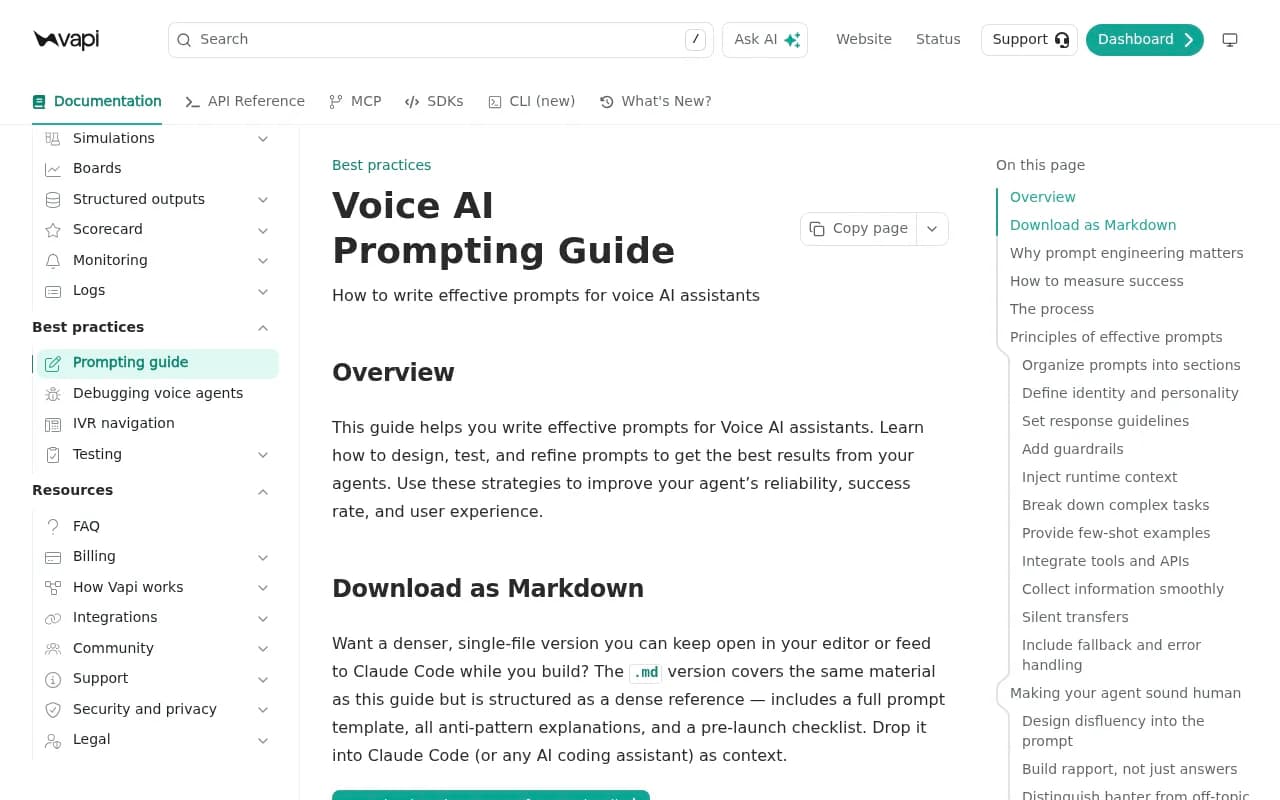
Voice has its own rules, and Vapi's prompting guide lays them out well for people building voice agents. Three constraints stand out:
- Every token costs latency. A bloated system prompt increases time to first token, which the caller hears as dead air.
- Spoken answers must be short. Text-trained models ramble by default.
- Turn-taking replaces scrolling. The agent has to know when to speak, when to listen and when to confirm.
For a test list, that translates into a few habits:
- Write numbers and dates the way people say them: "March fifteenth, nineteen eighty-five", not "03/15/1985"
- Include spelling and confirmation flows ("That's S-M-Y-T-H, correct?")
- Add interruptions, corrections and mumbled requests
- Add failure cases: no availability, tool error, user changes their mind
Vapi's own examples are a good template. They use a happy path, an edge case with no availability, and an error-recovery case where a booking tool fails twice and the agent offers a transfer. Copy that structure: for each core task in your list, write three variants.
| Case | Example request | What you are checking |
|---|---|---|
| Happy path | I'd like to book a cleaning | Clean completion, short spoken replies |
| Edge case | I need an appointment today | Handles empty availability gracefully |
| Error recovery | Can you book me for Friday? | Retries, then offers a human |
| Ambiguous | Uh, sometime next week, mornings maybe | Asks one clarifying question |
Vapi also recommends validating prompt changes against a representative test set instead of single calls, because probabilistic regressions only show up across many runs. Your list is that test set.
Step 7: Build the personal assistant side
If you are building rather than tracking, your list needs a different flavour: tasks.
The LocalLLaMA thread is full of them: summarise my email, draft a reply, remind me of something, search my notes, control the house. Group them into categories:
- Recall ("What did I decide about the Lisbon trip?")
- Action ("Draft a reply to this client about pricing")
- Live data ("What's the weather in Rotterdam?")
- Device control ("Turn off the downstairs lights")
- Planning ("What does my week look like?")
Then pick your stack. The Vellum roundup of open-source personal assistants rates Jan.ai highly as the easiest way to run local models, with fully offline inference so conversations and documents stay on your device. If you only want a local model running quickly, that is the shortest path. Home Assistant users are doing something similar with Gemini through Assist, and one community thread shares a prompt structure that took weeks of tuning.
One more idea from the Claude Skills tutorial by Teacher's Tech: instead of pasting the same long prompt into every new chat, you teach the assistant your process once as a skill. That is useful for a personal assistant list too. Anything you find yourself repeating (your tone, your format, your rate sheet) belongs in a skill or system prompt, not in each test prompt.
Step 8: Run, tag results and review
A list that is never run is a document, not a system.
- Pick the assistants and surfaces that matter: ChatGPT, Gemini, Perplexity, Google AI Overviews, a voice assistant, or your own build.
- Run each prompt on a schedule (daily or weekly for tracked prompts, per release for your own agent).
- Record whether you were mentioned, where in the answer, which sources were cited, and the tone.
- Slice by intent tag and style tag. Compare, don't average.
- Retire prompts that never trigger anything relevant. Add ones taken from new customer language.
A practical note on sources: Promptwatch Data found that ChatGPT's citations skew toward product pages, landing pages and listicles, and that Reddit's share of ChatGPT citations fell from about 4% to 0.5% on August 14, 2026. So if your conversational prompts depend on forum discussion to surface you, check whether that still works. For other models the picture is different: in the week of Sep 28 to Oct 4, 2026, Google AI Overviews got 12.2% of citations from social platforms while ChatGPT got 0.46%. Same prompt, different source mix. Another reason to run several surfaces.
Tools for running the list
A spreadsheet and manual runs work up to maybe 30 prompts. After that, you want something that does it daily and across models.
| Tool | Good for | Notes |
|---|---|---|
| Promptwatch | Tracking, fan-outs, crawler logs, content fixes | Real-UI tracking, prompt volumes, personas and local targeting |
| Peec AI | Simple prompt tracking | Smart prompt suggestions |
| Otterly.AI | Affordable monitoring | Lighter feature set |
| Gumshoe AI | Persona-based tracking | Useful for conversational variants |
| Aiso | Prompt and fan-out tracking | Focused on the fan-out angle |
| Elmo | Self-hosted tracking | Open source, for people who want control |
Promptwatch fits this workflow because it covers the pieces this guide keeps returning to: prompt tagging by type and intent, personas, query fan-outs, and country or city tracking. It also goes past monitoring, with a content agent and action board for fixing the gaps it finds.




To compare more options, the GEO software directory at bestgeosoftware.com lists dozens of them, and ai-rank-tools.com focuses on rank trackers.
A starter template
Copy this into a sheet and fill it in.
prompt | intent | style | topic | persona | country | language | expected fanouts | notes
"Who can fix a burst pipe in Austin right now?" | commercial | voice+local | emergency plumbing | homeowner | US | en | emergency plumber Austin; 24 hour plumber reviews | check Maps-style sources
"I run a six-person studio. Which PM tool would you pick?" | commercial | conversational | project management | studio owner | US | en | best project management tool small team; pricing comparison | track competitors named
"Is [Brand] good for startups?" | branded | conversational | brand reputation | founder | US | en | brand reviews; brand alternatives | sentiment check
Aim for a balance. A reasonable first pass is 40 to 60 prompts: roughly a third commercial, a third informational, a handful branded, and enough local and voice-style prompts that each has at least 10 entries.
Common mistakes
- Copying keywords and calling them prompts. Nobody talks like a keyword.
- Writing only the happy path. Voice and assistant failures live in the edge cases.
- Averaging everything into one score.
- Never refreshing. Models change behaviour in steps, so re-audit after major updates.
- Ignoring language. If your customers speak Dutch or Spanish, write prompts in Dutch or Spanish.
Where to go from here
Build the first 40 prompts this week from real customer language. Tag them, write the likely fanouts, run them, and look at the slices before you add more. If your results tell you something is off, the fix is usually on the content side: a missing page, a heading that doesn't read like a query, or a location your site never mentions. Fix one gap, rerun the same prompts, and see if it moved.