Key takeaways
- Microsoft Copilot (formerly Bing Chat) is one of the most undertracked AI search surfaces in 2026, despite being embedded in Windows, Edge, Microsoft 365, and Bing.
- Most AI visibility platforms monitor ChatGPT and Google AI Overviews first -- Copilot coverage varies significantly between tools.
- The best platforms don't just show you where you're missing; they help you create content that closes those gaps.
- Promptwatch is the only platform rated "Leader" across all GEO categories in a 2026 comparison of 12 platforms, and it includes Copilot tracking alongside 10 other AI models.
- Monitoring alone isn't enough -- look for platforms that combine tracking with content gap analysis and optimization.
Why Copilot tracking is harder than it looks
Microsoft Copilot sits in a strange position in the AI search landscape. It's simultaneously one of the most widely distributed AI systems in the world (embedded in Windows 11, Edge, Microsoft 365, and Bing.com) and one of the least discussed in AI visibility circles. Most conversations about AI search focus on ChatGPT and Google AI Overviews, which is understandable -- ChatGPT processes over 2.5 billion prompts per day, and Google AI Overviews now trigger on roughly 25% of all search queries.
But Copilot isn't a niche product. It's the default AI experience for hundreds of millions of Windows users, and it's deeply integrated into the tools enterprise buyers use every day. If you're selling B2B software, financial services, or anything that enterprise teams research inside Microsoft's ecosystem, Copilot visibility matters a lot.
The tracking challenge is real, though. Copilot's responses can vary depending on whether you're using it through Bing, through Edge, through Microsoft 365, or through the standalone Copilot app. The underlying model has shifted over time (it now uses GPT-4o and other OpenAI models), and its citation behavior differs from ChatGPT's direct interface. A tool that claims "Copilot tracking" might be querying Bing's API rather than the actual user-facing Copilot experience -- and those outputs can differ in meaningful ways.
This is why real user-interface tracking matters, not just API polling.
What to look for in a Copilot tracking platform
Before comparing specific tools, it's worth being clear about what "Copilot tracking" actually means in practice. There are a few distinct things a platform might do:
- Query Copilot directly and record whether your brand is mentioned
- Track which URLs Copilot cites when it mentions your brand or category
- Monitor sentiment and context (is the mention positive, neutral, or a comparison to a competitor?)
- Track how your visibility changes over time as you publish new content
- Show competitor visibility in Copilot alongside your own
The best platforms do all of these. Many do only the first one.
You also want to think about what happens after you get the data. If Copilot isn't mentioning your brand for a key category prompt, what do you do? A monitoring-only tool leaves you with a number and no path forward. A proper GEO platform shows you exactly which content gaps are causing the problem and helps you create content to fix them.
The best platforms for tracking Copilot and Bing AI in 2026
Promptwatch -- best overall for Copilot tracking and optimization
Promptwatch monitors 11 AI models including Copilot, ChatGPT, Claude, Gemini, Perplexity, Grok, DeepSeek, Mistral, Meta AI, Google AI Overviews, and Google AI Mode. Crucially, it tracks how these models behave in real user interfaces, not just through API calls. That distinction matters for Copilot specifically, because the user-facing experience can surface different citations and recommendations than the raw API output.
What separates Promptwatch from most competitors is what it does after the monitoring. The Answer Gap Analysis shows you exactly which prompts your competitors are visible for that you're not -- not in aggregate, but prompt by prompt. Then Content Agents generate articles, comparisons, and briefs grounded in that real gap data, so you're creating content that addresses the specific questions Copilot (and other models) are already being asked but can't find answers to on your site.
It also includes AI Crawler Logs -- real-time data on when Copilot's crawlers hit your site, which pages they read, and when those pages move from crawled to cited. That's a level of transparency most platforms don't offer at all.
Promptwatch is used by 1,480+ brands and agencies including Booking.com and Center Parcs, and was rated the only "Leader" across all categories in a 2026 comparison of 12 GEO platforms.

Pricing starts at $99/month for the Essential plan (1 site, 50 prompts, 5 articles). The Professional plan at $249/month adds crawler logs and city/state-level tracking. Business is $579/month for 5 sites and 350 prompts.
Semrush AI Visibility Toolkit -- best for teams already in the Semrush ecosystem
Semrush added AI visibility tracking to its existing platform, which makes it a natural choice if your team already uses Semrush for traditional SEO. The toolkit covers Copilot alongside ChatGPT, Perplexity, Gemini, Claude, and Google AI Overviews.
The main limitation is that Semrush uses fixed prompt sets rather than letting you define your own prompts freely. That works fine for broad brand monitoring but can miss the specific category-level questions your customers are actually asking Copilot. There's also no AI traffic attribution -- you can see visibility scores but not connect them to actual site traffic or revenue.
Profound -- best for enterprise compliance and depth
Profound is built for large organizations that need governance features, detailed audit trails, and enterprise-grade data access. Its Copilot tracking is solid, and it goes deep on the "why did we appear?" question -- showing you which content attributes correlate with citations.
The trade-off is price and complexity. Profound is one of the more expensive options in the market, and it's built for teams with dedicated AI search analysts rather than lean marketing teams. It also lacks Reddit and YouTube tracking, which are increasingly important signals for AI citations.

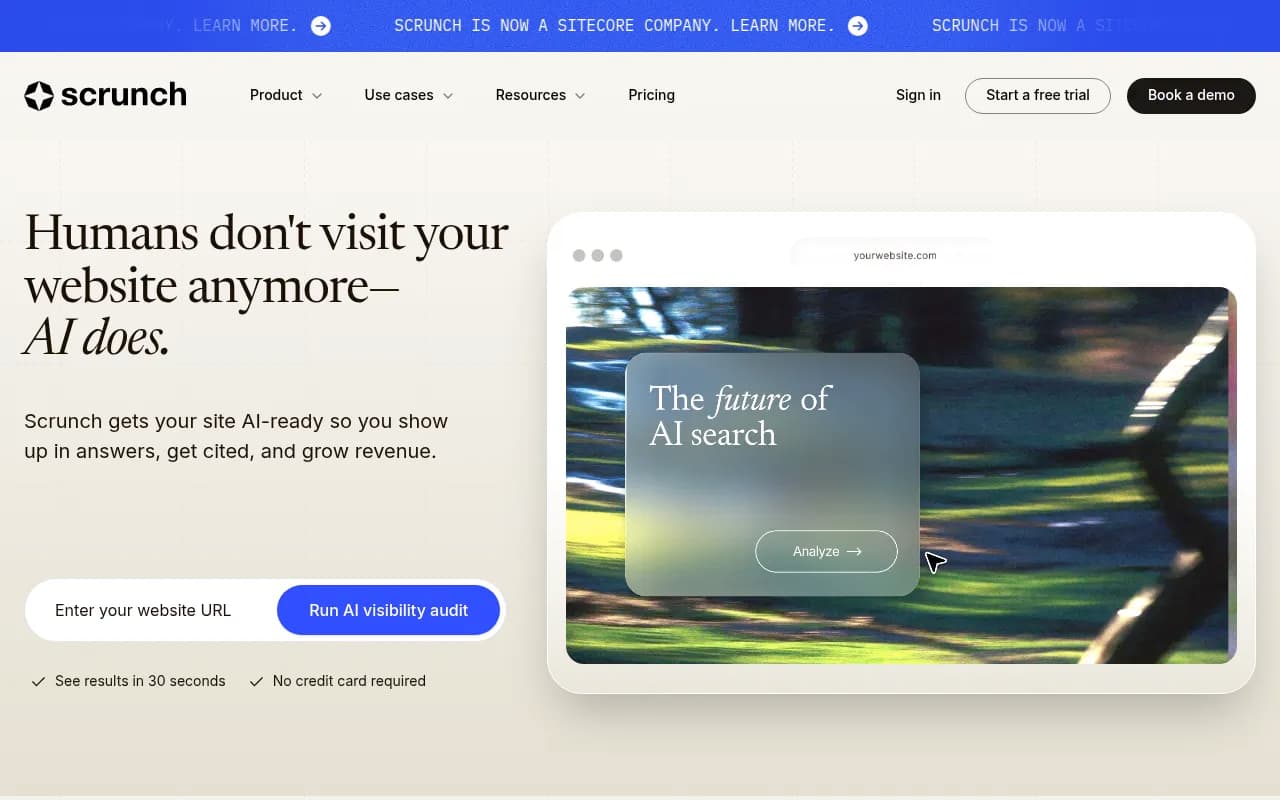
Scrunch AI -- best for agencies that want clean reporting
Scrunch covers multiple AI surfaces including Copilot and produces clean, stakeholder-friendly dashboards that work well for agency reporting. It's strong on breadth of coverage and prompt-plus-competitor tracking.
Where it falls short is on the optimization side. Several users note that Scrunch is better at showing what's happening than telling you what to do about it. For agencies that handle content strategy separately, that's fine. For teams that want a single platform to both diagnose and fix visibility gaps, it's limiting.
Peec AI -- best for smaller teams on a budget
Peec AI is a monitoring-focused platform that covers Copilot and several other AI surfaces at a lower price point than most enterprise options. It's clean, easy to set up, and gives you a reasonable view of brand mentions across AI models.
The limitations are real though. No crawler logs, no content generation, no AI traffic attribution. It's a good starting point for teams that are new to AI visibility tracking and want to understand the landscape before investing in a more complete platform.

AthenaHQ -- solid monitoring, limited optimization
AthenaHQ focuses on AI search monitoring with a clean interface and decent Copilot coverage. Like Peec AI, it sits firmly in the monitoring-only camp -- it shows you where you stand but doesn't help you improve your position. Worth considering if your primary need is visibility reporting rather than optimization.

Otterly.AI -- affordable entry point
Otterly.AI is one of the more affordable options for AI brand visibility monitoring. It covers Copilot and several other models, and it's quick to set up. The feature set is basic -- you get brand mention tracking and some competitor comparison, but no content gap analysis, no crawler logs, and no content generation. Good for solo marketers or small businesses that just want to know if they're showing up.

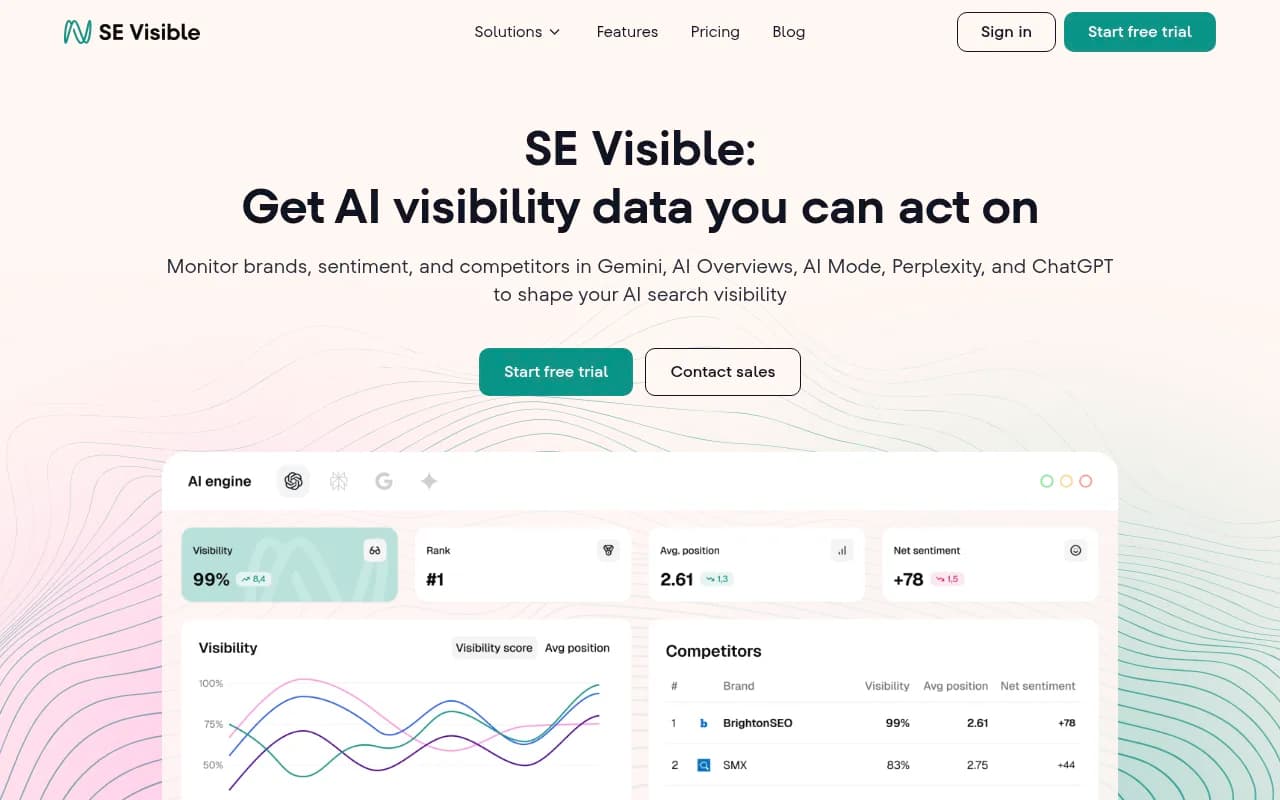
SE Ranking Visible -- good for teams in the SE Ranking ecosystem
SE Ranking's AI visibility module (Visible) adds AI tracking to the SE Ranking platform. It covers a reasonable range of AI models and integrates with SE Ranking's existing keyword and ranking data. Similar to the Semrush situation -- if you're already a SE Ranking customer, this is a low-friction way to add AI monitoring. If you're starting fresh, there are more complete standalone options.
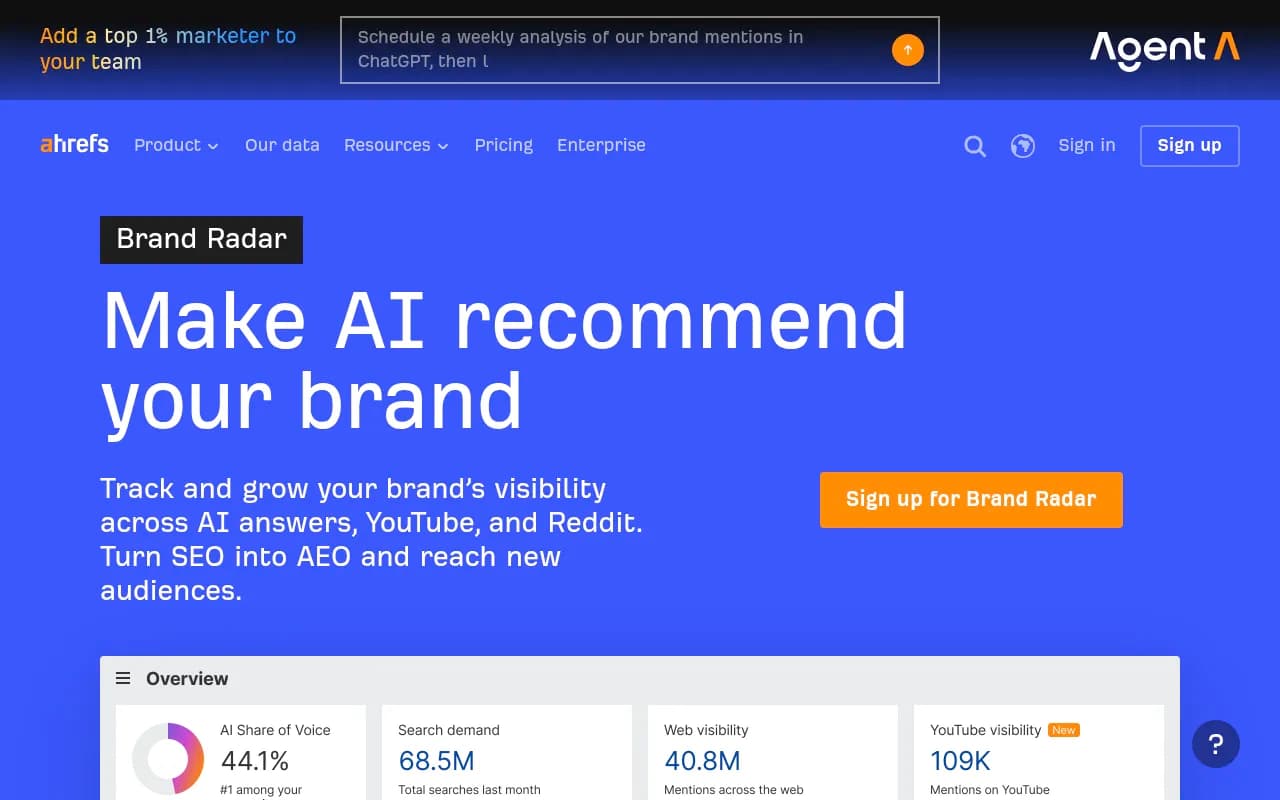
Ahrefs Brand Radar -- limited but familiar
Ahrefs Brand Radar tracks brand mentions across AI search engines and integrates with Ahrefs' existing backlink and keyword data. The limitations are significant for Copilot-specific tracking: fixed prompt sets, no AI traffic attribution, and no content optimization features. It's a useful add-on for existing Ahrefs users but not a primary AI visibility tool.
How these platforms compare
| Platform | Copilot tracking | Content generation | Crawler logs | Prompt customization | AI traffic attribution | Starting price |
|---|---|---|---|---|---|---|
| Promptwatch | Yes | Yes | Yes | Yes | Yes | $99/mo |
| Semrush AI Toolkit | Yes | No | No | Limited | No | Varies |
| Profound | Yes | No | No | Yes | No | High |
| Scrunch AI | Yes | No | No | Yes | No | ~$300/mo |
| Peec AI | Yes | No | No | Yes | No | Low |
| AthenaHQ | Yes | No | No | Yes | No | Mid |
| Otterly.AI | Yes | No | No | Limited | No | Low |
| SE Ranking Visible | Yes | No | No | Limited | No | Varies |
| Ahrefs Brand Radar | Yes | No | No | No | No | Varies |
The pattern here is pretty clear. Most platforms handle the monitoring part. Almost none of them help you do anything about what you find.
Why Copilot citations work differently from ChatGPT
This is worth spending a moment on because it affects how you should interpret your tracking data.
ChatGPT (in its web-browsing mode) and Copilot both use retrieval-augmented generation, but they pull from different sources and apply different ranking logic. Copilot is deeply integrated with Bing's web index, which means Bing's crawl coverage and freshness directly affect what Copilot can cite. If Bing hasn't crawled your latest content, Copilot won't cite it -- even if ChatGPT already has.
This means your Copilot visibility strategy needs to account for Bing indexing, not just Google. A few practical implications:
- Submit your sitemap to Bing Webmaster Tools if you haven't already
- Check Bing's crawl stats for your domain -- Bing's crawler (Bingbot) can be slower than Googlebot on some sites
- Structure your content with clear headings, concise answers, and explicit citations, since Copilot tends to favor content that's easy to extract and attribute
- Monitor which of your pages Copilot actually cites, not just whether your brand is mentioned -- page-level citation data tells you which content is working
Platforms with AI crawler logs (Promptwatch being the main one) can show you when Bingbot and Copilot's citation agents hit your pages, which gives you a much clearer picture of the crawl-to-citation pipeline than you'd get from Bing Webmaster Tools alone.
The content gap problem -- and why it matters for Copilot specifically
Here's the thing most AI visibility guides don't say directly: if Copilot isn't mentioning your brand for a given category prompt, it's almost always because your content doesn't clearly answer the question the prompt is asking.
Copilot (like most AI search engines) is looking for content that directly, specifically, and authoritatively answers the user's query. Generic product pages and vague "about us" content don't get cited. Detailed comparison articles, specific how-to guides, and content that addresses the exact questions buyers ask at each stage of the funnel -- that's what gets cited.
This is why the monitoring-only approach has a ceiling. You can watch your Copilot visibility score stay flat for months while knowing exactly what it is. Or you can use a platform that shows you the specific prompts where competitors are getting cited and you're not, then generate content that targets those gaps.
The answer gap analysis approach -- finding the specific prompts where you're invisible and creating content to address them -- is the most direct path to improving Copilot visibility. It's also the approach that most platforms don't support because it requires both tracking data and content generation in the same workflow.
Practical steps to improve your Copilot visibility
Whether you're using a full GEO platform or starting with a lighter tool, here's what actually moves the needle:
Audit your current Copilot presence. Run 20-30 prompts that your customers would realistically ask Copilot in your category. Note which ones mention your brand, which mention competitors, and which mention nobody in particular. This gives you a baseline.
Identify the gap prompts. The prompts where competitors appear but you don't are your highest-priority targets. These are questions Copilot already has an answer for -- just not one that includes you.
Create content that directly answers those prompts. Not content that vaguely relates to the topic. Content that specifically, clearly answers the question. Use the exact language from the prompt in your headings and opening paragraphs.
Check your Bing indexing. Use Bing Webmaster Tools to verify that your new content is being crawled and indexed. Copilot can't cite what Bing hasn't indexed.
Track changes over 4-8 weeks. AI citation patterns shift as models update and new content gets crawled. Give your content time to be discovered before drawing conclusions.
Expand to offsite citations. Copilot (like other AI models) cites third-party sources too -- review sites, Reddit threads, industry publications. Getting mentioned in those sources can drive Copilot visibility even without changes to your own site.
Which platform should you actually use?
If you want a single platform that handles Copilot tracking, content gap analysis, and content generation in one workflow, Promptwatch is the most complete option available in 2026. The crawler logs are particularly useful for Copilot specifically, since Bing's crawl behavior is less transparent than Google's.
If you're already deep in the Semrush or Ahrefs ecosystem and just want to add AI monitoring without switching platforms, the Semrush AI Visibility Toolkit or Ahrefs Brand Radar are reasonable add-ons -- just go in knowing they're monitoring tools, not optimization platforms.
For agencies that need clean client reporting across multiple brands, Scrunch AI is worth a look for its dashboard quality, though you'll want a separate content workflow alongside it.
For teams just getting started with AI visibility tracking who want to understand the landscape before committing to a larger platform, Peec AI or Otterly.AI are low-risk starting points.
The honest answer is that Copilot tracking in isolation isn't the goal. The goal is being visible across all the AI surfaces your customers use -- and having a clear process for improving that visibility when you're not. That's the problem a proper GEO platform solves, and it's why the monitoring-only tools, however cheap and easy to set up, tend to leave teams stuck.