Key Takeaways
- Local landing pages share the AI answer with many other sources. In Promptwatch Data, 47.6% of ChatGPT responses with citations name 10 or more domains, so your listings and reviews matter as much as your own page.
- Audit in order: crawler access, page content, schema, profile and listing consistency, reviews, then measurement. Fixing on-page copy before the basics is wasted effort.
- Thin, templated location pages get passed over. Each page needs unique, entity-rich content: services, staff, hours, access details, neighbourhood context.
- LocalBusiness schema, a short FAQ with FAQPage markup, and exact NAP matches are the cheapest wins.
- Set a baseline of tracked prompts before you change anything, then re-run the audit quarterly.
Why local pages need their own AI audit
A classic local SEO audit asks whether you rank in the map pack. An AI readiness audit asks something different: when someone types "best physiotherapist near me with Saturday hours" into ChatGPT, Perplexity or Google's AI features, does your location page get read, understood and quoted?
The answer engine is assembling a response from several places at once. It filters on Business Profile attributes, quotes review text, and pulls structured facts from the location page. If any of those is thin or contradicts the others, you drop out. I've seen businesses with excellent map pack rankings that never appear in AI answers, mostly because the location pages were a copy-pasted template with the city name swapped.
One data point sets the right expectation. Promptwatch Data's report on unique domains per ChatGPT response (Sep 28 to Oct 4, 2026) found 47.6% of responses with citations cite 10 or more domains, and 66.1% cite at least 8. Only 6% cite three or fewer. Your location page is one voice in a crowd of directories, review sites and aggregators. That changes what you audit.
The same dataset's content type report shows landing pages receive 16.8% of classified ChatGPT citations, and product pages 22.4%. It doesn't break out local pages specifically, so don't read those numbers as local benchmarks. They do say that pages describing what a company sells get cited a lot, as long as the specs, prices and positioning are complete and factual.
Before you start: pick the page set and the scoring
Pick every location page if you have fewer than 30. Otherwise sample: your five best-performing locations, five weakest, and five in the most competitive cities. Add the store locator and any service-plus-city pages.
Use a simple status per check, borrowed from common audit practice:
- Pass: good enough for now.
- Fix: visible issue to improve.
- Investigate: needs logs, screenshots or data.
- Skip: not relevant to this page type.
A spreadsheet with one row per location and one column per check is all you need. Score each location out of 100 using the weights in the table below.
| Audit area | Points | What you are checking |
|---|---|---|
| Crawler access and rendering | 20 | Robots.txt, CDN/WAF rules, server-rendered content |
| On-page entity content | 25 | Unique copy, services, staff, hours, neighbourhood context |
| Structured data | 15 | LocalBusiness (or subtype), FAQPage, validity |
| Profile and citation consistency | 20 | GBP, NAP, directories, cross-platform hours |
| Reviews | 10 | Volume, recency, specifics, owner responses |
| Measurement | 10 | Tracked prompts, baseline, re-run schedule |
The weights are my judgment, not a standard. Shift them if, say, you run a franchise where profile data is the biggest problem.
Step 1: Confirm AI crawlers can reach the pages
This is mechanical and it catches the most damage first. Every answer engine sends its own crawlers, and they get blocked by default rules nobody remembers setting.
Check these:
- robots.txt rules for GPTBot, OAI-SearchBot, ChatGPT-User, ClaudeBot, PerplexityBot and Google's agents match your actual policy, not a copied default.
- CDN and WAF rules (Cloudflare bot fight mode is a common culprit) don't challenge or block those user agents on location URLs.
- Location content exists in server-rendered HTML. If the hours, address and services load through JavaScript after a store locator API call, many crawlers never see them.
- Every location page is in the XML sitemap and linked from crawlable pages, not only reachable through a search box or map widget.
- Canonicals are self-referencing and not pointing every location at a generic parent.
The store locator is where multi-location sites fail most often. A map that renders pins client-side with no linkable page per location is invisible to a crawler.
For a reality check, compare your server logs with the provider mix in Promptwatch Data's AI crawler traffic report. OpenAI made up 79.8% of verified AI crawler requests in Aug 31 to Sep 6, 2026, down from 94.8% in mid-June. If a provider is a big share there and near zero in your logs, you are probably blocked or unreachable for it. Tools like Promptwatch show IP-verified crawler logs per page, which saves you from parsing raw logs yourself.

If you'd rather crawl the site yourself first, a crawler such as Botify handles large location sets, and Firecrawl is handy for pulling rendered text from every location URL to see what a bot actually reads.

Step 2: Audit the content on each location page
This is the largest part of the score, and where most local sites are weakest. AI engines extract from location pages that have structured, entity-rich content. Boilerplate pages are passed over.
The content checklist
- One dedicated page per location. A pin on a store locator doesn't count.
- Substantive copy that isn't duplicated across locations. Run a similarity check: if two pages share more than roughly 70% of their text, rewrite one.
- Unique title tag and meta description naming the city or neighbourhood. No templated duplicates.
- Location-aware H1.
- Address, phone (clickable), hours, parking and access details written as plain text, not only inside an image or an embedded widget.
- Services offered at that location, each with a short description. Don't list services the branch doesn't actually provide.
- Staff names and roles where relevant. Named people are entities an engine can attach to the location.
- Neighbourhood, landmarks and adjacent areas mentioned naturally in the body.
- Internal links both ways: service pages link to the locations offering them, location pages link back to services.
- Embedded map plus a text address.
Keep the wording factual. Promptwatch's content type data advises keeping specs, prices and positioning complete and accurate because ChatGPT quotes them directly. For a local page, the equivalent is prices from, service durations, accepted insurance, languages spoken, and accessibility features.
A quick test
Cover the logo and the city name. Could the page belong to any other branch of any other company? If yes, it's thin. Add what only this branch can say: the team, the building, the nearest transit, what customers in that area ask about.
Step 3: Validate structured data
Pull the JSON-LD from each template and validate it against Google's structured data documentation. Then check these:
- Use the most specific type available. A generic Organization tag on a dental clinic wastes the chance to use Dentist; a restaurant should be Restaurant, not just LocalBusiness.
- Populate the full field set: name, address, geo coordinates, telephone, openingHoursSpecification, url, image, priceRange, sameAs links to the profile and social accounts, and areaServed for service-area businesses.
- The schema matches the Google Business Profile exactly. Different hours in schema and on the profile is a contradiction an engine can notice.
- Marked-up content is visible on the page.
- Add FAQPage markup to the FAQ block (see below).
- BreadcrumbList shows the location's place in the hierarchy.
A minimal pattern looks like this:
{
  "@context": "https://schema.org",
  "@type": "Dentist",
  "name": "Example Dental - Riverside",
  "url": "https://example.com/locations/riverside",
  "telephone": "+1-555-0100",
  "address": {
    "@type": "PostalAddress",
    "streetAddress": "12 River St",
    "addressLocality": "Riverside",
    "addressRegion": "CA",
    "postalCode": "92501"
  },
  "openingHoursSpecification": [{
    "@type": "OpeningHoursSpecification",
    "dayOfWeek": ["Monday","Tuesday","Wednesday","Thursday","Friday"],
    "opens": "08:00",
    "closes": "17:00"
  }],
  "sameAs": ["https://www.facebook.com/exampledental"]
}
For schema generation and entity-based internal linking at scale, InLinks and WordLift are worth a look.

Step 4: Add and audit the FAQ block
A short FAQ on each location page gives AI engines extractable question and answer pairs that map neatly to how people phrase local queries. Four to six questions is enough.
Good local FAQ topics:
- Is there parking, and where?
- Is the location wheelchair accessible?
- What are the hours on public holidays?
- Do you take walk-ins or only appointments?
- Which services are available at this branch specifically?
- Which neighbourhoods do you serve?
Each answer should be self-contained: restate the subject so the sentence makes sense when quoted alone. "Yes, the Riverside clinic has six free parking spaces behind the building" beats "Yes, behind the building." Add FAQPage schema and check that every marked-up question is visible on the page.
Step 5: Check profile, NAP and listing consistency
AI engines triangulate across platforms. Inconsistent hours or categories across Google, Bing, Apple Maps, Yelp and industry directories are a citation hygiene problem, and your own page is only part of the evidence.
- GBP claimed and verified, with the most specific primary category and two to four secondary categories.
- Attributes complete. When users ask for "vegan restaurant with outdoor seating" or "wheelchair-accessible cafe," the engine filters on profile attributes first. A profile missing the attribute is invisible on that query even if the venue qualifies.
- Special hours set for upcoming holidays.
- NAP on the page exactly matches the profile, character for character.
- No duplicate or outdated listings.
- Industry-specific directories present, since the unique-domains data above says third-party sources share the answer.
For multi-location brands, a listings platform keeps this sane. Options in this space include Yext, SOCi, Chatmeter and BrightLocal for audits and citation tracking.
Step 6: Audit reviews as an answer source
AI answers increasingly quote reviews directly ("customers praise the quick service and the bread pudding"). So audit more than the star rating.
- Review count at or above the median of the businesses currently in your local pack.
- At least some reviews in the last 90 days, with steady velocity. Two to four a month suits most service categories.
- Owner responses to every review from the last 12 months.
- Review requests that prompt specifics ("what service did you have?") rather than generic praise.
- No incentivised review schemes.
- Presence on the review sites people trust in your category, not just Google.
Promptwatch's content type report found reviews account for 5.6% of citations on branded prompts, more than three times their share across all prompts. When someone asks about you by name, reviews carry real weight.
Step 7: Measure before you change anything
An audit without a baseline produces fixes nobody can evaluate. Build a prompt list of 20 to 40 real questions per market:
- "best [service] in [city]"
- "[service] near me open on Sunday"
- "[brand] [city] reviews"
- "does [brand] in [neighbourhood] offer [service]"
Run them weekly across ChatGPT, Perplexity and Google's AI surfaces. Record whether you appear, which URL is cited, and who gets cited instead. Also do a manual spot check: search in an incognito mobile session from the business area.
Tracking tools do this at scale. Promptwatch tracks real interfaces by country, and from its Business plan down to state and city level, which matters for local work. Birdeye Search AI is built around location-level AI visibility, and Peec AI and Otterly.AI are lighter prompt trackers. Verify current pricing on each vendor's site.


The larger directories of GEO tools are collected at bestgeosoftware.com if you want to compare further.
The full local landing page checklist
| Area | Check | Status |
|---|---|---|
| Access | AI crawlers allowed in robots.txt, CDN and WAF | Pass / Fix |
| Access | Content in server-rendered HTML | Pass / Fix |
| Access | Page in sitemap and linked from crawlable pages | Pass / Fix |
| Content | Unique copy, not a swapped-city template | Pass / Fix |
| Content | Address, hours, access details as plain text | Pass / Fix |
| Content | Services, staff and neighbourhood context | Pass / Fix |
| Content | Unique title, meta description and H1 with location | Pass / Fix |
| Links | Two-way links between service and location pages | Pass / Fix |
| Schema | Specific LocalBusiness subtype with full fields | Pass / Fix |
| Schema | Matches profile data exactly, validates | Pass / Fix |
| FAQ | 4-6 questions with FAQPage markup | Pass / Fix |
| Profile | GBP categories, attributes, special hours complete | Pass / Fix |
| Profile | NAP identical across directories, no duplicates | Pass / Fix |
| Reviews | Recent, specific, answered, competitive volume | Pass / Fix |
| Performance | Mobile page speed acceptable | Pass / Fix |
| Measurement | Baseline prompts tracked weekly | Pass / Fix |
Reading the results
If you fail Step 1, stop. Nothing else matters until crawlers can read the page. If Steps 2 and 3 are weak, a rewrite template plus schema fix across all locations gives the biggest return per hour. If your pages look fine but you still aren't cited, the problem is usually off-site: thin listings, no reviews on trusted platforms, or conflicting data across directories.
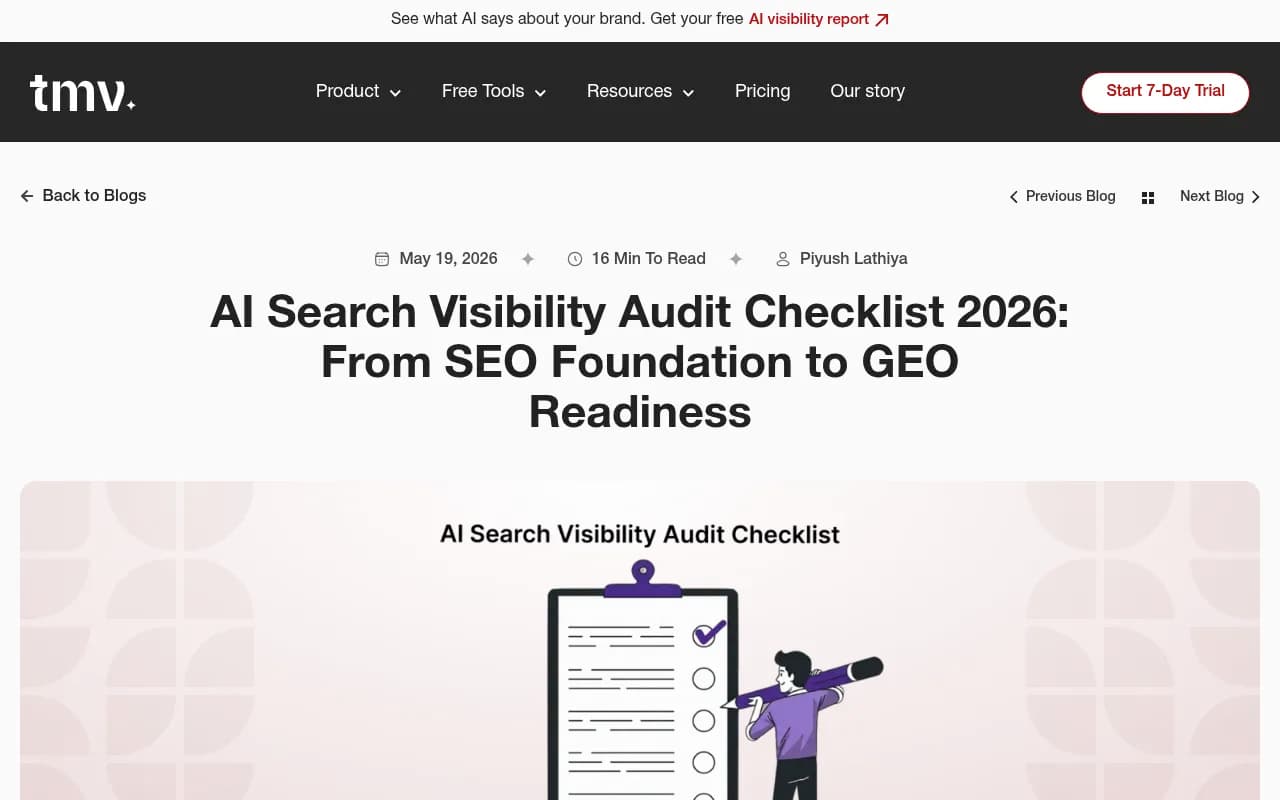
The screenshot below from one of the audit guides shows the kind of readiness checklist structure worth copying into your own spreadsheet.
Fixing, then keeping it fixed
Prioritise in this order: access, then profile fundamentals, then on-page content, then schema and FAQs, then reviews. Ship changes in batches of a few locations so you can see which fixes moved visibility. Re-run the same prompt set after each batch.
Then put the audit on a quarterly calendar. Profile fields drift, hours change, photos go stale and competitors keep updating theirs. Local AI readiness is maintenance, not a project with an end date.
If you don't have the time to run this across dozens of locations, a specialist team can do it for you. 1001 SEO Media runs AI search and local SEO audits with a remediation plan attached. Whoever does the work, keep the order above and keep the baseline.