Key takeaways
- Google AI Mode pulls from a different set of signals than traditional search -- E-E-A-T, structured data, and answer-ready formatting matter more than keyword density
- A content audit for AI Mode has five distinct phases: inventory, AI visibility scoring, gap analysis, prioritization, and action planning
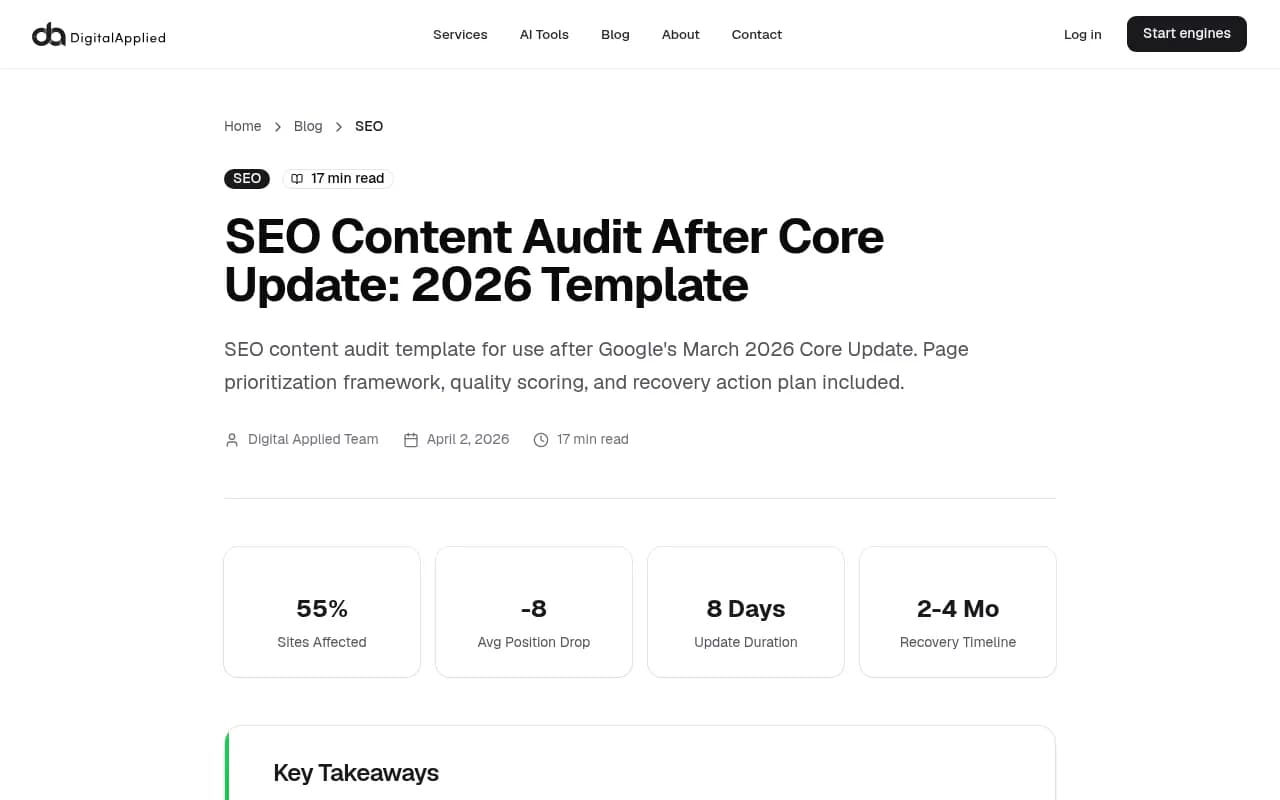
- The March 2026 Core Update hit 55% of monitored sites, with pages lacking author credentials and first-hand experience dropping an average of 8 positions
- Free template included: a Google Sheets scoring rubric you can copy and use today
- Tracking which pages AI models actually cite requires dedicated tooling -- standard Google Analytics won't show you this
Google AI Mode is not just a new search feature. It's a fundamentally different way that people get answers, and it doesn't work the way traditional search does. Instead of returning ten blue links, it synthesizes a response from multiple sources, cites a handful of pages, and often answers the question so completely that users never click through at all.
That changes what a content audit needs to look at.
The standard SEO content audit -- check rankings, fix thin pages, update meta descriptions -- still matters. But if you're not also asking "would AI Mode cite this page?", you're auditing for a search engine that's becoming less relevant by the month.
This guide walks through a complete Google AI Mode content audit, from inventory to action plan. There's a free template at the end you can copy into Google Sheets and start using today.
What makes AI Mode different from traditional search
Before auditing anything, it helps to understand what AI Mode is actually evaluating.
Traditional Google ranks pages. AI Mode synthesizes answers. The underlying model reads your page and decides whether it contains something worth quoting, citing, or building an answer around. That means the signals it weights are different:
- Can the page answer a specific question directly and completely?
- Does the content demonstrate genuine expertise or first-hand experience?
- Is the information structured in a way that's easy to extract (headers, lists, tables, schema)?
- Is the author credible and verifiable?
- Is the content fresh enough to be trustworthy?
The March 2026 Core Update made this even more explicit. Sites with high-volume AI-generated content and minimal editorial oversight dropped hard -- an average of 8 positions in affected keyword sets. Google is now treating content quality as a primary ranking signal, not a secondary one.
The implication for your audit: you're not just looking for thin content or broken links. You're looking for pages that fail to demonstrate expertise, fail to answer questions directly, and fail to give AI models anything worth citing.
Phase 1: Build your content inventory
You can't audit what you haven't catalogued. Start with a complete list of every page on your site.
Pull your URL list
Export from Google Search Console (Performance > Pages), your sitemap, or a crawl tool. For most sites, you'll want to filter to pages with at least some traffic history -- purely orphaned pages with zero impressions can be handled separately.
Tools like Semrush or Ahrefs can crawl your site and export a full URL list with basic metrics attached.
Add baseline metrics to each URL
For each page, collect:
- Current organic traffic (last 90 days vs. prior 90 days)
- Impressions and average position (Search Console)
- Page type (blog post, product page, landing page, FAQ, etc.)
- Word count
- Last modified date
- Whether it has a named author with credentials
This becomes your audit spreadsheet. Every subsequent phase adds columns to this same sheet.
Phase 2: Score each page for AI Mode readiness
This is the core of the audit. For each page, you're scoring it against the signals that matter for AI-generated answers. Use a 100-point rubric across five categories.
The AI Mode readiness scoring rubric
| Category | Max points | What to evaluate |
|---|---|---|
| E-E-A-T signals | 25 | Named author, verifiable credentials, first-hand experience signals, About page, author bio |
| Answer quality | 25 | Does the page directly answer a clear question? Is the answer complete? |
| Structure & extractability | 20 | Headers, lists, tables, FAQ schema, how-to schema, clear topic hierarchy |
| Freshness | 15 | Last updated date, recency of cited sources, whether the topic is time-sensitive |
| Technical health | 15 | Page speed, mobile usability, crawlability, no indexing errors |
Pages scoring 75+ are in good shape for AI Mode. Pages between 50-74 need targeted improvements. Pages below 50 need significant rework or should be consolidated.
How to score E-E-A-T (25 points)
This is the category most sites underperform on, and it's the one Google has been most aggressive about since early 2025.
- Named author on the page: 5 points
- Author bio with verifiable credentials: 5 points
- First-hand experience signals (original data, personal examples, photos, case studies): 8 points
- About page that establishes organizational credibility: 4 points
- External citations or references to authoritative sources: 3 points
A page with no author attribution and no experience signals scores 0 here. That's a serious problem for AI Mode visibility.
How to score answer quality (25 points)
- The page targets a clear, specific question: 5 points
- The question is answered in the first 200 words: 8 points
- The answer is complete (doesn't require clicking elsewhere): 7 points
- The page covers related sub-questions: 5 points
"Complete" is the key word. AI Mode doesn't cite pages that make users do more work. If your page teases an answer and buries the detail behind a CTA or a paywall, it won't get cited.
How to score structure and extractability (20 points)
- Logical H2/H3 hierarchy: 5 points
- At least one list or table: 4 points
- FAQ schema implemented: 5 points
- How-to or Article schema where appropriate: 3 points
- Clear topic sentences that could stand alone as quotes: 3 points
AI models extract sentences and paragraphs. If your content is written in dense, meandering prose with no clear structure, it's hard to cite. Short, declarative sentences that directly state a fact or answer are what get pulled.
Phase 3: Check your AI visibility directly
Scoring pages against a rubric tells you what should be working. But you also need to know what's actually happening -- which pages AI Mode is citing, which prompts you're appearing for, and where competitors are showing up instead of you.
This is where standard analytics falls short. Google Analytics doesn't tell you which pages are being cited in AI Mode responses. Search Console shows impressions and clicks, but not AI-generated answer appearances.
Promptwatch is built specifically for this. It tracks which of your pages are being cited in AI Mode, ChatGPT, Perplexity, and other AI search engines -- and it shows you which prompts your competitors are visible for that you're not. That gap analysis is what turns a content audit from a backward-looking exercise into a forward-looking strategy.
For each page in your audit spreadsheet, add a column: "Currently cited in AI Mode? (Y/N/Unknown)". If you have AI visibility tooling, fill this in. If not, manually test 20-30 of your most important pages by searching for the questions they're meant to answer in Google AI Mode and checking whether your page appears.
Phase 4: Run your gap analysis
The gap analysis answers one question: what are people asking in AI Mode that you have no good answer for?
Find the prompts you're missing
There are two ways to approach this:
-
Manual research: Search for your core topics in Google AI Mode and note which questions come up in the AI-generated response. Check whether you have a page that directly answers each one.
-
Tool-assisted: Platforms like Promptwatch's Answer Gap Analysis show you exactly which prompts competitors are visible for that you're not. This is faster and more systematic than manual research, especially for sites with large content libraries.
Categorize gaps by type
Not all gaps are equal. Sort them into:
- Missing content: You have no page on this topic at all
- Weak content: You have a page but it scores below 50 on the rubric
- Outdated content: You have a page but it hasn't been updated in 12+ months and the topic has evolved
- Structural gaps: You have good content but it's not formatted for AI extraction
Each gap type has a different fix. Missing content needs new pages. Weak content needs rewrites. Outdated content needs refreshes. Structural gaps need formatting work without necessarily changing the substance.
Phase 5: Prioritize your action list
You now have a scored inventory and a gap analysis. The problem is usually that there are more issues than you can fix at once. Prioritization is how you avoid spending three weeks on a page that drives 12 visits a month.
The prioritization matrix
Score each page or gap on two dimensions:
| Dimension | How to score |
|---|---|
| Impact potential | High traffic topic + low current AI visibility = high impact |
| Effort required | New page = high effort. Formatting fix = low effort. Rewrite = medium effort |
Prioritize high-impact, low-effort fixes first. These are usually structural gaps -- pages with good content that just need better headers, FAQ schema, or a clearer opening paragraph.
High-impact, high-effort work (new content for major gaps) goes in the second tier. Low-impact work goes last or gets dropped entirely.
Recovery timeline expectations
The March 2026 Core Update data is useful here: even well-executed fixes typically take 2-4 months to show measurable results. Google needs to recrawl, re-evaluate, and re-rank. AI Mode citation patterns shift on a similar timeline.
Set realistic expectations with stakeholders. A content audit completed in June 2026 should show results by September or October, assuming fixes are implemented promptly.
Phase 6: Execute and track
The fix types, in order of frequency
Most pages need one of four things:
- Add author attribution and credentials (fast, high E-E-A-T impact)
- Rewrite the opening 200 words to directly answer the target question
- Add structure: break up dense paragraphs, add H2s, convert prose lists to actual lists, add a FAQ section
- Add schema markup (FAQ, HowTo, Article with author)
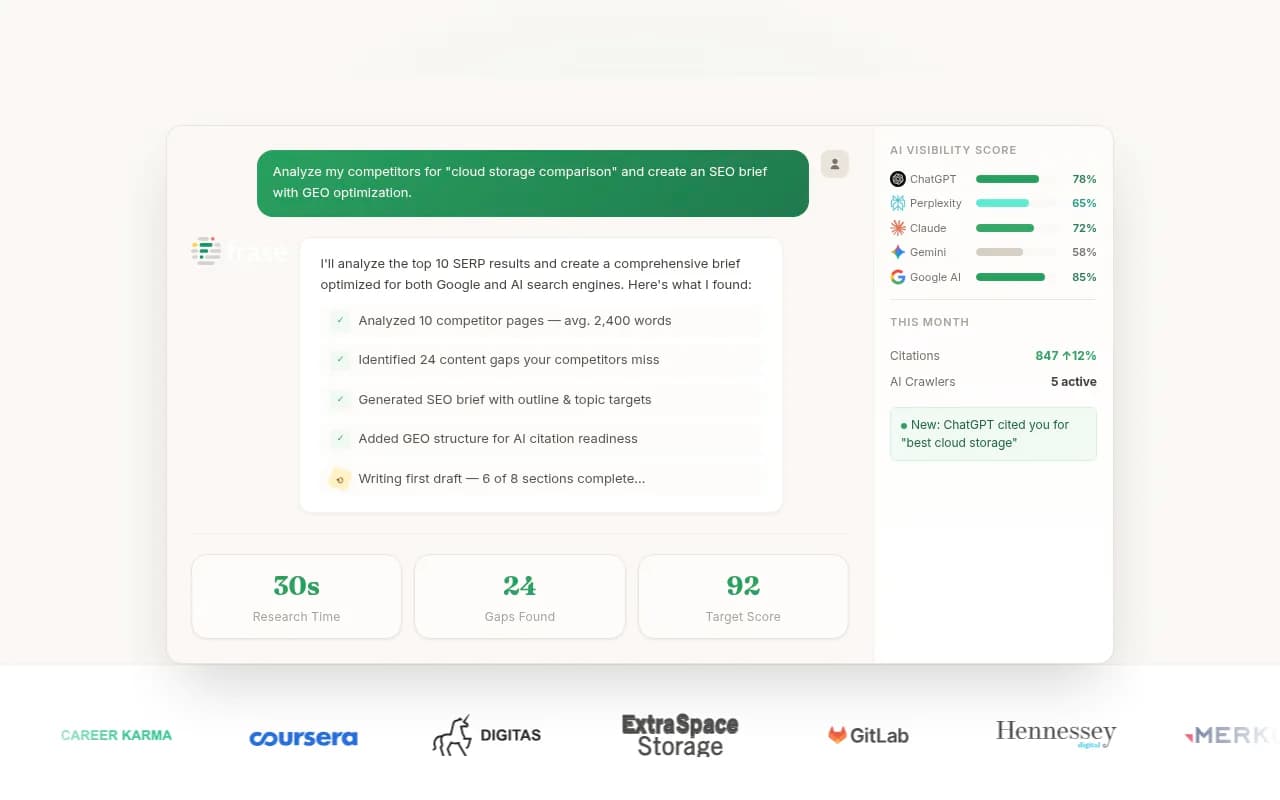
For pages that need full rewrites or new content, tools like Surfer SEO or Clearscope can help you optimize content against what's actually appearing in search results. For AI-specific content briefs grounded in real prompt data, Promptwatch's Content Agents generate articles built around the exact gaps your audit identified.


Track what changes
After implementing fixes, you need to know whether they worked. Set up a tracking column in your audit sheet:
- Date fix implemented
- Type of fix
- AI Mode citation status (check monthly)
- Traffic change (check at 60 and 90 days)
- Position change (check at 60 and 90 days)
This closes the loop. Without tracking, you're guessing which fixes actually moved the needle.
The free template
Copy this Google Sheets structure for your audit. Each row is one URL.
| Column | What to record |
|---|---|
| URL | Full page URL |
| Page type | Blog / product / landing / FAQ / other |
| Traffic (last 90d) | From Search Console or analytics |
| Traffic change % | vs. prior 90 days |
| Avg position | From Search Console |
| Word count | From crawl or manual check |
| Last updated | Date of last meaningful edit |
| Author named? | Y/N |
| Author bio/credentials? | Y/N |
| E-E-A-T score (0-25) | From rubric above |
| Answer quality score (0-25) | From rubric above |
| Structure score (0-20) | From rubric above |
| Freshness score (0-15) | From rubric above |
| Technical score (0-15) | From rubric above |
| Total score (0-100) | Sum of above |
| AI Mode cited? | Y / N / Unknown |
| Gap type | Missing / Weak / Outdated / Structural |
| Priority tier | 1 (high impact, low effort) / 2 / 3 |
| Fix type | Author / Opening rewrite / Structure / Schema / Full rewrite / New page |
| Fix implemented date | Date |
| Notes | Anything relevant |
To use it: create a new Google Sheet, set up these columns as headers, and paste in your URL list. Fill in the scoring columns as you work through each page. The total score column tells you where to focus.
Tools worth knowing for this process
Beyond the audit itself, a few tools make specific phases significantly easier:
For tracking AI visibility and citation gaps across AI Mode, ChatGPT, and Perplexity:
For content optimization against search data:
For rank tracking that extends into AI search:
For enterprise-level AI search intelligence:


Common mistakes to avoid
A few things that consistently trip up teams doing this audit for the first time:
Auditing too many pages at once. If your site has 500+ pages, start with the top 20% by traffic. Get those right before touching the long tail.
Treating AI Mode like traditional search. The goal isn't to rank for a keyword. The goal is to be the source an AI model trusts enough to cite. That requires a different kind of content -- more direct, more credible, more structured.
Ignoring author attribution. It feels like a small thing. It's not. The March 2026 Core Update data is clear: pages without verifiable author credentials underperformed significantly. Adding a real author bio with actual credentials is one of the highest-ROI fixes in this entire process.
Expecting fast results. Two to four months is the realistic recovery window after a core update. If you implement fixes in June and check in July, you'll see nothing and conclude the audit didn't work. Check in September.
Skipping the gap analysis. Fixing existing pages is only half the job. The other half is identifying what you don't have. The prompts your competitors are visible for that you're not -- those are your biggest opportunities, and they won't show up in a standard content audit.
Where to go from here
A Google AI Mode content audit is not a one-time project. AI search is changing fast enough that what works today may need revisiting in six months. The sites that build a regular audit cadence -- quarterly for high-traffic pages, biannually for the long tail -- are the ones that compound their AI visibility over time rather than scrambling after each algorithm update.
Start with your top 20 pages by traffic. Score them against the rubric. Check whether they're being cited in AI Mode. Fix the easiest structural issues first. Then work through the gap analysis to identify what new content you need.
That's the whole process. It's not complicated, but it does require being systematic about it -- which is exactly what the template is for.